Beyond Connecting Apps: Building Your Single Source of Truth
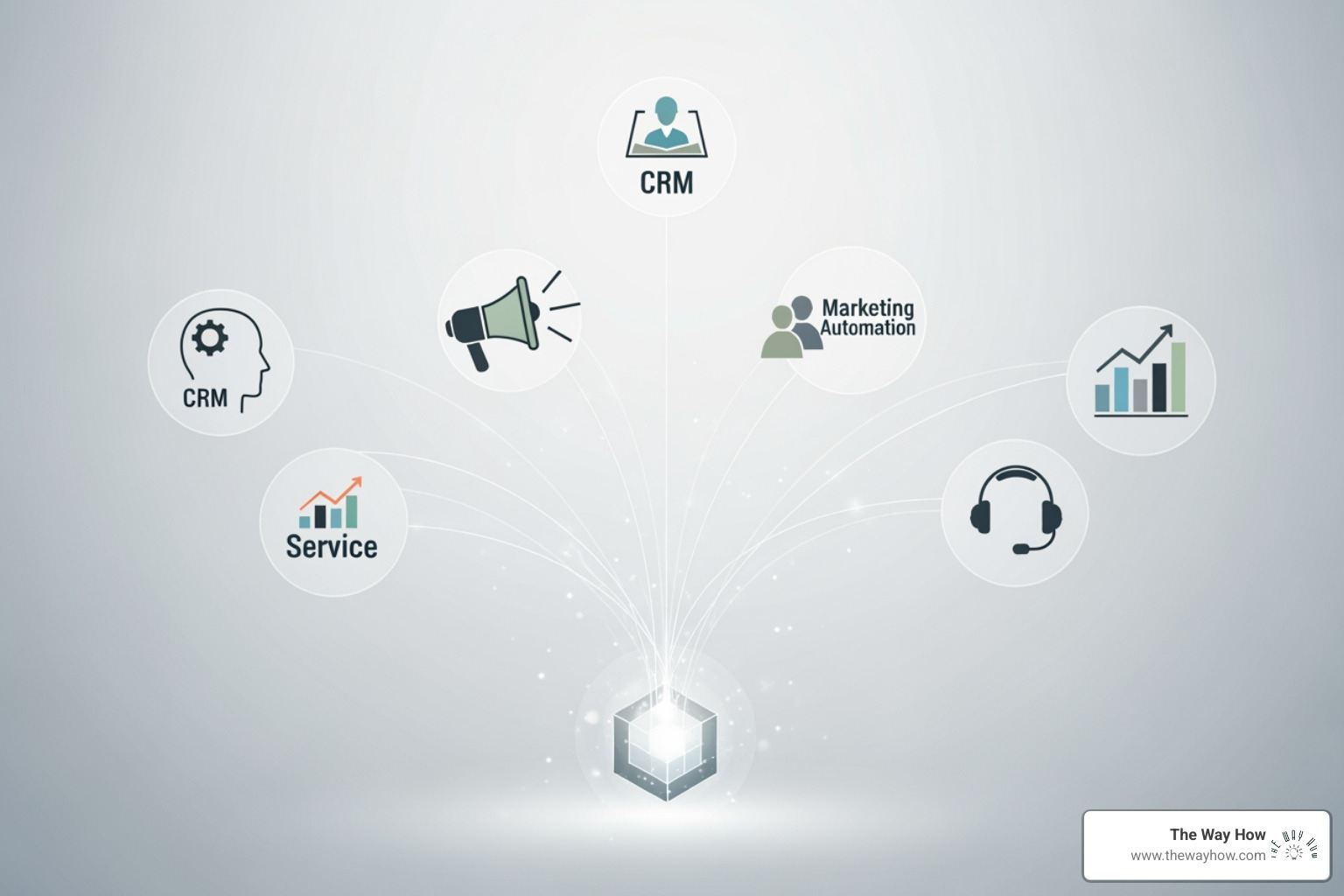
A HubSpot integration strategy is a structured plan for connecting HubSpot with your other business systems to create a unified source of customer data, automate workflows, and eliminate manual data entry. Here’s what you need to know:
Key Components:
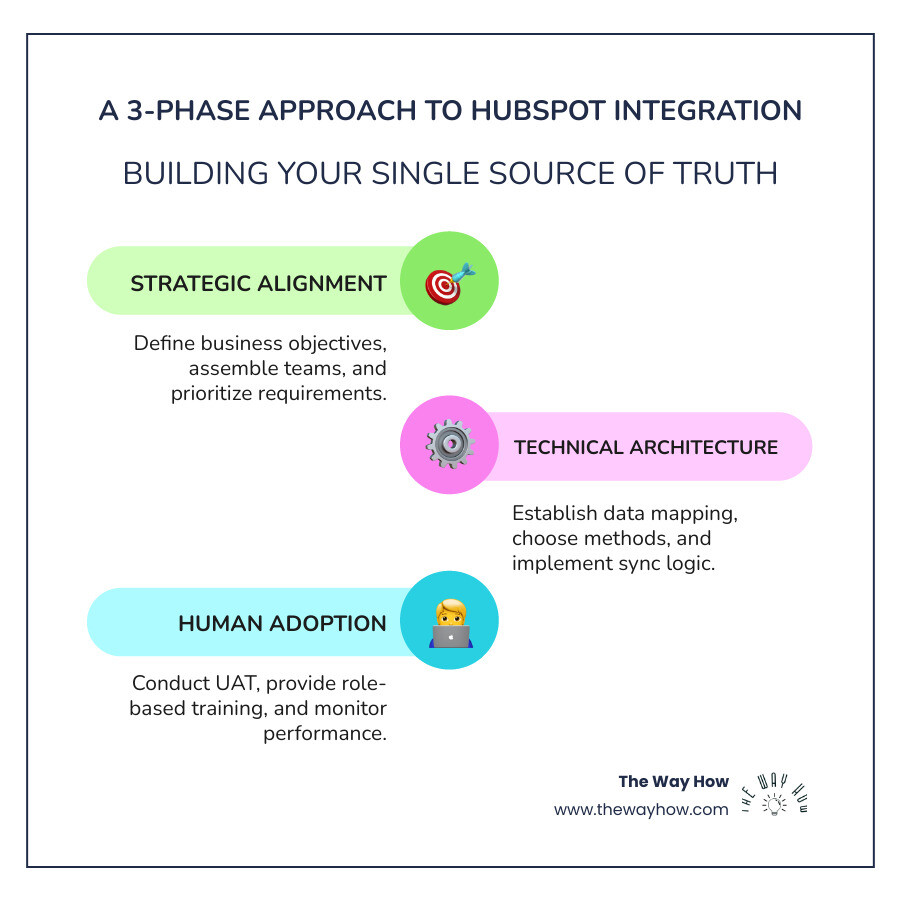
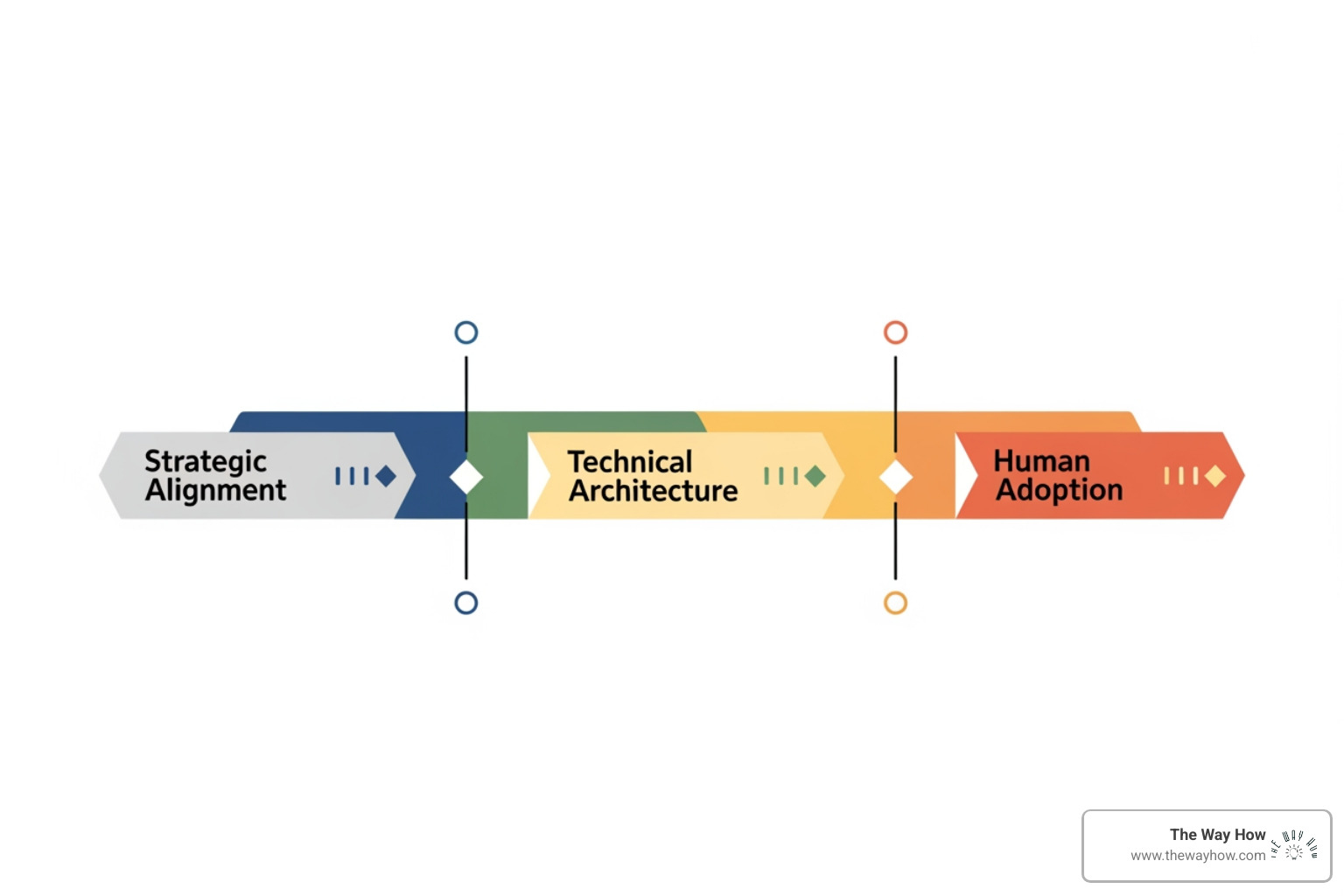
- Strategic Planning: Define business objectives, assemble cross-functional teams, and prioritize integration requirements
- Technical Architecture: Establish data mapping rules, choose integration methods (native, middleware, or custom API), and implement synchronization logic
- Human Adoption: Conduct user acceptance testing, provide role-based training, and monitor post-launch performance
Primary Integration Types:
- Native integrations (pre-built connections from HubSpot’s App Marketplace)
- Middleware platforms (like Zapier or Make for flexible, no-code connections)
- Custom APIs (for bespoke, complex integration needs)
You’re drowning in disconnected systems. Marketing runs campaigns in HubSpot. Sales lives in Salesforce. Customer support logs tickets in Zendesk. Finance tracks everything in spreadsheets.
Every morning starts the same way: exporting data from one tool, reformatting it, and importing it into another. Your team spends hours on tasks a computer should handle in seconds. Meanwhile, a lead fills out a form, but sales doesn’t see it for two days because someone forgot to check the export.
This isn’t just frustrating. It’s expensive. It creates friction for your customers, who get inconsistent messages because teams are working from different versions of the truth. It creates friction for your teams, who waste cognitive energy on manual work instead of strategic thinking.
The real problem isn’t that your apps don’t talk to each other. The problem is that you don’t have a single source of truth.
When your data lives in silos, uncertainty multiplies. Sales doesn’t trust marketing’s lead scores. Marketing can’t prove ROI because they can’t connect campaigns to closed deals. Customer success doesn’t know what was promised during the sales process. Everyone is guessing.
A HubSpot integration strategy solves this by creating clarity. It connects your systems so data flows automatically, accurately, and in real time. It removes the manual work that slows your team down. Most importantly, it builds trust—in your data, in your systems, and in your ability to make decisions that actually drive growth.
This isn’t about technology for technology’s sake. It’s about removing the barriers between your team and the insights they need to do their jobs well.
The Foundation: Why Your Business Needs a Cohesive HubSpot Integration Strategy
At The Way How, we believe that true growth stems from removing uncertainty. Disconnected systems are a prime source of uncertainty, leading to fractured customer experiences and inefficient operations. This is why a cohesive HubSpot integration strategy isn’t just a technical task; it’s a strategic imperative for open uping your business’s full potential.
The core components of a successful strategy revolve around creating a unified, efficient, and intelligent ecosystem. When your marketing, sales, and service teams lack visibility into each other’s data, it hinders growth and efficiency. A properly implemented HubSpot CRM integration transforms these disconnected pieces into a robust, unified system.
Key Benefits of Integrating HubSpot
The benefits of integrating HubSpot with your other business tools are far-reaching and impact every aspect of your customer journey and internal operations:
- Streamlined Processes: Automate repetitive tasks, freeing up your team’s time for more strategic, growth-driving activities. Imagine automatically sending welcome emails, assigning leads, and updating CRM statuses without any manual intervention.
- Improved Efficiency: When data flows seamlessly, your teams work smarter, not harder. This means faster lead follow-up, quicker customer issue resolution, and ultimately, a more productive workforce.
- Improved Customer Experiences: By having a unified view of customer interactions and data, you can deliver personalized marketing, sales, and service experiences. This consistency builds trust and loyalty.
- Better Collaboration and Communication: Accurate and up-to-date information shared across departments breaks down silos. Sales knows what marketing promised, and service knows the sales history, fostering a cohesive customer approach.
- Increased Revenue and Growth: Data-driven insights from integrated systems lead to optimized campaigns, more effective sales strategies, and better customer retention, directly impacting your bottom line.
Psychology-First Benefits: Beyond the Bottom Line
From a psychology-first perspective, the advantages run even deeper:
- Reduced Cognitive Load: When team members aren’t constantly toggling between systems or manually transferring data, their mental energy is freed up. This reduces stress and allows for more creative problem-solving and strategic thinking.
- Increased Customer Trust: Consistent messaging and personalized interactions, powered by unified data, make customers feel understood and valued. This builds a strong foundation of trust, a crucial element in long-term relationships.
- Data-Driven Confidence: When your teams have immediate access to accurate, reliable data, they make decisions with greater confidence. This removes guesswork and empowers them to act decisively, creating momentum throughout the customer journey.
The Role of HubSpot Hubs in Your Integration Strategy
HubSpot is more than just a CRM; it’s a comprehensive platform built around a central customer database. Its various “Hubs” each play a critical role in a holistic integration strategy, ensuring every customer interaction is captured and actionable.

- Marketing Hub: This is where your customer journey begins. Integrations here focus on lead generation, nurturing, content marketing, and automation. Think connecting social media platforms (Facebook, LinkedIn, Twitter, Instagram), advertising tools (Google Ads, Facebook Ads), and content platforms (WordPress, YouTube, Vidyard) to track campaign performance, attribute ROI, and build segmented lists for personalized outreach.
- Sales Hub: Designed to streamline your sales process. Integrations empower your sales team with lead and contact management, deal tracking, email sequencing, and pipeline management. Connecting with tools like Salesforce, HelloSign, or PandaDoc ensures sales reps have all the context they need to prioritize leads and close deals efficiently.
- Service Hub: Focuses on delivering exceptional customer support. Integrations here help manage tickets, provide knowledge bases, and facilitate customer communication. Integrating with tools like Zendesk, LiveChat, or Slack can centralize customer inquiries and interaction details, ensuring prompt and consistent support.
- Operations Hub: This Hub is the unsung hero of integration, explicitly designed to help you clean, automate, and curate your customer data. It offers powerful tools for data management, workflow automation, and reporting. With features like custom code actions, webhooks, and the Data Quality Command Center, Operations Hub ensures your data is clean, consistent, and flowing correctly across all integrated systems. It’s especially vital for managing data sync issues and maintaining data hygiene. You can learn more about its capabilities by exploring More info about HubSpot Operations Hub.
- Commerce Hub: Ideal for B2B commerce teams, this Hub helps manage orders, invoices, and payments. Integrating with e-commerce platforms like Shopify or accounting software can streamline billing processes and provide a unified view of customer transactions.
By understanding how each Hub contributes, we can design an integration strategy that leverages HubSpot’s full power, creating a truly connected and intelligent customer platform.
The Playbook: A 3-Phase Approach to Flawless HubSpot Integration
Many integration efforts resemble a spaghetti junction more than a strategic roadmap. We’ve seen businesses jump in headfirst, only to end up with data silos, sync errors, and frustrated teams. At The Way How, we advocate for a structured, psychology-first approach that reduces uncertainty and builds consensus from initial planning to post-launch monitoring. This isn’t just about connecting systems; it’s about aligning people, processes, and platforms.
Phase 1: Strategic Alignment for Your HubSpot Integration Strategy
This phase is all about people-first planning. Before we touch a single line of code or install an app, we need to understand the “why” and “who.”
Defining Business Objectives: Integration for integration’s sake is a recipe for disaster. We start by clarifying your business goals. “We want better reporting” isn’t a strategy; it’s a vague ambition. Instead, we define measurable objectives like “reduce manual reporting time by 50%” or “increase lead conversion rate through faster follow-ups.” This ensures every integration decision is tied to a tangible business outcome.
Assembling the Team: A successful integration requires a strong, cross-functional team. This includes representatives from Marketing (for lead handling, campaign tracking), Sales (for pipeline setup, CRM usability), and Operations/IT (for backend behavior, data syncing). Crucially, we appoint a project owner to coordinate efforts and an executive sponsor who can clear roadblocks and advocate for adoption across the business. Without top-down buy-in, even the best plans can falter.
Prioritizing Requirements: With objectives clear, we translate vision into concrete requirements. We use frameworks like MoSCoW (Must-haves, Should-haves, Could-haves) to prioritize. Must-haves are non-negotiable; Should-haves are highly valuable but can wait for phase two; Could-haves are nice-to-haves for a later stage. This prevents scope creep and keeps the project grounded in what truly matters.
Choosing Integration Types: This is where we decide how HubSpot will communicate with your other tools. There are three main paths:
- Native Integrations: These are pre-built connectors available in the HubSpot App Marketplace (e.g., Salesforce, Shopify, Zoom). They are quick to deploy and easy to maintain but offer limited flexibility. If your setup is slightly unique, you might hit a wall.
- Middleware Tools: Platforms like Zapier, Make (formerly Integromat), and Tray.io automate workflows between apps without requiring code. They are speedy and cost-effective but can become complex if you’re chaining too many “Zaps” like a Rube Goldberg machine.
- Custom APIs: For when you need complete control, custom integrations give you the power to build exactly what you need. They are fully bespoke, scalable, and flexible but come with a higher price tag and require significant development resources. The smart play is to balance long-term flexibility with short-term feasibility. We help you make an informed decision based on your specific needs, budget, and desired complexity.
Identifying Stakeholders: Beyond the core team, we identify all systems and their owners. This includes your CRM, marketing automation, ERP, finance tools, and even that random legacy system Dave from Ops still swears by. For each, we pinpoint the technical point of contact, data ownership, and who is responsible when something goes wrong. This proactive approach prevents finger-pointing down the line and ensures smoother communication. For a deeper dive into CRM setup, explore More info about HubSpot CRM Implementation.
Phase 2: Technical Architecture and Data Integrity
This phase builds the system’s scaffolding, ensuring data flows correctly and reliably. It’s where the rubber meets the road, changing strategic plans into operational reality.
Data Mapping Best Practices: This is the foundation of any successful integration. Many organizations stumble here by rushing. We carefully map out what fields sync where, in which direction, and under what rules. This includes:
- Documenting naming conventions across platforms (e.g., “Company Name” vs. “Organisation”).
- Defining the “source of truth” for each data type.
- Addressing field type compatibility challenges and establishing rules for data change and standardization.
- Creating clear data flow diagrams so everyone understands the journey of your customer data.
- For complex integrations, such as HubSpot CRM integration with other systems, detailed API usage and data mapping are crucial. We must consider how to handle unique identifiers, custom properties, and object relationships.
Data Change and Cleansing: Most data isn’t ready for integration. It’s often like a garage full of boxes labeled “misc.” Before connecting anything, we conduct a thorough data audit to identify incomplete records, inconsistent formatting, and outdated fields. Standardizing your data—aligning picklists, removing irrelevant fields, and ensuring consistent formats—is critical for preventing “garbage in, garbage out.”
Leveraging the HubSpot API: For advanced needs beyond out-of-the-box functionality, the HubSpot API is invaluable. It allows for secure data management through retrieval (GET) and update (POST) requests, enabling integration with niche applications or automating complex processes. We provide access to comprehensive API documentation for developers.
API Rate Limits: When using the API, it’s crucial to implement proper batch sizes and space out data transfers to prevent overload. The number of calls you can make is based on your account subscription and if you’ve purchased an API limit increase. Building in delay times and monitoring API quota usage are essential best practices.
Sandbox Testing: Testing in live environments is a bold strategy, often leading to disaster. We always recommend building a sandbox—a safe, controlled replica of your system—to test integrations without contaminating your live database or triggering real workflows. This catches early mistakes, like syncing data to the wrong field, before they impact your real customers.
Error Handling Policies: Something will break. It’s not a matter of if, but when. We establish robust error-handling mechanisms, including retries and alerts, to log, flag, and fix errors like duplicates, mismatches, or failed syncs. This includes setting up comprehensive error-catching systems and documenting common error scenarios.
Data Synchronization: Ensuring data consistency is paramount. We decide on the synchronization frequency and method:
- Real-time sync: Provides immediate updates, ideal for critical data like lead status or support tickets.
- Batch sync: Transfers data at scheduled intervals, suitable for less time-sensitive information or large data volumes. While real-time sync sounds appealing, more frequent syncing than once every five minutes can actually lead to errors and conflicts. We help you choose the right approach that balances real-time needs with data integrity.
Phase 3: Driving Adoption of Your HubSpot Integration Strategy
The best technical architecture means nothing if your team doesn’t use it. This phase focuses on the human element of change, ensuring your integration delivers actual value.
User Acceptance Testing (UAT): UAT is your last chance to spot issues before real users do. We design real-world test cases, not hypothetical scenarios, and involve users from every department. This ensures the integration works for the people who’ll use it daily, catching practical issues that technical testing might miss.
Role-Based Training: “Play around with it” is not a training plan. We provide short-form, role-custom training: video walkthroughs for specific tasks, live Q\&A sessions, and written guides. Sales doesn’t need a deep dive into marketing automation, and vice versa. We also assign champions within each department to support their teams internally.
Non-Technical Practices: Beyond training, several non-technical practices are crucial for successful adoption and optimization:
- Clear Objectives and KPIs: Regularly communicate the “why” behind the integration and track key performance indicators to show its value.
- Cross-Department Collaboration: Encourage regular meetings and feedback loops between departments to discuss CRM use and share best practices. This fosters a culture of learning and collective problem-solving.
- Documentation of Processes: Maintain clear, accessible documentation—diagrams, field maps, FAQs—that explains how the integrated systems work. If it’s not documented, it doesn’t exist.
Gathering User Feedback: We create channels for ongoing user input (surveys, Slack channels). User feedback is invaluable for continuous improvement, helping us uncover issues and identify opportunities for improvement. Modifying specific workflows to be more intuitive, based on user feedback, significantly increases satisfaction and efficiency.
Post-Launch Monitoring: Launching isn’t the finish line; it’s the beginning. We establish ongoing monitoring and maintenance practices for long-term success. This includes setting up automated reports to track data flows, checking for errors, and updating field mappings as needed.
Defining KPIs and Tracking Success: What gets measured gets managed. We define clear KPIs to track the success of your integration, such as:
- Reduction in manual data entry time.
- Improved lead response time.
- Increased CRM adoption rate.
- Higher data accuracy percentage.
- Impact on pipeline velocity and revenue. These metrics allow us to measure the integration’s effectiveness and adapt strategies as needed. For more insights on ensuring your team is ready, check out our More info about HubSpot Onboarding Strategies.
Navigating Friction: How to Overcome Common HubSpot Integration Challenges
Even with meticulous planning, integration projects often encounter problems. Anticipating and addressing these common challenges is vital for a smooth journey and a successful HubSpot integration strategy.
- Common Integration Errors: Data format discrepancies, connectivity issues, and mismatched fields are frequent culprits. We implement robust error-handling mechanisms, including logging, automated alerts, and clear resolution protocols. Use HubSpot Reports to catch errors and inconsistencies; setting up automated reports that track data flows can highlight irregularities. For example, a sudden spike in leads might reveal an automation issue needing immediate attention.
- Data Sync Issues: Maintaining data synchronisation and consistency across integrated systems can be tricky. HubSpot’s Data Sync feature, especially when paired with Operations Hub, is designed to help. However, we must proactively manage potential conflicts by establishing a clear system of record and defining conflict resolution rules for bi-directional syncs. The Data Quality Command Center within Operations Hub is an invaluable tool for monitoring possible syncing issues and taking action.
- API Limits: Overlooking API rate limits can halt your integration. the number of calls you can make is based on your account subscription and if you’ve purchased an API limit increase. We plan for proper batch sizes and delay times between batches, constantly monitoring API quota usage to prevent overloads and ensure consistent functionality.
- Cost and Budget Constraints: Balancing the costs of HubSpot implementation with budget constraints is a common challenge. Plan your budget carefully, prioritize essential features, and explore available discounts or partner offers. HubSpot offers a significant discount for startups, for instance.
- Poor User Adoption: Even the most technically perfect integration can fail if users don’t accept it. This often stems from a lack of understanding or perceived value. Our psychology-first approach emphasizes comprehensive, role-based training, highlighting the “WIIFM” (What’s In It For Me) for each user. Encouraging cross-departmental collaboration and actively incorporating user feedback transforms users into champions.
- Scope Creep: What starts as a simple integration can quickly balloon into an unmanageable project. This is why our Phase 1: Strategic Alignment, with its clear objectives and MoSCoW prioritization, is so critical. We stick to the agreed-upon “Must-haves” and “Should-haves” for the initial launch, parking “Could-haves” for future iterations.
The Role of a HubSpot Partner
Navigating these complexities can be daunting. This is where a HubSpot partner like The Way How becomes an invaluable asset.
- Technical Expertise: We bring deep knowledge of HubSpot’s architecture, APIs, and best practices for connecting with a vast array of third-party tools. This technical prowess ensures your integration is built correctly, securely, and scalably.
- Strategic Insight: Beyond the technical, we offer strategic guidance. We understand how integrations impact your entire business, from marketing and sales to customer service and operations. Our expertise helps you diagnose certainty gaps in your customer journey and design systems that build trust and momentum.
- Ongoing Support: Integrations are living systems that require maintenance and occasional adjustments. A trusted partner provides ongoing support, monitoring, and optimization, ensuring your integrated ecosystem continues to deliver value long after launch. For guidance on getting started, consider exploring More info about HubSpot Consultant Guided Onboarding.
Frequently Asked Questions about HubSpot Integration
How do you choose the right tools for HubSpot integration?
Choosing the right tools involves understanding your current tech stack, business needs, and the complexity of the desired data flow.
- Start with the HubSpot App Marketplace: This is your first stop for native integrations. These are often the quickest and easiest to set up, offering direct, pre-built connections with many popular business tools.
- Consider middleware like Zapier for flexibility: If a native integration doesn’t exist or doesn’t meet your specific needs, middleware platforms (iPaaS) like Zapier or Make can connect HubSpot to thousands of other applications without custom code. They’re great for automating workflows between disparate apps.
- Use custom APIs for bespoke needs: For highly specialized or complex requirements, where native or middleware solutions fall short, custom API integrations provide complete control. This option requires developer resources but offers maximum flexibility. The choice ultimately depends on the complexity of your integration, your budget, and the technical skills available within your team.
How do you ensure data consistency across integrated systems?
Data consistency is the bedrock of a reliable HubSpot integration strategy.
- Clear data mapping plan: Meticulous field-level data mapping is crucial. Define what data goes where, in what format, and which system is the “source of truth” for each data point.
- Establish a single source of truth: Typically, your CRM (HubSpot) should be the primary system of record for customer data. This minimizes errors and ensures all teams are working from the same, most accurate information.
- Use HubSpot’s Data Sync features: HubSpot’s Data Sync allows for code-free, two-way synchronization between HubSpot and over 100 popular business apps. It ensures updates are automatically reflected across all connected systems.
- Set up regular data quality audits: Proactively identify and resolve duplicate records, incomplete data, and formatting inconsistencies. Data cleansing should be an ongoing process.
- Use the Data Quality Command Center: This feature within HubSpot Operations Hub helps monitor syncing issues and data hygiene, providing insights into possible problems and allowing you to take corrective action.
What are the key KPIs to measure integration success?
Measuring success requires tying your integration efforts directly back to your business goals.
- Reduction in manual data entry time: Track the hours saved by automating tasks that were previously manual. This directly translates to increased team capacity and efficiency.
- Improved lead response time: If your integration aims to streamline lead handoff, monitor how quickly sales can engage with new leads from marketing.
- Increased CRM adoption rate: Measure how consistently and effectively your teams are using the integrated HubSpot platform. High adoption indicates that the integration is perceived as valuable and easy to use.
- Higher data accuracy percentage: Conduct regular audits to compare data consistency across integrated systems. Fewer discrepancies indicate a successful integration.
- Impact on pipeline velocity and revenue: A strong integration strategy should contribute to business growth. Track metrics like faster deal cycles, higher conversion rates, and increased customer lifetime value.
Conclusion: Your Integration Is the Engine for Predictable Growth
We’ve explored the intricate landscape of a HubSpot integration strategy, from its foundational benefits to the detailed playbook for flawless execution, and how to steer common challenges. This journey isn’t merely about linking software; it’s a strategic initiative to create a unified, intelligent ecosystem that removes uncertainty and builds trust.
At The Way How, we understand that this is fundamentally a people problem, not just a technical one. Our psychology-first approach emphasizes that clarity, empathy, and a well-defined plan are paramount. By integrating HubSpot effectively, you reduce friction for your customers, who receive consistent, personalized experiences, and for your teams, who gain confidence and momentum from reliable, accessible data.
Your integration strategy is, in essence, a business change project. It demands leadership, collaboration, and a deep understanding of human behavior. When done right, it transforms your marketing, sales, and service operations into a predictable growth engine.
Ready to open up your business’s full potential and remove uncertainty from your systems? Find how our expertise can guide your journey. More info about our services.
 Jeremy Wayne Howell : Jul 22, 2026 9:48:31 PM