

From Chaos to Clarity: The Psychology of Predictable Growth

HubSpot marketing workflows are automated sequences that enroll contacts, companies, or deals based on specific triggers (like form submissions or property changes), then execute a series of predefined actions (like sending emails, creating tasks, or updating records) to move them through your sales and marketing processes without manual intervention.
Quick Overview: Creating HubSpot Marketing Workflows
- Steer to Automation > Workflows in your HubSpot account
- Click “Create workflow” and choose from scratch, with AI, or from a template
- Set enrollment triggers (manual, filter-based, event-based, or scheduled)
- Add workflow actions (delays, emails, tasks, property updates, branches)
- Configure re-enrollment and unenrollment rules to control flow
- Review and publish your workflow to start automation
Here’s what most people get wrong about marketing automation: they think it’s about doing more, faster.
It’s not.
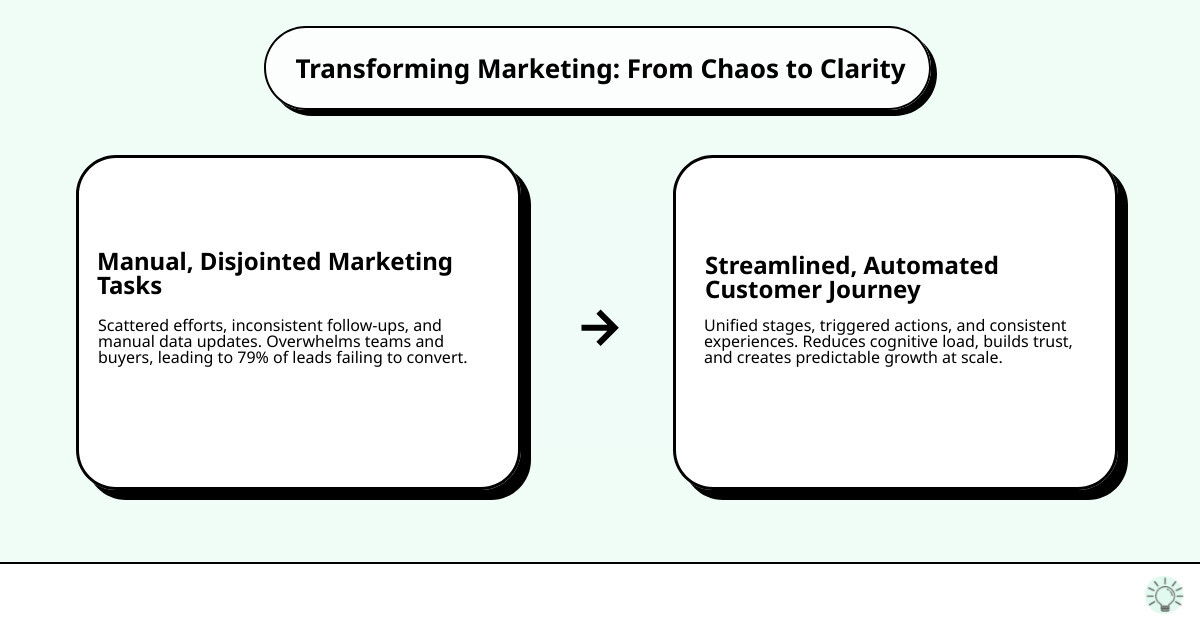
It’s about reducing cognitive load — for your team and your buyer. When 79% of marketing leads never convert to sales, the problem isn’t effort. It’s clarity. Or rather, the lack of it.
Most workflows are built backward. They reflect the org chart, not the customer’s decision-making process. They optimize for activity instead of certainty. They send emails because it’s Tuesday, not because the buyer is ready.
HubSpot marketing workflows, when built correctly, don’t just automate tasks. They automate understanding. They create consistent experiences that mirror how people actually think, decide, and move from uncertainty to action.
This matters because your buyers are already overwhelmed. They don’t need more touches. They need the right information, at the right time, delivered in a way that feels like you understand where they are.
The companies that win aren’t the ones with the most complex workflows. They’re the ones who use automation to create emotional certainty at scale — where every contact feels like it was written for them, because in a sense, it was.
Over 70% of automation projects across marketing, sales, and service hubs now rely on workflows. That’s not because workflows are trendy. It’s because businesses finally realized that growth doesn’t come from doing more things manually. It comes from doing the right things systematically.
But systematic doesn’t mean robotic. It means intentional. It means understanding who your buyer is before you decide how to reach them. It means designing automation that reflects human psychology, not just funnel stages.
I’m Jeremy Wayne Howell, and I’ve spent over 20 years helping companies build HubSpot marketing workflows that don’t just move contacts through a pipeline — they move them through real psychological stages of trust, clarity, and readiness. The difference between a workflow that converts and one that annoys often comes down to understanding buyer psychology before you build a single automation step.
The Blueprint: Architecting Your First HubSpot Marketing Workflows
At The Way How, we believe that effective HubSpot marketing workflows are the backbone of a predictable revenue engine. They allow businesses to automate repetitive tasks, ensure data consistency, and improve campaign performance by putting the right information in front of the right person at the right time. This frees up your team to focus on strategic thinking and creative problem-solving, rather than manual data entry and repetitive follow-ups. Businesses leveraging marketing and sales automation typically see higher conversion rates, improved lead quality, and better alignment between teams.
HubSpot workflows aren’t a one-size-fits-all solution; they’re designed to cater to different types of records within your CRM. Understanding these distinctions is crucial for building automations that truly resonate with your buyer’s journey.
The primary types of HubSpot marketing workflows are:
- Contact-based workflows: These are the most common and focus on individual people. They’re ideal for lead nurturing, sending follow-up emails, updating lifecycle stages, and managing personal interactions. For example, if a contact submits a specific form, a contact-based workflow can automatically send them a thank-you email and assign them to a sales representative.
- Company-based workflows: These workflows focus on automating actions related to companies. They can be used to assign company owners, update company properties based on associated contacts, or trigger tasks when a company reaches a certain value.
- Deal-based workflows: Essential for sales teams, these workflows automate actions based on deal stages. They can create tasks for sales reps, send internal notifications when a deal moves to a new stage, or update deal properties.
- Ticket-based workflows: For service teams, these automate actions related to customer support tickets, such as sending automated responses, escalating tickets, or assigning support agents.
- Custom object workflows: Available for Enterprise users, these extend automation capabilities to any custom objects you’ve created in HubSpot, providing immense flexibility for unique business processes.
To build and publish these powerful automations, HubSpot has specific permission requirements. Users generally need ‘Edit permissions for workflows’ or ‘Super Admin permissions’ to create workflows. To actually turn on and make a workflow live, ‘Publish permissions for workflows’ are necessary. This ensures that only authorized personnel can implement changes that affect your customer journeys.

Step 1: Setting the Stage with Enrollment Triggers
Every effective workflow begins with a trigger – the specific condition or event that signals a record is ready to enter your automated sequence. Think of enrollment triggers as your system’s way of listening to your audience, understanding their behaviors, and responding with relevant, empathetic communication. Without the right trigger, even the most beautifully crafted workflow falls flat.
When you create a workflow from scratch, you’ll define these triggers. Here’s a breakdown of the common types:
Manual enrollment: Sometimes, you need to add specific records to a workflow directly. This is useful for one-off campaigns or when you want to initiate a sequence for a select group.
Scheduled triggers: These enroll records based on a specific date or recurring schedule. For instance, you could enroll contacts into a quarterly newsletter workflow or a birthday message sequence.
Filter-based criteria: This is where the magic of segmentation truly shines. Records are enrolled when they meet specific property criteria. Examples include:
- Property values: “Lifecycle Stage is Lead” or “Country is Canada.”
- Form submissions: When a contact submits a particular form (e.g., “Request a Demo”). In fact, if you select a form submission as a trigger, the workflow will automatically be set as a contact-based workflow.
- List membership: When a contact is added to a specific static or active list.
Event-based triggers: These respond to specific actions or inactions:
- Website activity: When a contact views a specific page or category of pages.
- Email engagement: When a contact opens a specific email or clicks a link within it.
- Communication triggers: Based on interactions like calls, meetings, or chat conversations.
- Custom events & external events: For more advanced scenarios, allowing integration with other systems.
Choosing the right trigger means understanding the buyer’s intent. Are they merely browsing, or have they expressed a clear interest? Our psychology-first approach dictates that we only trigger automation when it genuinely serves the buyer’s progress toward clarity and certainty.
Step 2: Defining the Journey with Workflow Actions
Once a record is enrolled, workflow actions are the steps HubSpot takes to guide them through their journey. These are the functions the workflow executes, and they are incredibly versatile, allowing us to craft highly personalized and impactful experiences.
We can add a wide array of actions to our workflows, configuring each one to align with our understanding of the buyer’s psychological state. As outlined in the HubSpot knowledge base on How to Choose Workflow Actions in HubSpot, these include:
Delays: Essential for pacing your communication. You can delay actions for a set amount of time (e.g., 2 days), until a specific calendar date, or until a contact performs a certain action (like visiting a page). This respects the buyer’s pace and prevents overwhelming them.
Branches: These create different paths within your workflow based on specific conditions (if/then logic). For instance, if a contact clicks a link about “pricing,” they might go down a “sales-ready” branch, while others continue on a “nurture” path. This allows for custom experiences based on individual buyer signals.
Communication actions:
- Sending emails: Automated marketing emails are a cornerstone of nurturing.
- Sending in-app notifications: For internal alerts.
- Sending internal email notifications: To alert team members about key contact activities.
- Sending SMS messages: A powerful, high-response channel for timely alerts (more on this later!).
CRM actions: These allow you to manipulate data within HubSpot:
- Creating tasks: Assigning a follow-up task to a sales rep when a lead becomes qualified.
- Updating properties: Changing a contact’s lifecycle stage, lead score, or any other property value.
- Creating records: Generating a new deal or ticket based on workflow progression.
- Managing communication subscriptions: Ensuring compliance and preferences are respected.
Every action should have a purpose rooted in empathy and clarity. We’re not just moving data; we’re building trust.
Step 3: Managing the Flow with Enrollment Rules
Just as important as getting records into a workflow is managing their ongoing journey and knowing when to gracefully remove them. This is where re-enrollment and unenrollment criteria come into play. These rules prevent over-communication, maintain data integrity, and ensure that your automations remain relevant.
Re-enrollment criteria: By default, a record can only go through a workflow once. However, for certain scenarios, you might want to allow a contact to re-enter a workflow if they meet the enrollment triggers again. For example, if a contact downloads a new piece of content months after completing a previous nurturing sequence, you might want them to re-enter a similar workflow. This is configured in the ‘Settings’ tab of your workflow. We carefully consider re-enrollment when the buyer’s behavior indicates a renewed or different intent, ensuring we don’t just loop them through old content.
Unenrollment criteria: These rules dictate when a record should be removed from a workflow, regardless of whether they’ve completed all the steps. Common unenrollment criteria include:
- Becoming a customer: Once a contact makes a purchase, they should typically be unenrolled from sales nurturing workflows.
- Meeting a goal: If a workflow’s goal is for a contact to book a demo, they should be unenrolled once the demo is scheduled.
- Joining a suppression list: If a contact opts out of marketing communications, they should be unenrolled from all relevant workflows.
- Property changes: If a contact’s “Lifecycle Stage” changes to “Evangelist,” they might be unenrolled from a standard customer service workflow.
By setting clear re-enrollment and unenrollment criteria, we ensure that our automations are always respectful of the buyer’s journey, preventing spam and maintaining a psychologically safe environment.
Strategic Automation: Workflows for Nurturing, Qualification, and Re-engagement
The true power of HubSpot marketing workflows lies in their ability to address critical business goals throughout the customer lifecycle. From attracting new leads to re-engaging past customers, workflows provide the systematic clarity needed to build trust and drive predictable revenue. As we mentioned, 79% of all marketing leads never convert to sales – this staggering statistic highlights a profound certainty gap in many customer journeys. Workflows are our tools to bridge that gap.
Here’s how we leverage them for key objectives:
- Lead Nurturing: Guiding prospects through the buyer’s journey with relevant content and communication, building their understanding and trust.
- Lead Qualification: Identifying which leads are sales-ready versus those needing more nurturing, ensuring sales teams focus on the highest-potential opportunities.
- Customer Re-engagement: Reaching out to inactive customers or cold leads with custom messaging to reignite interest.
These strategic applications are not merely about sending emails; they’re about designing a sequence of interactions that anticipates and addresses the buyer’s evolving needs and concerns. This aligns perfectly with our psychology-first approach, ensuring that every automated touchpoint adds value and clarity. HubSpot’s workflows are crucial for effective contact lifecycle management, ensuring seamless transitions from marketing to sales and service. They also play a vital role in data formatting and cleansing, maintaining the integrity of your CRM.
| Workflow Type | Primary Goal | Key Actions ```