
The Chaos of Growth: Why Spreadsheets Fail the Trust Test

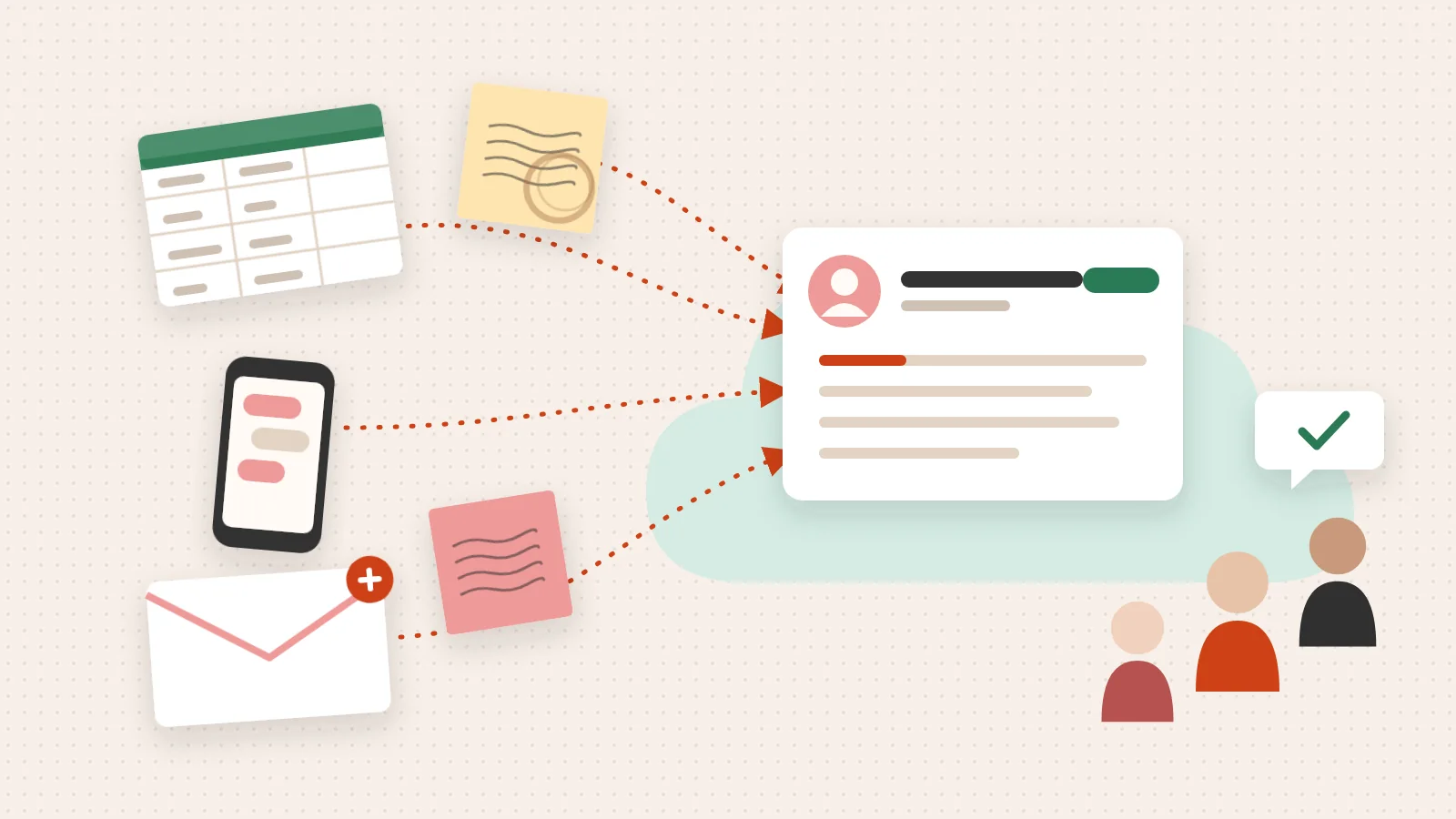
HubSpot CRM for small business is one of the most searched CRM topics online — and for good reason. Most small teams hit a wall where their spreadsheets, sticky notes, and scattered inboxes stop working. Deals slip. Follow-ups get missed. No one can answer a simple question like “where does this lead stand?”
Here’s a quick answer if that’s what you came for:
The real problem isn’t the tool. It’s the system — or the lack of one.
Most small business owners don’t lose deals because they lack ambition. They lose them because their customer data lives in five different places, their team has no shared process, and trust quietly erodes — both internally and with the customer on the other side.
That’s the gap a CRM is designed to close. Not just by storing contacts, but by creating clarity across every customer interaction.
I’m Jeremy Wayne Howell, a revenue growth strategist with over 20 years of experience helping founders implement systems like hubspot crm for small business that reflect how buyers actually think — not how org charts are drawn. This guide will walk you through what’s actually broken, what HubSpot can (and can’t) fix, and how to build a system your team will actually use.
Diagnosing Your System: When to Adopt a HubSpot CRM for Small Business
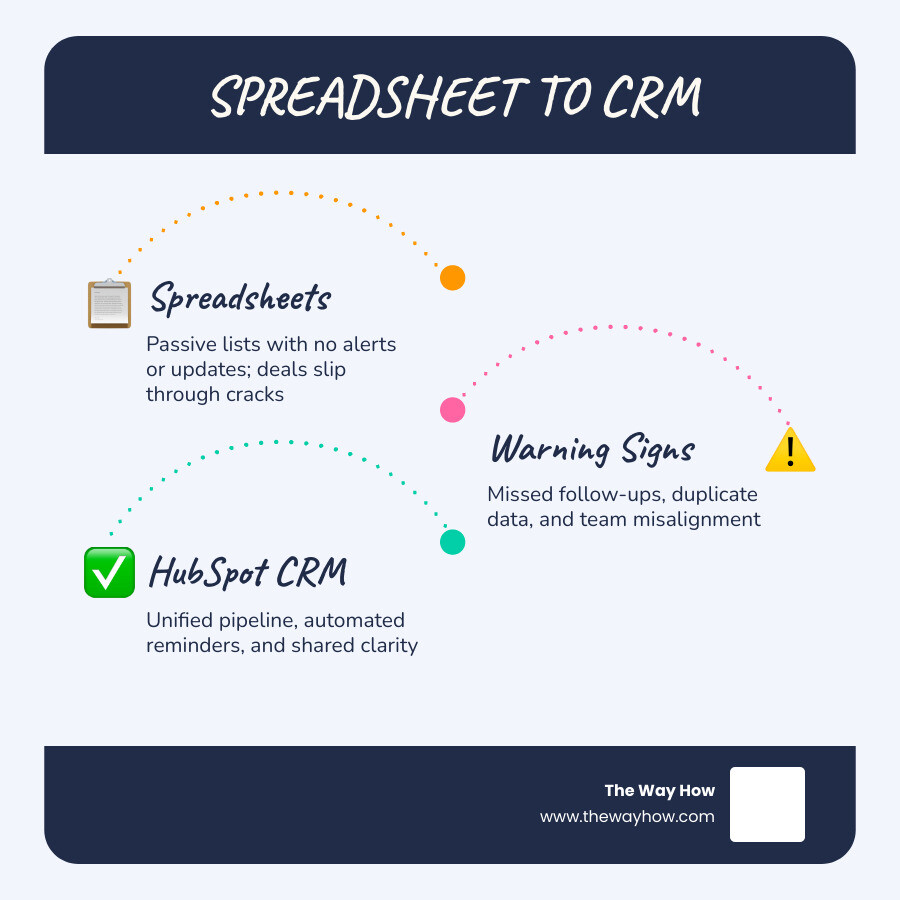
We often talk to founders who treat spreadsheets as a badge of honor. It feels lightweight, customizable, and free. But spreadsheets are inherently passive. They do not tell you when a prospect has opened your proposal, they do not remind you to follow up, and they certainly do not help your team align on a single source of truth.
How do you know you have outgrown your spreadsheet-based tracking? We advise small teams to watch for these clear warning signs:
- The 10-Contact Rule: Once you have more than 10 active, high-priority prospects or deals in play, the cognitive load of managing them manually exceeds human capacity. You will begin to drop details.
- Manual Data Entry Exhaustion: If your team is spending more than two hours a week manually copying and pasting email conversations, contact details, or meeting notes, you are wasting valuable selling hours.
- The “Black Box” Pipeline: As a business owner, if you cannot look at a single dashboard and instantly see your projected revenue for next month, your business is running on hope rather than data.
- Missed Follow-Ups: Leads are getting cold because team members are relying on flag systems in their individual email inboxes.
Moving from a passive spreadsheet to an active CRM is a critical step in building a predictable revenue engine. By centralizing your operations, you transition from reactive firefighting to proactive relationship building. To do this successfully, you need a clear Hubspot Crm Strategy that aligns your technology with your buyer’s journey.
When evaluating your options, we recommend looking at solutions specifically built to minimize friction. You can explore how HubSpot frames these core challenges on the official CRM Software for Small Business | Free CRM | HubSpot page.
The Psychology of Tool Adoption in Small Teams
The biggest risk in choosing any software is not the feature set — it is adoption. If your team finds the tool overly complex, they will quietly abandon it and return to their spreadsheets, notebooks, and private email folders.
From a behavioral psychology perspective, humans resist change when the perceived friction of the new behavior is higher than the comfort of the old habit. To drive successful user adoption, you must make using the CRM easier than not using it.
We can achieve this by showing team members immediate personal benefits:
- “No more searching through three different inboxes to find what we promised this client.”
- “No more manually logging calls; the system does it for you.”
- “You can see exactly when a prospect opens your email, so you know precisely when to call.”
When implementing Hubspot For Small Businesses, we must design the workspace to be lightweight. Do not overwhelm a three-person team with fifty custom data fields. Start with three to five mandatory fields, ensure the mobile app is installed on day one, and celebrate small wins in your weekly meetings.
Essential Features of a HubSpot CRM for Small Business
When you are a lean team, you do not need enterprise-level complexity. You need core utilities that work flawlessly. The essential features to focus on include:
- Contact and Company Management: A single, clean timeline that automatically merges emails, calls, and meetings into one record.
- Email Integration and Tracking: Seamless sync with Google Workspace or Microsoft 365, giving you real-time notifications when prospects interact with your content.
- Pipeline Management: A visual drag-and-drop board where you can see the status of every deal.
- Task Automation: Basic task reminders that ensure no lead is left forgotten.
These foundational features lay the groundwork for effective Hubspot Lead Generation. Instead of guessing who to reach out to next, your team is guided by clear, system-generated tasks and real-time interaction data.
The Reality of HubSpot Pricing: Free vs. Paid Tiers for Growing Teams
One of HubSpot’s greatest strengths is its highly functional free tier. However, we often see small businesses run into unexpected friction because they did not map out their growth path before signing up. Let’s look at what you actually get across the different tiers in 2026.

| Feature / Limit | HubSpot Free Plan | HubSpot Starter Suite | HubSpot Professional |
|---|---|---|---|
| Starting Cost | $0 (No credit card required) | ~$15 per seat / month | ~$90 per seat / month (Sales Hub) |
| Core User Seats | Up to 2 users | Unlimited (pay per seat) | Unlimited (pay per seat) |
| Included Contacts | Up to 1,000 total contacts | Up to 1,000 marketing contacts | Tiered pricing based on database size |
| Deal Pipelines | 1 pipeline | Up to 2 pipelines | Unlimited pipelines |
| Automation Limits | Zero workflow automation | Up to 10 simple automated actions | Advanced branching workflows |
| AI Features | Breeze AI Assistant (basic) | Breeze AI Assistant + Content Writer | Advanced AI Agents & forecasting |
| Required Onboarding | None | None | Mandatory onboarding fee (~$1,500) |
The free tier is an exceptional starting point for bootstrapped founders and teams of one or two people. It provides the core Smart CRM database, email tracking, and basic landing page builders.
When you need to remove HubSpot branding, send bulk automated emails, or set up basic automated tasks, the HubSpot Starter Customer Platform for Startups & Small Businesses bundle offers an incredibly cost-effective upgrade route. At approximately $15 per seat per month (with promotional bundles often discounting this further for new startups), it provides the essential marketing, sales, and service tools a small team needs to grow with confidence.
Navigating the HubSpot CRM for Small Business Pricing Gap
While the transition from Free to Starter is financially minor, the jump from Starter to Professional is steep. Upgrading a five-person team to Sales Hub Professional can instantly shift your budget from under $100 per month to over $450 per month, plus a mandatory $1,500 upfront onboarding fee.
This pricing gap is a common point of criticism in reviews, such as the HubSpot CRM Review 2026: Worth It for Small Business? | iFeeltech. If your business requires advanced duplicate management, multiple distinct sales pipelines, or complex branching workflows, you will eventually be pushed toward the Professional tier.
To avoid budget shock, we advise our clients to build a clear roadmap:
- Start on the Free or Starter tier to establish your operational habits.
- Keep your database clean to manage marketing contact tier costs (mark non-essential contacts as “non-marketing” so you are not billed for them).
- Only plan an upgrade to Professional when your revenue growth directly justifies the investment in advanced automation and custom reporting.
The 7-Day Migration Playbook: Moving from Spreadsheets to HubSpot
Migrating your customer data does not have to be a multi-week headache. In fact, we recommend keeping the initial migration as fast and lightweight as possible to maintain team momentum.
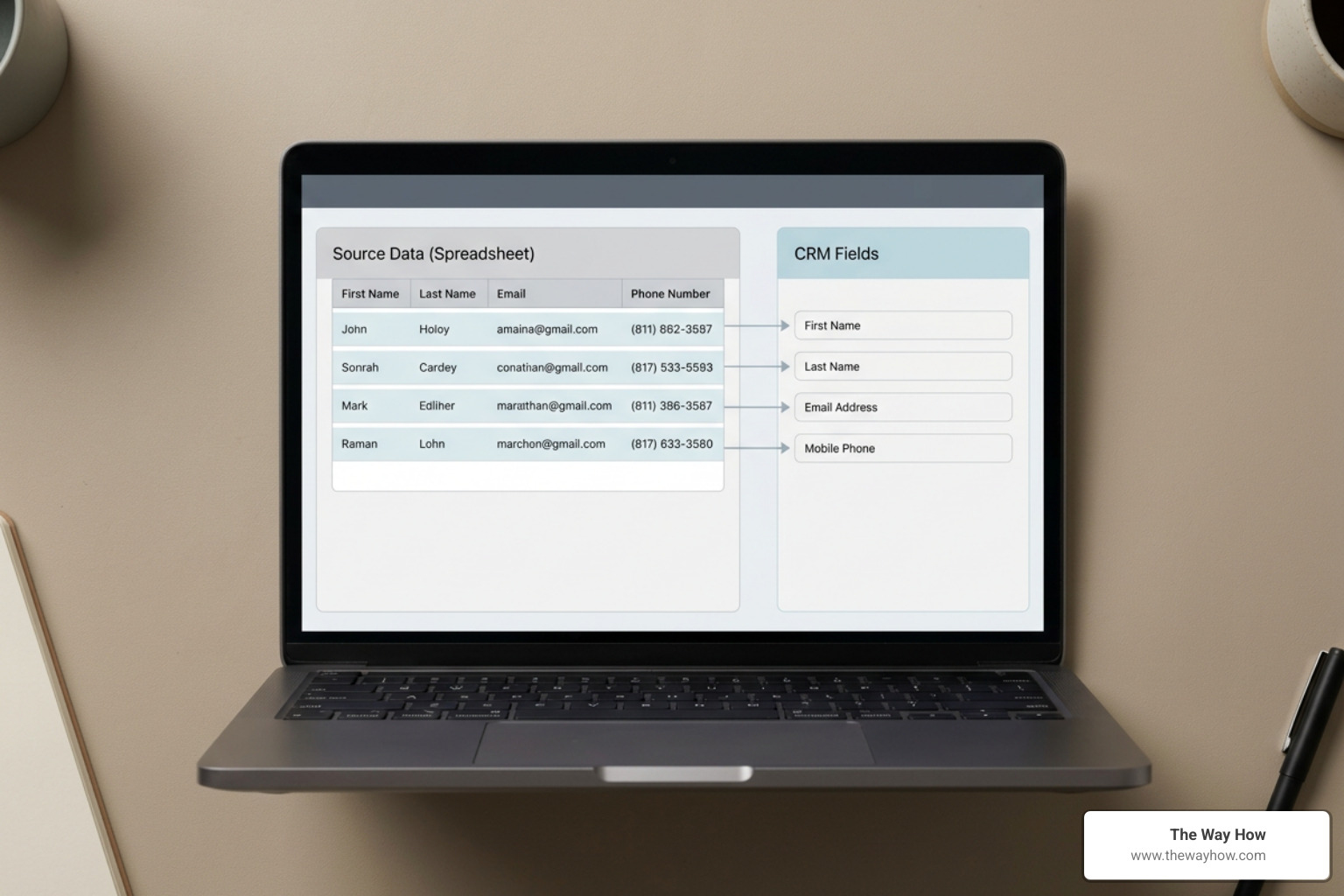
Here is our step-by-step playbook to execute a clean migration in one week:
Step 1: Clean Your Data First: Do not import messy data. Open your existing spreadsheets and delete duplicate records, standardize your naming conventions (e.g., “US” vs. “United States”), and remove cold contacts who haven’t interacted with you in over two years.
Step 2: Keep Fields Minimal: Only create custom properties for data you will actively use to make decisions. Limit yourself to 5-7 custom properties at the start.
Step 3: Test with a Small Batch: Before importing thousands of rows, export your top 100 contacts and run a test import. Verify that the fields map correctly and that the data layout looks clean in HubSpot.
Step 4: Define a Simple Pipeline: Create a basic 4-stage visual pipeline that matches how your buyers actually make decisions:
- Prospecting / Lead Identified
- Discovery Call Scheduled
- Proposal Sent
- Closed Won / Closed Lost
By structuring your migration this way, you ensure that your team is not overwhelmed by data noise on day one. A structured approach to Hubspot Crm Implementation ensures that your technology serves your business strategy, rather than the other way around.
Week One Setup and Team Adoption Strategy
Once your data is imported, focus the first week entirely on habit-building.
- Day 1-2: Foundation Setup: Invite your team members, set up user permissions, and connect your shared team inbox. Ensure everyone integrates their personal Outlook or Gmail calendars.
- Day 3-4: Team Onboarding: Run a live, 30-minute training session. Show your team how to find a contact, how to log a call, and how to drag a deal card to the next stage. Avoid showing them advanced features they do not need yet.
- Day 5-7: Launch and Iterate: Make the CRM your single source of truth. In your team meetings, review the pipeline directly inside HubSpot rather than asking for verbal updates. If a deal or conversation isn’t logged in the CRM, treat it as if it doesn’t exist.
To support this team transition, you can leverage basic templates and automated follow-ups. For teams looking to align their marketing and sales efforts from the start, a structured Hubspot Marketing Hub Implementation can help ensure that marketing leads transition seamlessly to your sales pipeline without manual intervention.
Frequently Asked Questions about HubSpot CRM
Choosing a CRM involves balancing budget, usability, and long-term scalability. Here are the clear, unvarnished answers to the questions we hear most from small business owners.
Is HubSpot CRM really free for small businesses?
Yes, HubSpot’s free CRM is genuinely free with no time limit and no credit card required. It includes up to 1,000 total contact records, a single sales pipeline, basic email tracking, and up to two core user seats.
For early-stage companies and founders looking to establish their initial database, you can review the specific startup terms and apply for discounts on the official CRM for Startups: Free Software to Scale Your Business | HubSpot page.
How does HubSpot compare to Salesforce for small teams?
Salesforce is an incredibly powerful platform, but it is traditionally built for larger enterprises with dedicated IT resources. While the Small Business Software: All-in-One CRM | Salesforce suite and their Starter Suite CRM: Try Free Today | Salesforce offer entry-level pricing starting around $25 per user per month, the platform still carries a steeper learning curve and higher customization complexity.
For a small team without a dedicated administrator, HubSpot is generally much easier to set up, adopt, and manage on a day-to-day basis.
What are the main limitations of HubSpot’s free plan?
The free plan is designed to get you started, but it has strict boundaries:
- No Workflow Automation: You cannot build automated, multi-step “if/then” sequences.
- HubSpot Branding: Your emails, landing pages, and meeting schedulers will display HubSpot’s logo.
- Limited Customization: You are capped at 10 custom properties and a single deal pipeline.
- No Email Sequences: Individual sales reps cannot automate personal follow-up email chains.
If your business relies on connecting multiple external tools, you will also want to review how HubSpot handles data syncing. While the free tier supports basic integrations, advanced sync patterns often require looking into paid Hubspot Integrations to ensure your data flows smoothly across your entire tech stack.
Restoring Certainty: Designing a Revenue Engine That Lasts
At The Way How, we believe that tools do not solve business problems — systems do. A CRM is only as powerful as the strategy behind it and the habits of the people using it. When a sales pipeline is messy, the root cause is rarely the software; it is almost always a lack of clarity in the sales process or an underlying friction in how your team works together.
We help founders and leadership teams look past the tactical features of a tool to design a clean, predictable revenue engine. By analyzing the behavioral psychology of your buyers and your team, we build custom Hubspot Crm Architecture that removes uncertainty and creates momentum.
Whether you need Fractional CMO leadership to align your growth strategy, or hands-on operational execution to clean up your sales pipeline, we are here to help you turn your CRM into a dependable growth engine.
If you are ready to stop fighting spreadsheet chaos and design a system that creates genuine trust and predictable revenue, explore our tailored approach to Hubspot CRM for Small Businesses and let’s build a strategy that lasts.