
When Your CRM Feels Like a Liability Instead of an Asset

HubSpot Sales Hub implementation is the process of configuring HubSpot’s sales platform — pipelines, deal stages, automation, reporting, and integrations — so your team can prospect, manage, and close deals efficiently.
Here’s what a solid implementation covers:
- Map your sales process to deal stages that reflect how buyers actually move
- Configure custom properties for contacts, companies, and deals
- Set user permissions and team roles before anyone touches live data
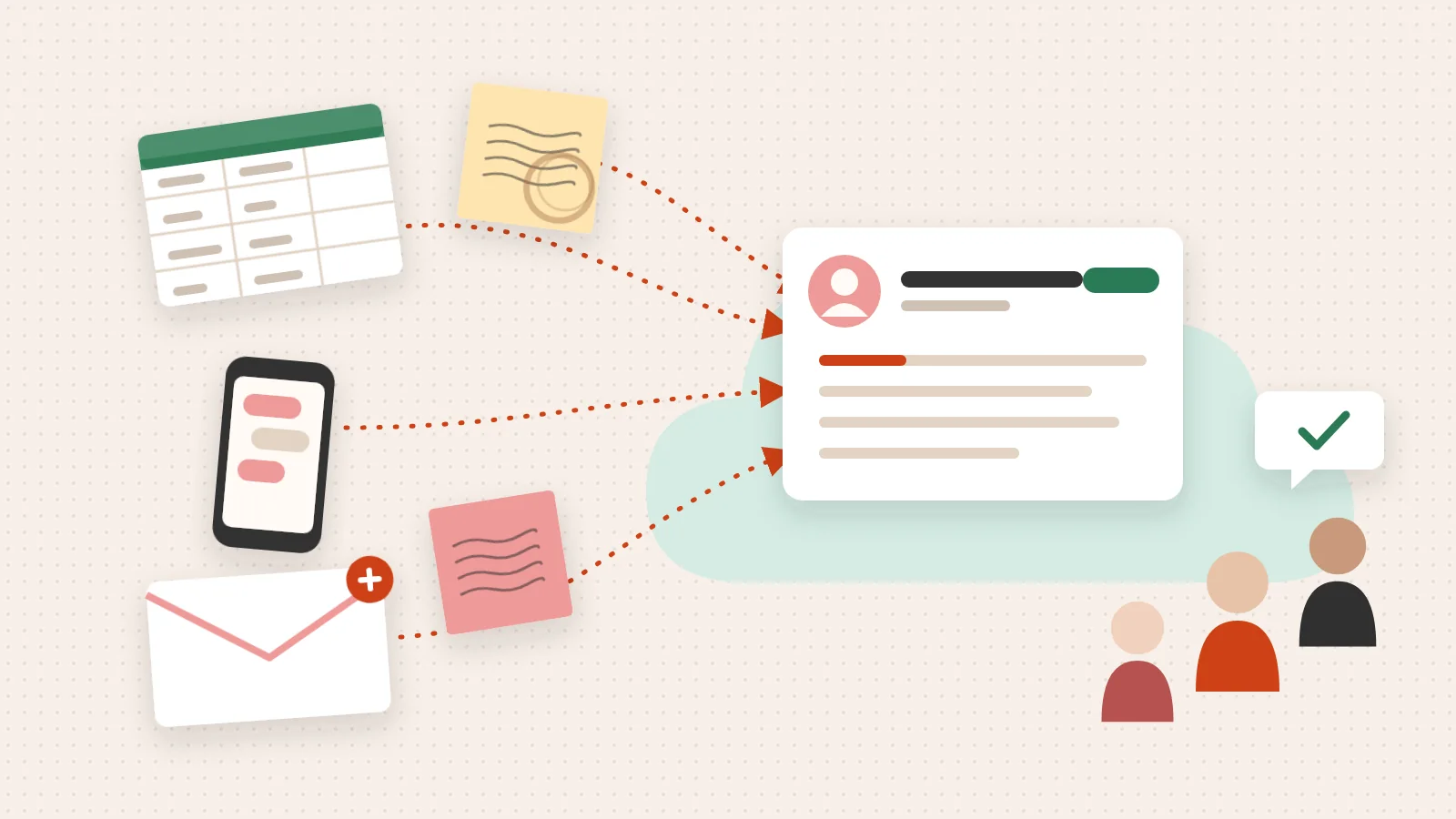
- Clean and migrate data from your existing CRM or spreadsheets
- Set up key tools — sequences, meeting links, calling, and quotes
- Connect integrations — email, calendar, and your SaaS tech stack
- Build automation — lead scoring, task reminders, and handoff workflows
- Create dashboards that track the KPIs your leadership actually cares about
Most teams buy Sales Hub expecting it to solve their sales problems on day one. It doesn’t. The tool is only as good as the thinking behind the setup.
A SaaS startup that configured custom deal stages saw its demo-to-close rate climb by 21%. A logistics firm that automated follow-up tasks cut missed follow-ups by 48%. The delta between those results and frustration is almost always the quality of the implementation — not the software itself.
The hard truth? Most implementations stall not because of technical complexity, but because the sales process was never clearly defined before anyone opened HubSpot.
I’m Jeremy Wayne Howell, founder of The Way How and a revenue growth strategist with over 20 years of experience aligning sales systems with buyer psychology — including hands-on HubSpot Sales Hub implementation for companies ranging from early-stage SaaS to established revenue teams. What follows is the implementation guide I wish had existed when I started.
The Psychology of the Revenue Engine
We often see founders and sales leaders approaching a CRM as a digital filing cabinet. They believe the problem is “organization.” In reality, the problem is usually a lack of certainty. When a sales rep looks at a cluttered pipeline, their brain experiences cognitive load. They don’t know who to call first, so they call no one.
Uncertainty is the silent killer of momentum. From a psychological perspective, your HubSpot Sales Hub implementation should serve as a “certainty engine.” It should tell the rep exactly where the buyer is in their journey and what the next logical step is to build trust.
Buyers don’t follow a linear path; they follow a path of decreasing risk. If your CRM doesn’t reflect the specific moments where a buyer feels “safe” enough to move forward, your data will always be a lagging indicator of failure rather than a leading indicator of success. We design systems that identify these “certainty gaps” in the SaaS customer journey—the moments where a prospect stalls because they don’t have enough information or trust to commit.

Mapping the Human Journey to Your HubSpot Sales Hub Implementation
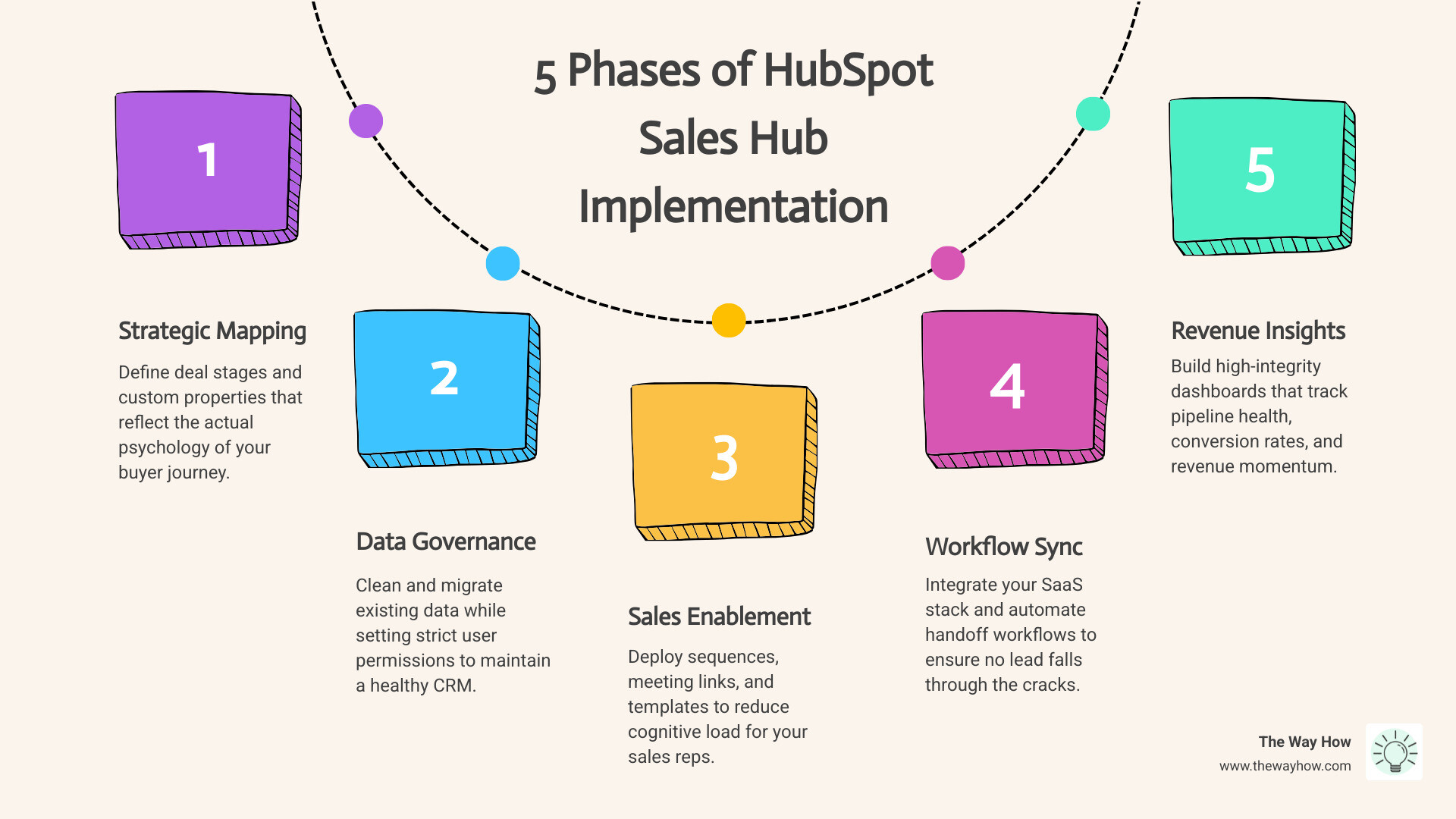
Before you click a single button in HubSpot, you must map your sales process on a whiteboard. We start with use cases and user stories. Instead of saying “we need a deal stage for ‘Demo,’” we ask, “What is the prospect thinking when they agree to a demo, and what must happen for them to feel confident about a trial?”
This is the foundation of HubSpot CRM Architecture. You aren’t just building a database; you are designing a system that mirrors human behavior. For a SaaS company, this often involves multiple pipelines—one for new business, one for renewals, and perhaps one for partner channels. Each requires a unique HubSpot System Design Complete Guide approach to ensure data flows correctly between teams.
Defining Deal Stages That Reflect Buyer Reality
Generic deal stages like “Appointment Scheduled” or “Contract Sent” are trap doors. They describe what the salesperson does, not what the buyer experiences. Effective deal stages focus on exit criteria—verifiable actions the buyer takes that signal progress.
In our HubSpot Sales Implementation Guide, we recommend setting “Required Fields” for each stage. For example, a deal cannot move from “Discovery” to “Solution Design” unless the “Pain Point” and “Budget Authority” properties are filled. This prevents “pipeline bloat,” where deals sit in late stages without any real substance, leading to inaccurate forecasting.
Avoiding Field Paralysis in Your HubSpot Sales Hub Implementation
One of the most common pitfalls is “Field Paralysis”—the tendency to create a custom property for every possible piece of information. When reps see 50 fields to fill out, they fill out zero.
For every property you consider in your HubSpot CRM Implementation, ask three questions:
- Can we track this consistently?
- Is this data actionable?
- Does this field directly drive revenue or a critical decision?
If the answer is no, discard it. Keep your data clean, standardized, and focused on the metrics that actually move the needle.
Choosing the Right Tier for SaaS Scalability
For most SaaS organizations, the choice between Professional and Enterprise comes down to the complexity of your sales motion and the size of your team.
| Feature | Sales Hub Professional | Sales Hub Enterprise |
|---|---|---|
| Pipelines | Up to 15 | Up to 100 |
| Custom Objects | Limited | Comprehensive (SaaS Essentials) |
| Advanced Permissions | Basic | Field-level & Hierarchical |
| Forecasting | Standard | AI-Powered & Predictive |
| Sandboxes | No | Yes |
For those just starting, our HubSpot for Beginners resource can help you navigate the initial setup, but SaaS companies with complex “product-led growth” (PLG) models often find that the Custom Objects in Enterprise are non-negotiable for tracking things like “Trial Instances” or “Feature Usage.”
Why Enterprise Sandboxes are Critical for SaaS Sales Hub Implementation
If you are on an Enterprise plan, the Sandbox environment is your best friend. It allows you to test complex workflows, new deal stages, or integrations without breaking the live environment where your reps are working. This risk mitigation is a cornerstone of HubSpot Onboarding Strategies. You can build, break, and refine your architecture in a safe space before deploying it to the front lines.
Technical Plumbing and Data Integrity
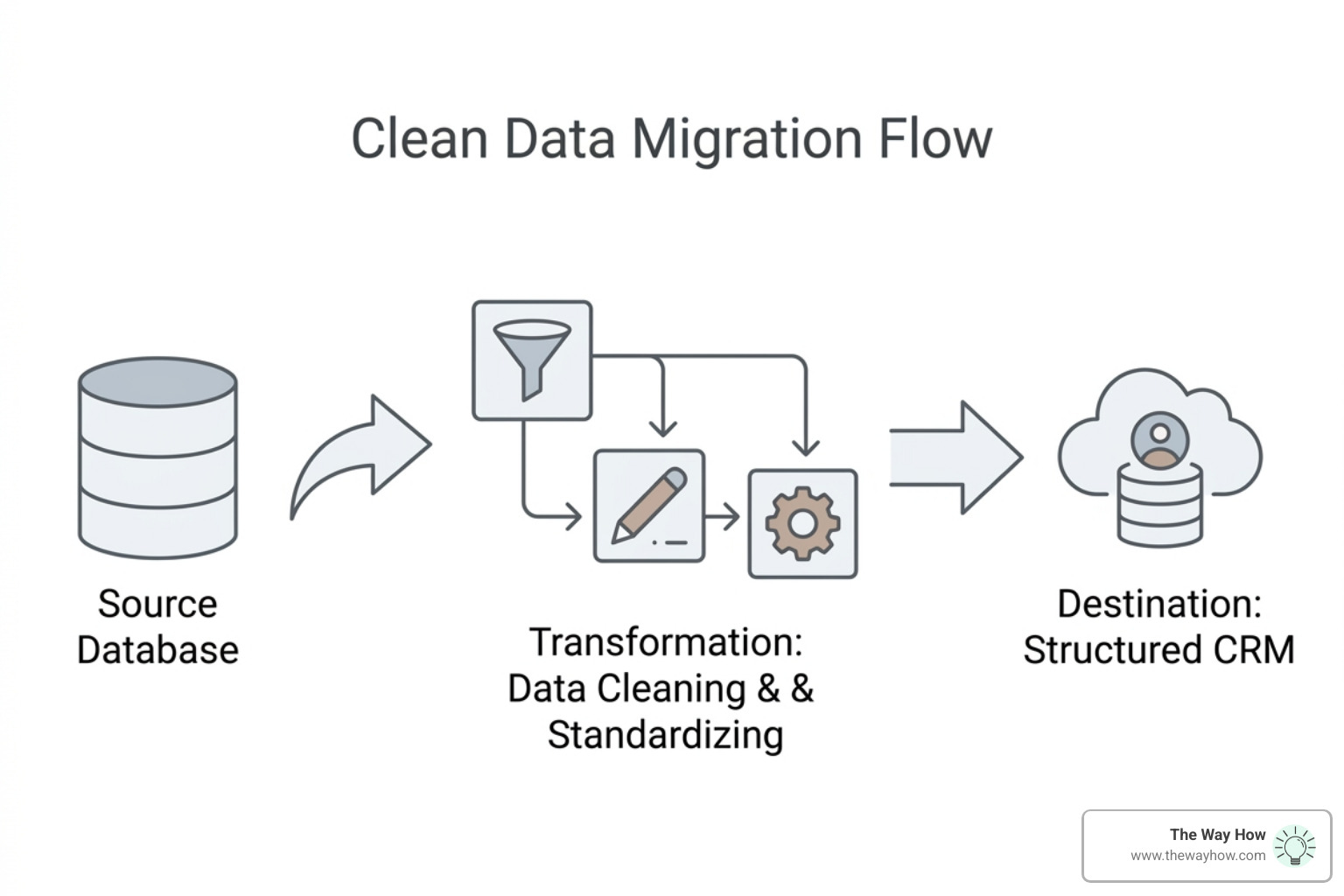
Data migration is often where implementations go to die. If you move “dirty data” from an old spreadsheet into a new HubSpot instance, you haven’t solved a problem; you’ve just moved it to a more expensive house.
Before migrating, perform a deep clean. Remove duplicates, standardize naming conventions (e.g., “USA” vs “United States”), and ensure every contact is associated with a company. When setting up your HubSpot Integration Strategy Guide, prioritize the “Super Admin” role. A common mistake is giving everyone Super Admin access. Limit this to 1-2 people to prevent accidental configuration changes that can ripple through your entire reporting suite.
Essential Integrations for the Modern SaaS Stack
Your CRM should be the “Single Source of Truth.” To achieve this, you need to connect the Sales Enablement Tools your team uses daily:
- Calendar Sync: Ensures every meeting is logged automatically.
- Email Tracking: Provides real-time feedback on when prospects are engaging with your content.
- VOIP/Calling: Allows for recording and transcription, which is invaluable for coaching.
- ERP/Accounting: For SaaS, integrating with tools like Stripe or Quickbooks ensures that “Closed Won” actually means “Paid.”
Automating Trust Without Losing the Human Touch
Automation should never replace human interaction; it should facilitate it. In a HubSpot Sales Hub implementation, we use email sequences to handle the “persistent but polite” follow-ups that reps often forget. Statistics show that follow-up completion can increase by 63% within just 30 days of implementing automated tasks and sequences.
However, the psychology of the “human touch” is vital. We use lead scoring to help reps prioritize their day based on behavioral triggers—like a prospect visiting the pricing page three times in an hour. This allows the rep to reach out with the right message at the exact moment the prospect is experiencing a “certainty gap.” For more on this, see our Sales Team Optimization Complete Guide.
Building a Lead Handoff That Actually Works
The “Marketing to Sales” handoff is where most revenue is lost. If a Lead is marked as a Marketing Qualified Lead (MQL) but sits in a queue for three days, the trust you built during the marketing phase evaporates.
A successful HubSpot Onboarding Consultant will help you build “Closed-Loop Reporting.” This ensures that Sales provides feedback to Marketing on lead quality, and Marketing can see which campaigns actually resulted in “Closed Won” revenue. Use automated notifications to alert reps the second a high-value lead performs a hand-raising action.
Measuring What Matters: SaaS Dashboards and ROI
Leadership doesn’t care about “activities”; they care about outcomes. Your dashboards should tell a story of velocity and efficiency. We recommend building four specific views:
- The Pipeline Health Dashboard: Shows deal aging and stage distribution.
- The Conversion Dashboard: Tracks MQL to SQL and Demo to Close rates.
- The Revenue Forecast: Provides a weighted look at what will close this month/quarter.
- The Rep Performance Dashboard: Identifies who is following the process and who needs coaching.
Properly configured, HubSpot has been shown to boost sales efficiency by up to 27% through the use of AI and structured reporting.
Frequently Asked Questions About Sales Hub Setup
How long does a typical Sales Hub implementation take for a 200+ employee SaaS company?
Implementation timelines generally range from 8 to 12 weeks. This includes the discovery phase, technical configuration, data migration, and the critical “User Acceptance Testing” (UAT) phase where your team actually tries to break the system before it goes live.
Should we use HubSpot official onboarding or a Solutions Partner?
Official onboarding is excellent for learning where the buttons are. However, a Solutions Partner provides the strategic depth, psychology-first process mapping, and custom architecture required for complex SaaS environments. A partner looks at why you are selling, not just how to use the tool.
What are the most common pitfalls in Sales Hub implementation?
The most frequent mistakes include:
- Field Paralysis: Creating too many required fields that slow down reps.
- Super Admin Overload: Giving too many users the power to change the system.
- Process Misalignment: Failing to align deal stages with the actual buyer journey.
- Skipping Training: Assuming reps will “figure it out” without a structured onboarding plan.
Restoring Momentum to Your Revenue Engine
At The Way How, we don’t just “set up software.” We diagnose the psychological and operational friction points that are stalling your growth. Whether you need a Fractional CMO to lead your strategy or a deep-dive into your HubSpot architecture, our goal is to remove uncertainty from your customer journey.
If your current sales process feels like a “black box” and you’re ready to turn it into a predictable revenue engine, we can help you design a system rooted in human behavior and operational excellence.