A Complete Guide to CRM Systems and Database Management
 Jeremy Wayne Howell : Jul 22, 2026 9:48:31 PM
7 min read


If you need to migrate NetSuite SOAP web services to REST, here is what you need to know right now:
| What | Details |
|---|---|
| Last SOAP endpoint | 2025.2 — no new endpoints after 2026.1 |
| SOAP fully retired | 2028.2 release — all endpoints disabled |
| Replacement | SuiteTalk REST Web Services + OAuth 2.0 |
| New integrations | Must use REST starting 2026.1; mandatory by 2027.1 |
| Data source change | NetSuite.com removed in 2026.1 — migrate to NetSuite2.com |
| First step | Audit all existing SOAP integrations and document dependencies |
There is a bank feed integration running somewhere in your organization at 4 AM every morning. Someone built it years ago. The person who built it is gone. The person who inherited it is also gone. And the current team has never touched it — because it works.
Until it doesn’t.
That is the quiet risk sitting inside the Oracle NetSuite SOAP deprecation timeline. It is not a loud, urgent crisis yet. But it has a fixed end date: 2028.2. And the turning point — the moment new capabilities stopped shipping through SOAP entirely — already happened in 2026.1.
This is not a theoretical future problem. It is an operational reality unfolding right now, inside integrations that most revenue leaders have never had to think about before.
Oracle’s decision to phase out SOAP web services is part of a broader industry shift. Over 70% of public APIs now use REST architecture. SOAP relies on an outdated technology stack, uses legacy authentication methods that no longer meet modern security standards, and cannot support the newest NetSuite features — which ship exclusively through REST.
The organizations feeling the most pressure right now are not the ones who ignored the announcement. They are the ones who acknowledged it, assumed someone else was handling it, and are now realizing no one was.
I’m Jeremy Wayne Howell, founder of The Way How — a psychology-first revenue strategy firm — and while my work centers on buyer behavior and go-to-market clarity, the pattern I see in teams who struggle to migrate NetSuite SOAP web services is the same one I see in stalled revenue systems: the human problem always arrives before the technical one. This guide is built to help you see both clearly before either one costs you more than it should.
When we talk about APIs, we tend to speak in acronyms: SOAP, REST, XML, JSON, WSDL. But when an API breaks, the language changes instantly. It becomes about missed shipments, delayed financial closes, and angry customers.
The friction of deprecation is rarely just technical. It is deeply psychological.
For leadership teams, legacy integrations represent a “certainty anchor.” It is a system that, however clunky, has historically delivered a predictable result. Deciding to change it introduces immediate uncertainty. Developers worry about silent code breaking; CFOs worry about unexpected implementation bills; operations teams worry about system downtime.

This anxiety often leads to a dangerous behavioral bias: active avoidance. Because the final shutdown date of 2028.2 feels far away, teams treat this as a low-priority backlog item. But avoiding the transition does not preserve certainty; it merely guarantees that when the disruption arrives, it will be chaotic, expensive, and reactive.
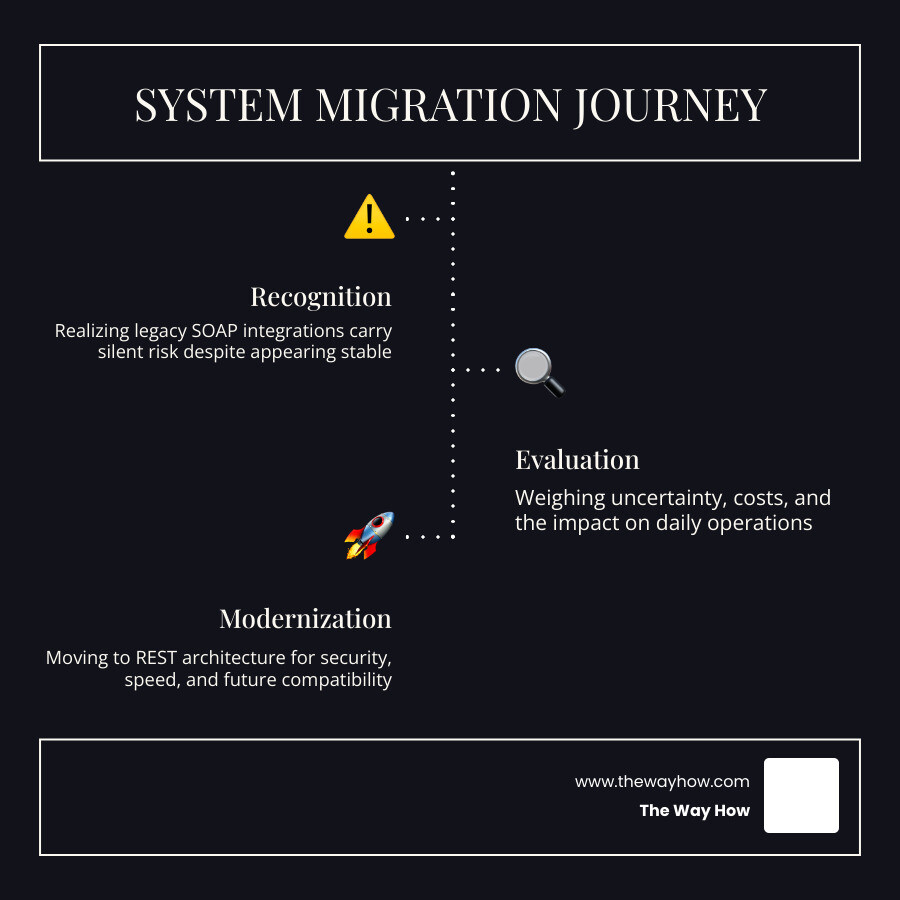
To move forward, we must understand the psychological stages of system migration. It starts with the discomfort of realizing that what “works” is actually a liability, moves through the structured evaluation of alternatives, and ends with the confidence of a modernized, secure architecture.
By diagnosing the operational reality early, we can transform a forced technical upgrade into a strategic opportunity to streamline data flow, eliminate redundant systems, and restore momentum to your revenue operations.
The deprecation of SuiteTalk SOAP Web Services is not an overnight event; it is a multi-year, phased decommissioning designed to transition accounts systematically. Understanding this timeline is critical to budgeting resources and avoiding emergency rebuild costs.
According to the official NetSuite Applications Suite - SOAP Removal Plans FAQ, NetSuite is moving away from SOAP because the protocol’s rigid, XML-based structure cannot easily support modern cloud capabilities like SuiteAnalytics Workbooks or SuiteScript 2.x Analytics APIs.
Here is how the roadmap unfolds:
NetSuite.com data source has been completely removed, requiring all remaining queries to use NetSuite2.com. For a deep dive into diagnosing legacy failures during this phase, consult the NetSuite 2026.1 SOAP Deprecation: REST API Migration Guide.For a comprehensive strategic analysis of this retirement, you can review the NetSuite SOAP API Deprecation & REST Migration Guide | Houseblend.
As highlighted in the NetSuite SOAP endpoint changes: What you need to know | Rand Group, staying on SOAP past these critical milestones introduces immense business risk. To understand the timeline and plan your transition before support windows close entirely, you can also cross-reference the NetSuite SOAP to REST Migration + Future-Proof Your Integration | Versich.
To successfully migrate NetSuite SOAP web services, your development team must map legacy SOAP operations to modern REST equivalents. While SOAP relies on calling specific operations wrapped in XML envelopes, REST uses standard HTTP methods (GET, POST, PATCH, DELETE) acting upon resource URIs.
| SOAP Web Services Operation | REST Web Services Equivalent | HTTP Method | Notes / Best Practices |
|---|---|---|---|
add | Create Record | POST | Send JSON payload to the record collection URI. |
get | Retrieve Record | GET | Target the specific record ID. |
update | Update Record | PATCH / PUT | Use PATCH for partial updates (e.g., changing only a credit limit). |
delete | Delete Record | DELETE | Targets the specific record ID directly. |
upsert | Upsert Record | PUT | Handled via conditional headers or specific upsert endpoints. |
search | SuiteQL / Query | POST to /query | Use SuiteQL with the NetSuite2.com data source. |
To understand how searching and filtering change during this transition, read our technical breakdown on Netsuite Soap To Rest Search Filter Conversion.
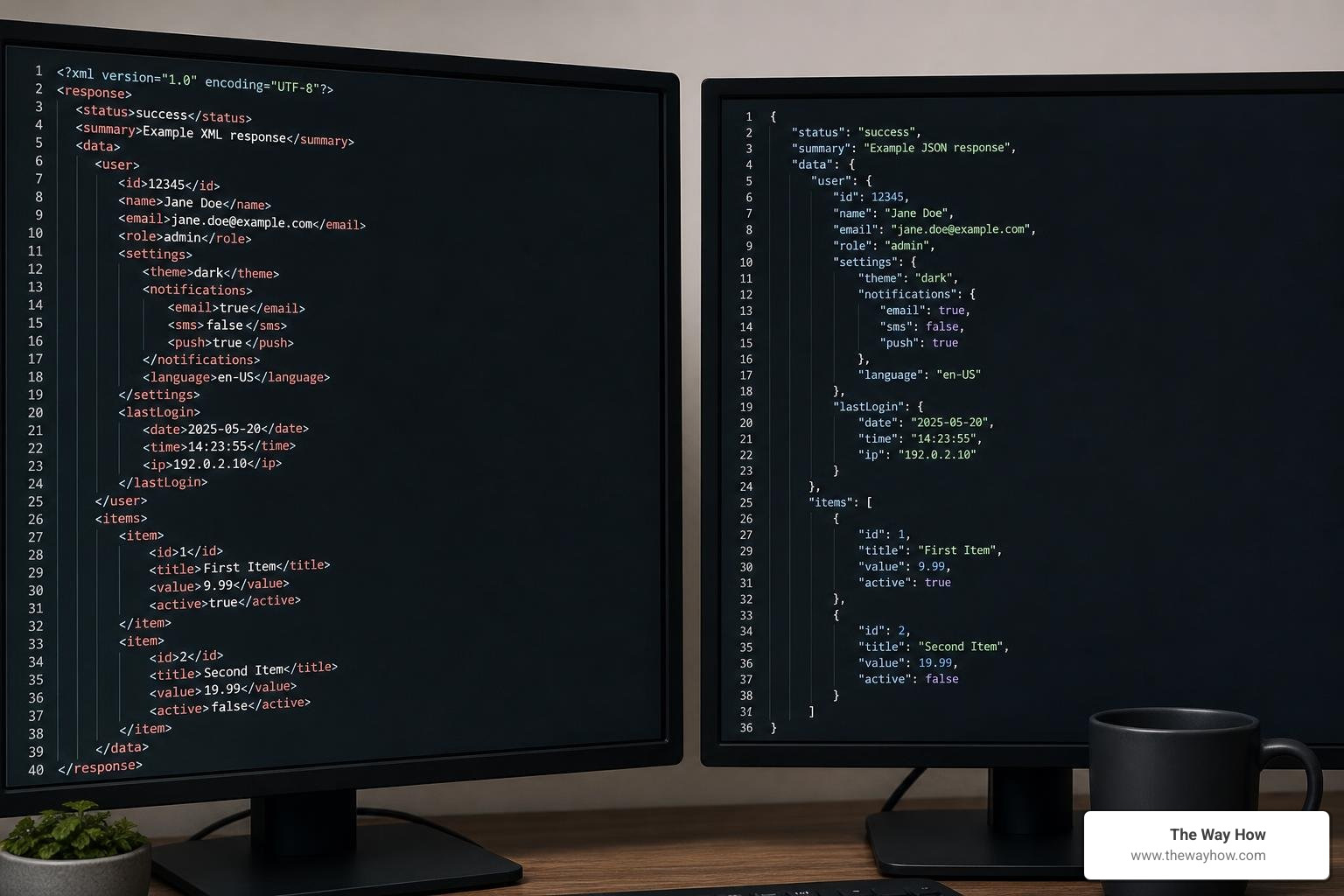
The technical shift also represents a massive reduction in payload size. SOAP XML is notoriously verbose, requiring extensive boilerplate headers. REST uses lightweight JSON payloads, which significantly reduces network latency and processing overhead.
While REST coverage is extensive, some legacy SOAP features or custom record operations may not have a direct out-of-the-box REST equivalent yet. In these cases, you have two primary workarounds:
NetSuite2.com data source.Security is one of the primary drivers of this migration. SOAP integrations historically relied on legacy Token-Based Authentication (TBA) or, worse, direct user credentials (which are completely unsupported in REST).
REST web services require OAuth 2.0 (using JSON Web Tokens (JWT) or Authorization Code grants). This standard provides:
If your team needs to upgrade their WSDL versions as an intermediate step while planning this security modernization, refer to the official guide on NetSuite Applications Suite - Upgrading WSDL Versions.
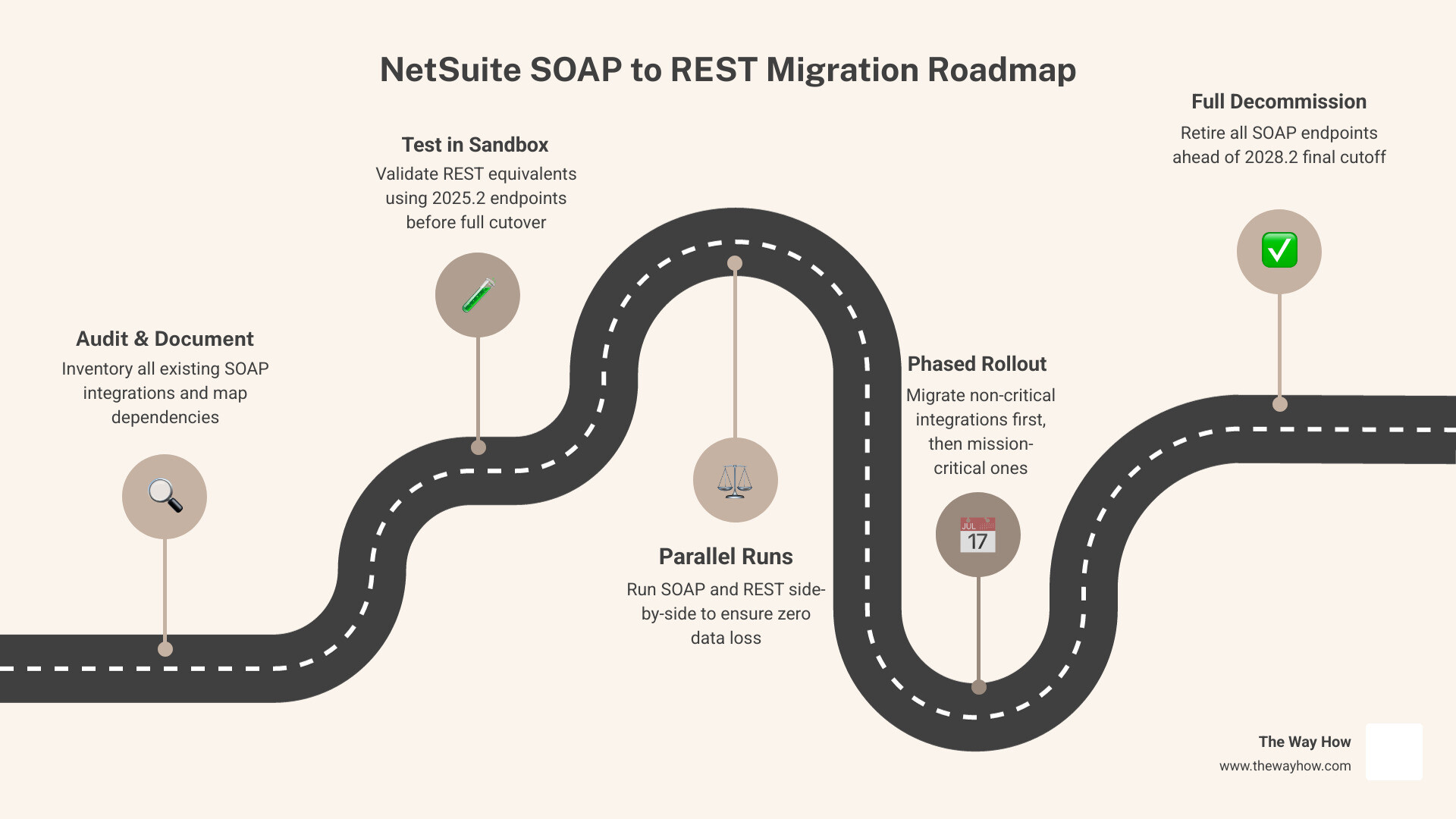
We do not recommend a “lift-and-shift” approach to migration. Simply trying to replicate SOAP logic in a REST environment misses the opportunity to clean up technical debt and optimize your operations. Instead, follow a structured, phased playbook.
Before writing a single line of code, you must locate every active integration. Use the Web Services Usage Log in NetSuite to identify which external applications are still making SOAP requests, which endpoints they target, and how frequently they run. Document every dependency, noting which integrations handle business-critical workflows like payment processing, inventory syncs, and financial reporting.
Map your SOAP payloads to REST JSON structures. Determine where standard REST endpoints will suffice and where you will need to deploy custom SuiteScript RESTlets or SuiteQL queries. Ensure your integration middleware (such as Celigo, Boomi, or Workato) has updated connectors that support NetSuite REST and OAuth 2.0.
Never test a new API in production. Deploy your REST integrations in a NetSuite Sandbox or Release Preview account. Test for:
Run your legacy SOAP integration and your new REST integration in parallel (where safe to do so) to compare data accuracy and performance. Once you have verified that the REST integration is performing reliably, schedule a staged cutover during off-peak hours to achieve a zero-downtime transition.
The key to a disruption-free migration is avoiding a “big bang” cutover. Instead, use a phased rollout. Begin by migrating low-risk, read-only integrations (such as internal reporting syncs) to REST first. Once those are stable, move on to transactional integrations, and save high-criticality real-time syncs (like inventory allocations and credit card processing) for last. Always conduct extensive testing in a sandbox environment, and ensure your middleware can handle REST rate limits and token refresh cycles seamlessly.
Delaying your migration introduces severe business risks. As older SOAP endpoints are retired, integrations will experience “silent code breaking”—where custom fields or record types suddenly stop syncing because an unsupported schema was retired. Additionally, waiting until close to the 2028.2 deadline will force your organization into an emergency rebuild. Emergency migrations typically cost three to four times more than planned projects, suffer from rushed testing, and frequently result in extended system downtime that halts order processing and fulfillment.
REST uses lightweight JSON payloads, which are significantly smaller and faster to parse than SOAP’s heavy XML structures. Case studies show that migrating to REST can yield 40% to 70% faster response times, reducing server load and minimizing connection timeouts. From a security standpoint, REST enforces OAuth 2.0, which eliminates the risks of hardcoded tokens or credentials. Furthermore, REST supports asynchronous processing, allowing your system to submit large batches of data and check their status later, rather than blocking system resources during long-running operations.
At The Way How, we understand that technical transitions are rarely just about the technology. They are about people, systems, and the preservation of operational momentum. When critical integrations are in flux, uncertainty ripples through your entire organization—stalling growth, distracting leadership, and creating friction where there should be flow.
We don’t just look at the code; we diagnose the systemic and behavioral gaps that cause migrations to stall. Whether you need fractional leadership to align your internal teams, technical architecture to redesign your data flows, or a clear roadmap to transition your systems with absolute confidence, we are here to guide you.
Don’t let legacy technical debt quiet your growth engine. Let us help you turn this mandatory upgrade into a strategic advantage.
 Jeremy Wayne Howell : Jul 22, 2026 9:48:31 PM
 Jeremy Wayne Howell : Jul 21, 2026 9:47:10 PM
 Jeremy Wayne Howell : Jul 20, 2026 9:46:47 PM