
The Hidden Friction in NetSuite Integrations
NetSuite SuiteTalk record type differences are one of the most common sources of broken integrations, stalled automation projects, and developer frustration inside growing businesses.
Here is a fast-reference summary of the core differences:
| Dimension | Standard Record Types | Custom Record Types |
|---|---|---|
| Reference method | record.Type constants (e.g., record.Type.SALES_ORDER) | String ID (e.g., 'customrecord_myrecord') |
| SOAP reference object | RecordRef | CustomRecordRef (requires typeId) |
| Schema visibility | Public SuiteTalk Schema Browser | SuiteAnalytics Workbook Records Catalog only |
| Supported operations | Full CRUD + search | add, update, upsert, delete, getCustomizationId, and more |
| Internal ID format | Negative integers (e.g., -112 for Account) | Positive integers assigned at creation |
| Sublist configuration | Defined at record level | Some sublists only configurable on update, not add |
| Schema definition location | Core XSD files | setupCustom (customization) XSD |
NetSuite supports both SOAP-based web services and a REST API for external integration. The record model underneath both is the same — but how you reference, query, and operate on different record types changes significantly depending on whether you are working with a standard record, a custom record, a transaction, an entity, or an item.
That gap between what developers expect and how NetSuite actually structures its data model is where most integration projects lose time, budget, and trust.
I’m Jeremy Wayne Howell, a revenue growth strategist with over 20 years of experience helping companies diagnose and rebuild the systems — including technical integrations — that quietly stall revenue. Understanding NetSuite SuiteTalk record type differences is exactly the kind of foundational clarity that separates integrations that create business certainty from ones that create ongoing technical debt.
The Cognitive Cost of API Inconsistency
When integration projects stall, leadership teams often assume it is a resource or skill issue. In our work at The Way How, we find that the bottleneck is almost always cognitive load. When developers are forced to jump between modern REST design principles and NetSuite’s legacy database structures, decision paralysis sets in.
Standard records in NetSuite behave differently than custom records. Transactions do not map to single endpoints, and internal IDs do not always align with script IDs. This technical debt builds quietly. Each workaround designed to bypass an API mismatch adds another layer of complexity, reducing system predictability and eroding team trust.
Diagnosing the Real Integration Bottleneck
The real issue is not that NetSuite’s API is broken, but that it is a resource-oriented layer sitting on top of a highly relational database. When you attempt to push or pull data without understanding these architectural differences, your data flows become unpredictable.
To restore momentum and build a dependable revenue engine, we must first diagnose where these structural gaps exist. By mapping out how NetSuite handles different record types, you can design an integration that operates with absolute certainty.
Standard vs. Custom NetSuite SuiteTalk Record Type Differences
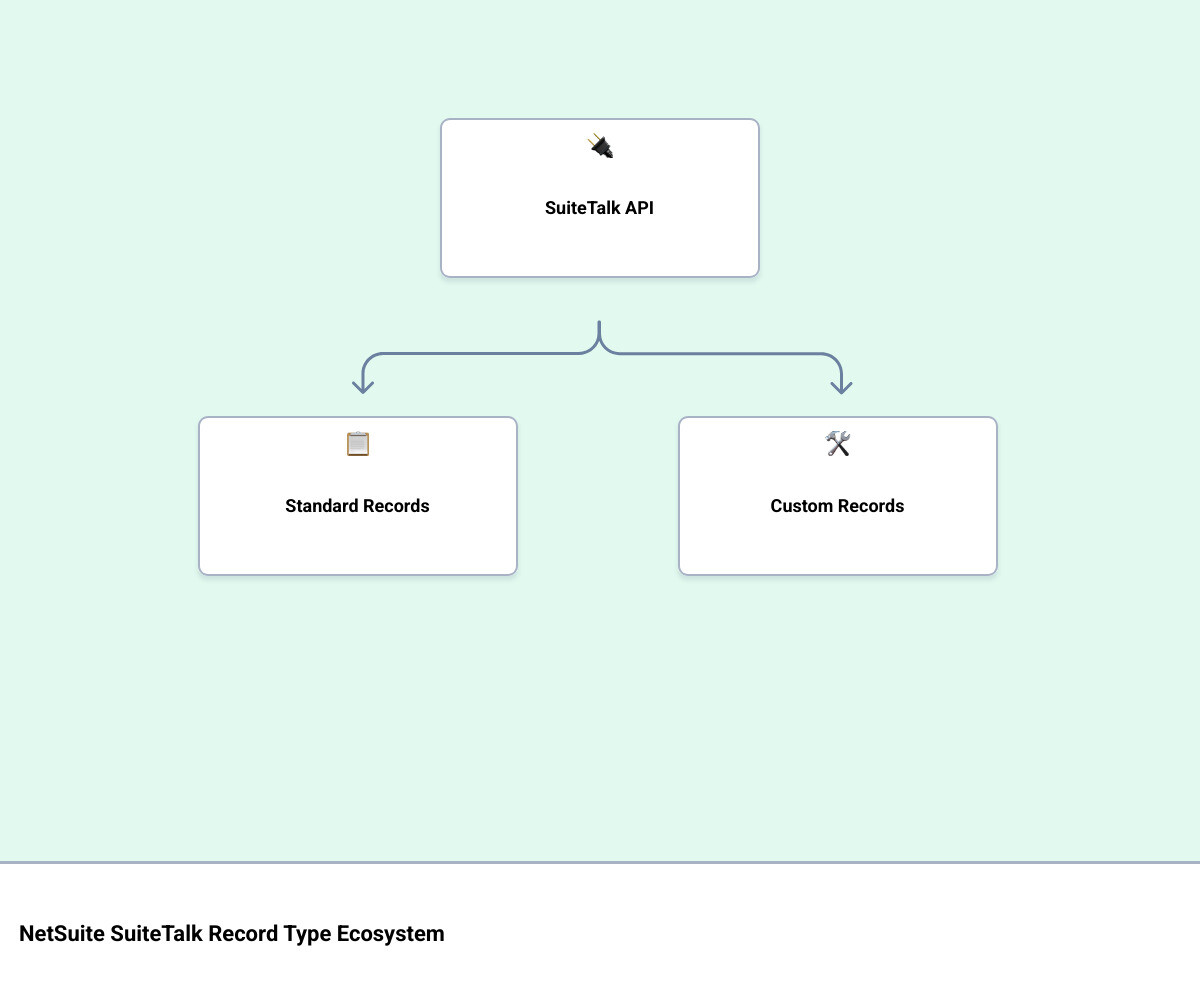
The most fundamental split in the NetSuite ecosystem is between standard and custom record types. Standard records are the pre-built business objects provided by Oracle NetSuite—such as Customers, Sales Orders, and Invoices. Custom records are user-defined tables created to support unique business processes.
When integrating via SuiteTalk, the platform treats these two categories with distinct rules. To understand which records are available under each protocol, developers must consult the official list of NetSuite Applications Suite - SuiteCloud Supported Records.
For standard records, SuiteScript and SuiteTalk rely on predefined constants. As documented in the NetSuite Applications Suite - record.Type reference, standard records are accessed using specific enumerations. Custom records, however, do not exist in these public enums and must always be referenced by their unique string Script IDs (e.g., customrecord_vehicle_fleet).
Supported Operations and Schema Constraints
Standard and custom records also differ in the web service operations they support. While standard records generally support full CRUD (Create, Read, Update, Delete) and search operations, custom records rely on a specific XML schema defined in the setupCustom (customization) XSD.
According to NetSuite Applications Suite - Records in SOAP Web Services, the abstract Record class serves as the super-class for all business objects. For custom records, the supported operations include:
- add / addList
- update / updateList
- upsert / upsertList
- delete / deleteList
- get / getList
- getCustomizationId (used to retrieve metadata at runtime)
- getDeleted
A key architectural difference lies in how sublists and custom fields are handled. Standard records have hardcoded sublists (like transaction line items). Custom records handle child relationships through specific subtabs such as CustomRecordTypeChildren and CustomRecordTypeParents.
Furthermore, while you can set body fields and custom subtabs on both add and update operations, sublists like Fields, Forms, and Child Records on a custom record definition can only be modified during an update operation.
Referencing Custom Records in SuiteTalk REST and SOAP
When referencing records in SuiteTalk, developers often run into type-casting issues. In SOAP web services, standard records are referenced using the generic RecordRef complex type. This type requires an internalId and a standard record type name.
Custom records, however, must be referenced using the CustomRecordRef complex type. This distinction is critical because CustomRecordRef requires you to supply both the internalId of the specific record instance and the typeId (the numerical internal ID of the custom record definition itself).
As outlined in the NetSuite guide on Complex Types, trying to use a standard RecordRef for a custom record, or failing to supply the typeId, will cause the SOAP parser to reject the payload. In the REST API, this complexity is simplified, but developers must still use the correct URL pathing, pointing to /record/v1/customRecord/{customRecordScriptId}/{id}.
Mapping Numerical IDs to Script IDs and Record Names
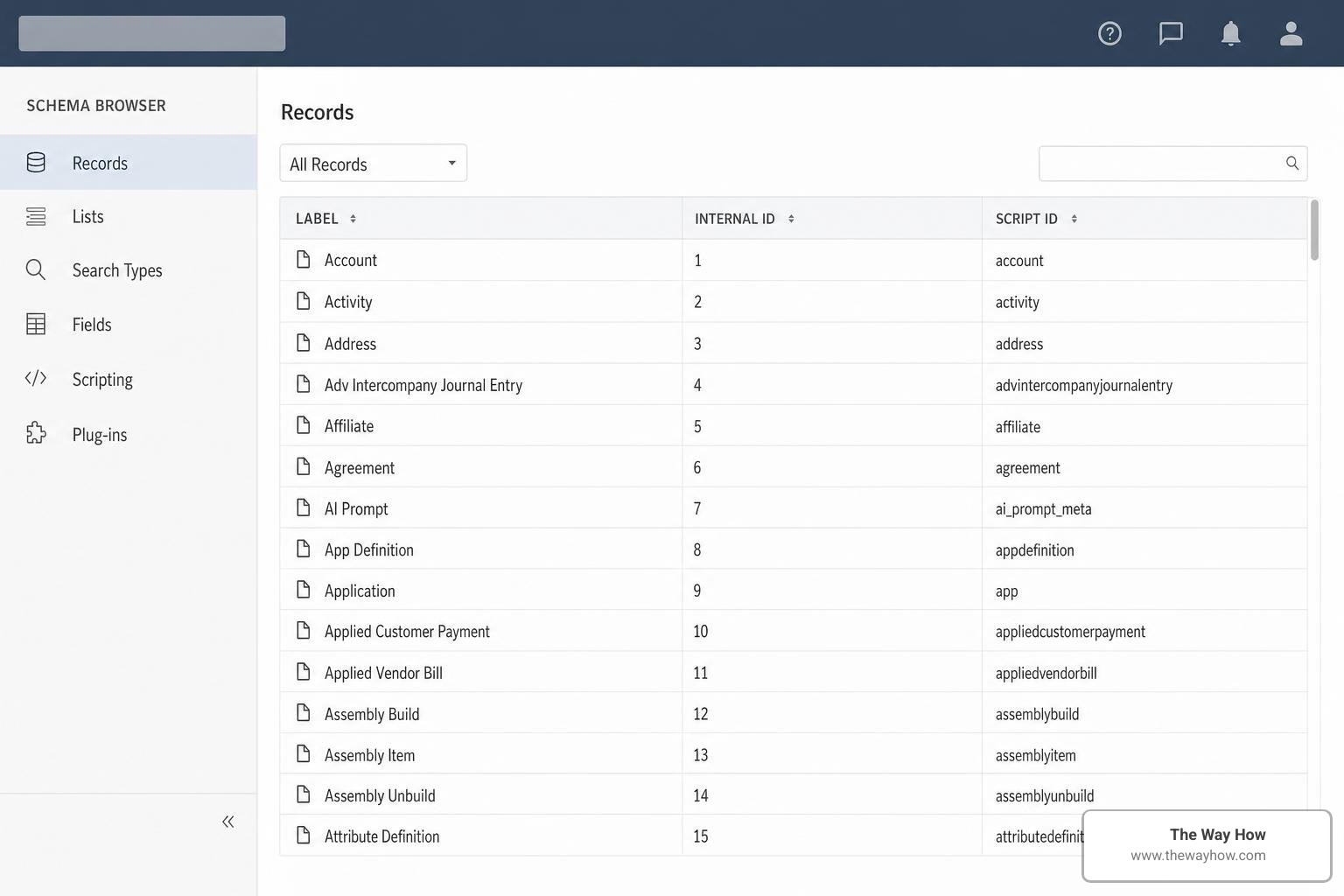
One of the most frustrating aspects of building NetSuite integrations is mapping record names to their corresponding numerical internal IDs. For example, the standard “Account” record is represented internally by the numerical ID -112.
To navigate these mappings, developers frequently consult schema documentation. A complete breakdown of how standard fields and internal IDs are structured can be found in the NetSuite Schema Browser: Records, Fields & Joins | BrokenRubik. However, because the public Schema Browser does not display your account’s custom records, developers must find programmatic ways to resolve these IDs dynamically.
Resolving NetSuite SuiteTalk Record Type Differences via SuiteQL
To bypass the messy process of hardcoding ID mappings, developers can use SuiteQL to query NetSuite’s active metadata tables. NetSuite maintains internal system tables that store the relationships between record names, script IDs, and numerical IDs.
By executing a SuiteQL query that joins the ScriptRecordType and ScriptCustomRecordType tables, you can dynamically retrieve the exact mapping for any record in the system:
SELECT
 srt.actualname AS record_name,
 srt.scriptid AS script_id,
 srt.internalid AS numerical_id
FROM
 ScriptRecordType srt
LEFT JOIN
 ScriptCustomRecordType scrt ON srt.scriptid = scrt.scriptid
This query allows your integration to resolve names to numerical IDs on the fly, eliminating the risk of broken references when custom records are migrated between Sandbox and Production environments.
The Transient Record Controller and SAFE Guide Workarounds
Another advanced method for dynamic mapping is using the Transient Record Controller, a pattern detailed in NetSuite’s SuiteCloud Architecture for High Performance (SAFE) guide.
The Transient Record Controller allows developers to instantiate a record in memory without committing it to the database. By inspecting the metadata of the fields (specifically the List/Record source fields), the integration can dynamically read the numerical IDs associated with specific record types. This approach is highly reliable but can introduce more processing overhead than a direct SuiteQL query.
Special Considerations for Core Record Categories
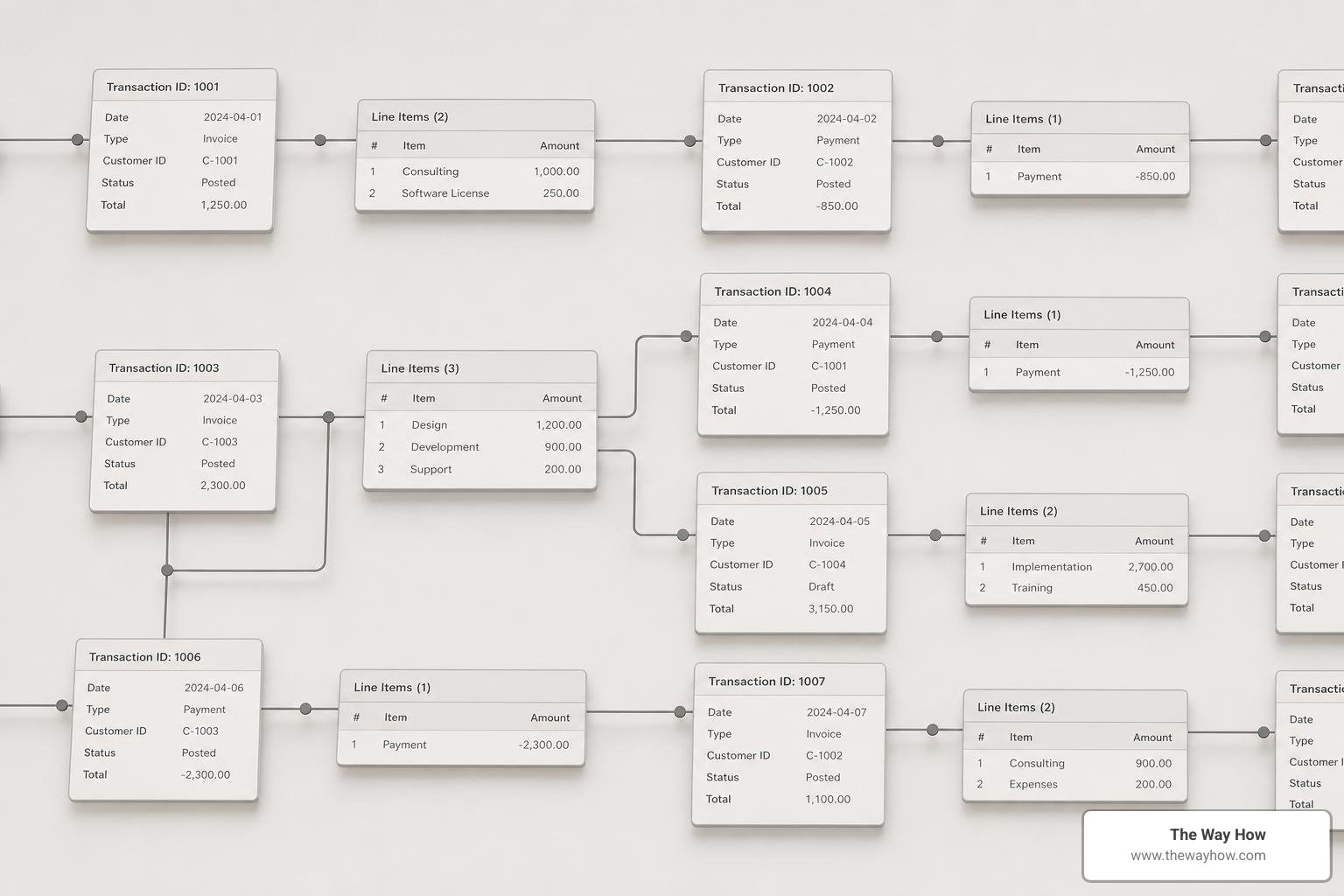
Not all standard records are built equal. NetSuite divides its data model into three core business categories: Transactions, Entities, and Items. Each category has unique behaviors that impact how SuiteTalk processes them.
Transaction Records and Shared Types
In NetSuite, transactions like Sales Orders, Invoices, and Cash Sales are distinct business concepts, but they share a single underlying transaction engine.
This shared architecture means that some scripted operations treat these records as a unified transaction type rather than separate tables. When working with transaction sublists (such as the item line items), fields like pricing matrices, tax codes, and inventory details must be handled with strict validation.
For example, creating a Sales Order requires translating item rates, tax groups, and quantities into a complex nested structure. If your integration fails to match the exact schema expected by the shared transaction engine, the entire write operation will fail.
Entity and Item Record Nuances
Entities (Customers, Contacts, Vendors, Employees) and Items (Inventory Items, Assembly Items, Service Items) have their own API quirks.
Entities share internal ID spaces in certain contexts. For example, a Contact is linked to a Customer, and their address sublists behave differently than address lists on a transaction.
Items are even more complex due to pricing matrices. An Inventory Item or Assembly Item does not store a single price; it stores a multi-dimensional matrix of price levels, quantities, and currencies. When querying or updating item records via SuiteTalk, developers must navigate this nested pricing matrix structure, which requires multiple sublist operations to update a single price point.
Architectural Decisions: SuiteTalk REST vs. Custom RESTlets
When designing an integration, developers must choose between NetSuite’s native SuiteTalk REST API and building custom RESTlets.
SuiteTalk REST is a resource-based API that exposes standard NetSuite records directly as URL endpoints. RESTlets, on the other hand, are custom deployable SuiteScript endpoints that run directly inside the NetSuite container.
We advise teams to evaluate this decision across several key factors:
- Data Transformation Needs: SuiteTalk REST forces you to accept NetSuite’s internal data structures. RESTlets allow you to accept any custom JSON payload and map it to records programmatically.
- Multi-Record Operations: Creating a customer, generating an estimate, and adding a custom log in a single transaction is impossible with standard SuiteTalk REST (requiring multiple HTTP calls). A single RESTlet can handle all three operations in one call.
- Development Overhead: SuiteTalk REST requires zero SuiteScript development. RESTlets require writing, testing, and deploying custom JavaScript.
Performance, Rate Limits, and Concurrency limits
Performance is where integration design directly impacts business continuity. NetSuite enforces strict limits to protect platform stability:
- SuiteTalk REST API: Supports up to 10 concurrent requests per account by default. If your volume exceeds this, NetSuite will return HTTP 429 (Too Many Requests) errors, causing data sync delays.
- RESTlets: Share the same concurrency limits as the REST API, but they are governed by SuiteScript execution limits—specifically, 1,000 governance units per execution.
Because loading a record costs 10 units and saving a record costs 20 units, a RESTlet processing a batch of 30 records can easily hit the 1,000-unit ceiling. For high-performance updates, using SuiteTalk REST with PATCH requests is often faster and safer than full PUT replacements, as PATCH only updates the specified fields and consumes fewer resources.
Querying Data: SuiteQL vs. Saved Searches
How your integration reads data is just as critical as how it writes it.
+-------------------------------------------------------------------+
| QUERY METHOD COMPARISON |
+-----------------------------------+-------------------------------+
| SuiteQL (REST API) | Saved Searches (SOAP/RESTlets)|
+-----------------------------------+-------------------------------+
| * Supports SQL JOINs & CTEs | * Limited join depth |
| * Returns clean, flat JSON | * Complex nested XML/JSON |
| * Can query metadata tables | * Cannot access some system tables|
| * High performance bulk reads | * Subject to execution timeouts|
+-----------------------------------+-------------------------------+
A major limitation of saved searches is their inability to access certain system tables. For example, the “Deleted Record” type is not supported in standard SuiteTalk searches. If your integration needs to sync deletions to an external data warehouse, you cannot run a saved search for deleted records. Instead, you must use the SOAP getDeleted method or write a custom RESTlet to extract deletion logs.
Authentication and Security for Record Operations
Securing your integration endpoints is non-negotiable. NetSuite supports two primary authentication methods for SuiteTalk and RESTlets:
- Token-Based Authentication (TBA): Relies on OAuth 1.0 principles. It uses a consumer key, consumer secret, token ID, and token secret to sign requests. TBA is highly secure and ideal for server-to-server integrations.
- OAuth 2.0: The modern standard for integration authentication. It uses client credentials or authorization code flows to issue temporary access tokens.
In older SOAP integrations, you may see Passport or TokenPassport complex types used in the XML headers. For all modern integrations built in 2026, we strongly recommend using OAuth 2.0 to ensure maximum security and ease of token rotation.
Frequently Asked Questions about NetSuite SuiteTalk Record Type Differences
What are the primary NetSuite SuiteTalk record type differences between standard and custom records?
Standard records are built-in business objects referenced via standard constants (such as record.Type.CUSTOMER). They are fully documented in the public SuiteTalk Schema Browser. Custom records are user-defined tables referenced by their custom string IDs (like customrecord_loyalty_tier). Custom records require the use of CustomRecordRef in SOAP and do not appear in the public Schema Browser, meaning developers must use the SuiteAnalytics Workbook Records Catalog to inspect their fields.
How do I map a numerical record type ID like -112 to its SuiteTalk record name?
You can map numerical IDs to record names dynamically by running a SuiteQL query against the ScriptRecordType and ScriptCustomRecordType system tables. This avoids the need to hardcode mappings like -112 for Account or -2 for Customer, ensuring your integration remains resilient across different NetSuite environments.
When should I use SuiteTalk REST instead of a custom RESTlet for record operations?
Use SuiteTalk REST if you are performing simple CRUD operations on standard records, or if you are using an iPaaS platform (like Celigo or Boomi) with pre-built NetSuite connectors. Choose a custom RESTlet when you need to execute complex business logic, perform multi-record transactions in a single HTTP call, or transform incoming payloads before saving them to NetSuite.
Restoring Certainty to Your NetSuite Integration Strategy
When integrations fail, the root cause is rarely the code itself. It is the friction of misaligned expectations. When your development team is left to guess how NetSuite structures its records, they are forced to make architectural decisions under conditions of high uncertainty. This leads to fragile systems, delayed projects, and stalled business growth.
At The Way How, we look at technology through the lens of human behavior and organizational trust. We help leadership teams remove uncertainty from their operations by designing systems that are predictable, transparent, and aligned with clear business outcomes.
If your NetSuite integrations are creating more questions than answers, we can help you diagnose the bottlenecks, align your data model, and restore momentum to your revenue engine.
More info about our revenue and integration strategy services