

From Code Chaos to Client Clarity

CRM for web developers is more than a contact list—it’s the difference between reactive scrambling and proactive growth. Here’s what you need to know:
| Your Need | What to Look For | Top Pick |
|---|---|---|
| Free, simple start | Contact management, pipeline tracking, email integration | HubSpot CRM |
| Visual sales pipeline | Kanban view, automation, team collaboration | Pipedrive |
| Open-source flexibility | Unlimited users, self-hosting, full customization | Frappe CRM |
| Marketing automation | Email workflows, lead scoring, segmentation | ActiveCampaign |
| All-in-one ecosystem | Integrated business apps, scalability | Zoho CRM |
If you’re a freelance web developer or running a small agency, you already know this feeling: scattered project notes, overflowing inboxes, client requests buried three emails deep, and sticky notes multiplying like rabbits. You’re not disorganized—you’re overwhelmed by a system that doesn’t exist.
This isn’t a personal failing. It’s a systemic problem.
When client details live in five different places, important deadlines hide in Slack threads, and you’re manually tracking who said what three months ago, you’re not just losing time. You’re losing cognitive space for the work that actually matters—designing, building, and solving problems.
The research is clear: developers who adopt a CRM for web developers report faster project delivery, better client satisfaction, and measurably higher conversion rates on new leads. One web design company managing over 100 deals daily said switching from spreadsheets to a CRM was the turning point that let them finally scale without chaos.
A CRM doesn’t just organize information. It creates certainty—for you, your team, and your clients. It centralizes communication logs, automates follow-ups, tracks project status, and surfaces growth opportunities you’d otherwise miss. Most importantly, it frees you from the exhausting mental work of remembering everything, so you can focus on delivering exceptional work.
I’m Jeremy Wayne Howell, and over 20 years of revenue strategy work, I’ve helped web development agencies implement systems—including CRM for web developers—that transform scattered workflows into predictable, scalable growth engines. This guide will show you exactly which CRM fits your business, why it matters, and how to implement it without the overwhelm.
Crm for web developers basics:
Why Your Spreadsheet Is Secretly Sabotaging Your Business
We often start with what’s familiar: spreadsheets. They’re free, flexible, and seemingly capable of organizing anything. But for a web development business, relying on spreadsheets for client relationship management is like trying to build a skyscraper with LEGOs. It might hold for a bit, but it’s not designed for the complexity and scale required for true Business Growth.
The core problem with traditional methods like spreadsheets is the lack of a centralized, dynamic system. Client data becomes fragmented across multiple files, email threads, and even physical sticky notes. This manual data entry is not only tedious but prone to errors, leading to missed opportunities and a fragmented view of your client relationships. As one web design company finded, using manual spreadsheets meant “opportunities going unnoticed.”
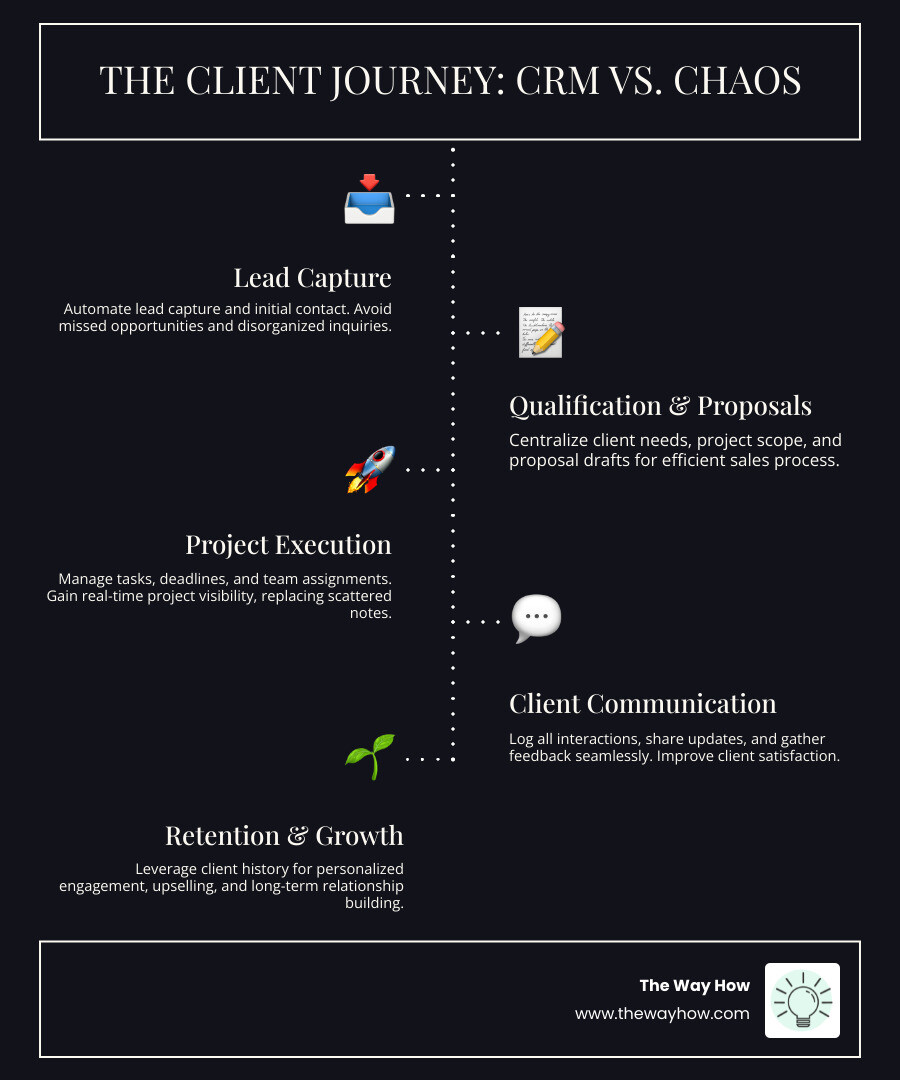
CRMs, or Customer Relationship Management software, were literally built to solve this problem. They consolidate all your project notes, communication logs, and deadlines into one organized dashboard. Instead of hunting through old emails to find a client’s specific request from months ago, a CRM for web developers provides instant access to every touchpoint. This shift from a static record to a living, breathing system is where the magic happens.
The True Cost of Disorganization
The seemingly small inefficiencies of a disorganized system add up to significant costs.
- Lost leads: When you’re busy coding, a prospective client’s email can easily get buried, or a follow-up reminder can be missed. Studies show that responding quickly and personally can massively increase conversion rates, but without a system, this becomes a heroic effort rather than a standard practice.
- Inefficient workflows: Juggling multiple projects means constant context switching, a huge drain on cognitive resources. Without clear project visibility, team members (even if that team is just you!) spend valuable time figuring out “what’s next” or “what’s overdue.”
- Poor client communication: Clients notice when communication is streamlined. Centralizing client communications in a CRM for web developers isn’t just about efficiency; it’s about building trust and making your clients feel valued and remembered, not just managed. Prompt, clear responses help you come across as polished professionals.
- Inaccurate financial forecasting: Without a clear pipeline of finished, active, and upcoming projects, it’s difficult to gauge your business’s financial health and plan for future work. A CRM gives you this overview, informing decisions about when to seek new business.
- Decision fatigue: The mental load of tracking every detail, remembering every conversation, and manually managing tasks can lead to burnout. This cognitive overload detracts from your ability to make strategic decisions and focus on creative problem-solving.
Moving from a To-Do List to a Living System
A CRM for web developers transforms your chaotic to-do list into a dynamic, interconnected system.
- Centralized data: All your client data, project notes, and communication history live in a single hub. This means no more hunting for information; it’s all available with a click.
- Automated reminders: Assign to-dos, set up deadlines, and lean on automated reminders so nothing falls through the cracks—even on your busiest weeks. Automated nudges ensure you never leave a client hanging.
- Project visibility: Get a quick read on project status, see what’s overdue, and spot patterns in your workflow that could use a tweak. This allows for proactive management rather than reactive firefighting.
- Client history: Every message, call log, and note is organized under each contact, making it easy to see the latest updates or confidently reply to a question. This rich history enables personalized interactions that build stronger relationships.
This shift empowers us to make better, more informed decisions, turning raw data into actionable insights for Data-Driven Decisions.
The Anatomy of an Effective CRM for Web Developers
When we talk about a CRM for web developers, we’re not just looking for a glorified Rolodex. We need a tool designed to handle the unique complexities of managing creative projects, technical deliverables, and ongoing client relationships. The right CRM should act as the central nervous system of your operation, ensuring every client interaction and project milestone is tracked, nurtured, and executed with precision.
Core Features for Managing Client Projects
For web developers, certain features are non-negotiable in a CRM:
Contact Management: At its heart, a CRM centralizes all client and prospect information. This includes contact details, communication history, project specifics, and payment records. It’s a single source of truth for everyone on your team.
Project Management Capabilities: While not a full-fledged project management tool, a good CRM will offer features that integrate with or complement your existing project workflows. This might include:
- Kanban boards: Visualizing leads and projects based on their stages provides a clear idea of progress and expected revenue. Many CRMs offer a drag-and-drop Kanban board for managing leads and deals visually.
- Custom fields: Web development projects often have unique data points. The ability to add custom fields for leads, persons, and organizations allows you to tailor the CRM to your specific requirements, tracking everything from tech stack preferences to hosting details.
- Deadline tracking: Set and monitor project deadlines directly within the CRM, often with automated reminders to keep everyone accountable.
- Document storage: Upload all your contracts, project briefs, design assets, and other important documents into your CRM. This way, everything is in one central place and readily available.
- Client portals: Some CRMs offer client portals, allowing clients to log in, view project progress, approve stages, and access shared documents, streamlining communication and feedback. We’ve seen how integrating with platforms like Hubspot WordPress Integration can create a seamless client experience.
Task Automation: From sending automated follow-up emails to creating tasks for proposal reviews, automation frees you from repetitive data entry and invoice wrangling. This allows your precious focus hours to go toward what moves the needle—not just outdated admin routines.
Communication Logs: Every message, call, and meeting note should be logged and easily accessible under the client’s profile. This ensures consistent communication, even if different team members interact with the client.
Lead Pipeline Visualization: Understand where every lead stands in your sales process, from initial contact to closed-won. This helps forecast revenue and identify bottlenecks.
Reporting and Analytics: A CRM for web developers should offer comprehensive reports to monitor business performance. This allows you to spot trends, bottlenecks, and growth opportunities, informing your strategy.
For smaller businesses, even a robust free CRM like Hubspot for Small Businesses can provide these foundational features.
Essential Integrations for a Seamless Workflow
A CRM rarely lives in isolation. Its true power is open uped through seamless integrations with the tools you already use daily.
- Email Integration: Track all email interactions with customers in one place. This ensures all client conversations are stored together for easy access and helps prevent dropped leads with automatic nudges.
- Calendar Sync: Integrate your CRM with your calendar (Google Calendar, Outlook Calendar) to schedule meetings, set reminders, and ensure appointments are logged against client records.
- Accounting Software: Connect your CRM to invoicing and accounting tools to streamline billing, track payments, and manage financial aspects of projects, like the integration of ERPNext with Frappe CRM for invoicing and accounting.
- Project Management Tools: While a CRM helps manage the client relationship, dedicated project management tools handle the intricate details of development. Integrations ensure data flows smoothly between client communication and project execution.
- Communication Platforms: Integrations with tools like Twilio, Exotel, and WhatsApp allow you to make calls, send messages, and record interactions directly from the CRM. This centralizes all client communication, offering a complete history.
Many CRMs offer robust Hubspot Integrations and access to a powerful Hubspot API for custom connections.
Open-Source vs. Proprietary: A Key Decision for Developers
For web developers, the choice between open-source and proprietary CRM solutions carries unique considerations:
Proprietary CRMs (like HubSpot, Pipedrive, Salesforce) are typically SaaS (Software as a Service) products. They offer:
- Ease of Use: Often come with polished UIs, extensive support, and ready-to-use features.
- Regular Updates: Managed by the vendor, ensuring continuous improvements and security patches.
- Scalability: Designed to handle growth, though pricing can increase significantly with more users or advanced features.
- Vendor Lock-in: You’re reliant on the vendor’s roadmap and pricing structure.
Open-Source CRMs (like Krayin, EspoCRM, Frappe CRM) offer:
- Flexibility and Customization: Built on frameworks like Laravel and Vue.js, they provide developers with the flexibility to customize and extend functionalities to meet specific company requirements. You can add custom entities, fields, and even build your own modules.
- Ownership vs. Renting: GPL licensing, common in open-source, implies ownership rather than renting of software, offering freedom and control over your data and system.
- Cost-Effectiveness: Often free to download and use, with costs primarily associated with hosting, customization, and support. Some, like Frappe CRM, are priced based on compute resources, not per user, offering unlimited users for a low monthly fee.
- Community Support: Backed by vibrant communities of developers who share experience and build extensions.
- No Vendor Lock-in: You are never locked into one vendor, providing greater long-term control.
For developers who value deep control and customization, open-source solutions like Krayin Open-Source CRM or Free CRM for Developers by EspoCRM can be incredibly appealing. They allow you to tailor the CRM precisely to your unique workflows and even integrate it deeply with your development stack.
The Top CRM Platforms for Web Developers: A Curated Roundup
Choosing the right CRM for web developers isn’t a one-size-fits-all decision. Your ideal solution depends on your budget, team size, specific feature requirements, and how you envision your business scaling. We’ve curated a selection of top CRM tools, categorizing them to help you find the perfect fit.
For the Solo Freelancer and Small Startups
For those just starting out or running a lean operation, simplicity and cost-effectiveness are key.
- HubSpot: HubSpot is renowned for its completely free CRM, making it an excellent choice for solo business owners needing a basic tool for managing their contact files. It offers solid contact management, pipeline management, and email tracking, serving as a powerful foundation without the upfront cost. It’s automatically integrated with HubSpot’s marketing, sales, customer service, and operations tools right out of the box, offering a seamless path to growth.
For the Growing Web Development Agency
As your agency expands, you’ll need more robust sales and project tracking capabilities.
- Pipedrive: Pipedrive is a self-proclaimed all-in-one sales CRM, and it lives up to the hype. It’s ideal for growing agencies focused on closing deals, offering an easy-to-use, drag-and-drop interface for managing leads. Starting at $12.50 per user per month (billed annually), it provides sales pipeline management, automation tools, and customization, helping you manage over 100 deals daily, as seen with Accentuate Web Design & Marketing.
For the Developer Who Values Open-Source
If control, customization, and community are paramount, an open-source solution might be your best bet.
- Frappe CRM: Frappe CRM is a simple, affordable, open-source CRM tool designed for modern sales teams with unlimited users. Built on the Frappe framework, it prioritizes usability, extensibility, and affordability. It features an intuitive interface, a drag-and-drop Kanban board for lead and deal management, and integrations with Twilio, Exotel, and WhatsApp for improved communication. Pricing starts as low as $5 per month for unlimited users based on compute resources, not per-user rates.
For Advanced Marketing and Sales Automation
When your lead generation and nurturing strategies become more sophisticated, you’ll need a CRM with powerful automation features.
- ActiveCampaign: ActiveCampaign started as an email campaign and automation tool, and its CRM naturally integrates these strengths. It charges based on the size of your email list, making it ideal for teams with smaller contact lists focused on nurturing. Key features include drag-and-drop automations, landing page creation, and lead tracking. For agencies diving deep into Hubspot Marketing Automation principles, ActiveCampaign offers a similar focus on automated engagement.
For the All-in-One Business Suite
For agencies looking for a comprehensive ecosystem that extends beyond just CRM, an integrated suite can offer immense value.
- Zoho CRM: Zoho is part of a large suite of business products that range from customer support and accounting to project management and recruiting. If your web design company is already using other Zoho products, integrating their CRM is a no-brainer. Even if you’re new to Zoho, it’s an affordable and scalable option offering a suite of sales tools, predictive sales, and marketing automation. It’s a powerful tool for comprehensive Business Analysis and Analytics.
Other notable mentions from our research include:
- Agile CRM: A robust free plan for sales teams, ideal for those without a large budget.
- ConvertKit: Known for creators, great for freelance web designers managing sales leads and email marketing.
- Keap: Excellent for small businesses needing both sales management and marketing automation.
- Drip: Markets itself as a CRM solution for e-commerce brands, offering workflows for abandoned carts and post-purchase sequences.
- Salesforce: Typically reserved for larger sales teams due to its complex and in-depth capabilities, suitable for large web development agencies looking to scale significantly.
Beyond Organization: Turning Your CRM into a Growth Engine
A CRM for web developers isn’t just about tidying up; it’s about strategically fueling your growth. We believe that by removing uncertainty and designing systems rooted in human behavior, we can transform your marketing and sales efforts into a predictable revenue engine. Your CRM is the heart of this engine.

The Psychology of a Perfect Follow-Up
In web development, a project often starts long before the first line of code is written. It begins with a lead, a conversation, and a series of interactions. This is where the psychology of follow-up, powered by your CRM, becomes critical.
- Automated Reminders: Automated reminders ensure you follow up with prospective clients, send timely invoices, and catch up on overdue projects. This isn’t just about efficiency; it’s about establishing reliability.
- Timely Responses: Studies show responding quickly and personally can massively increase your conversion rates. A CRM for web developers with integrated communication logs and notification systems ensures you never leave a client hanging. This promptness signals professionalism and attentiveness.
- Increased Conversion Rates: Tracking every touchpoint means potential clients don’t slip away when you get busy. Automation frees you from repetitive data entry, allowing you to focus on tailoring your message and building rapport.
- Building Trust: Consistent, thoughtful follow-ups build trust. Clients feel remembered and prioritized, not just managed. This consistent engagement, often managed through features like Hubspot Drip Campaigns, makes a significant difference in how leads perceive your agency.
A CRM helps you optimize your marketing efforts around customer demographics, psychographics, and micro-moments, ultimately enhancing your Hubspot Lead Generation strategies.
How a CRM for web developers drives repeat business
The cost of acquiring a new client is far greater than retaining an existing one. A CRM for web developers is your secret weapon for client retention and fostering repeat business.
- Client History: With a complete history of interactions, projects, and preferences stored in your CRM, you can personalize every communication. This deep understanding allows you to anticipate needs and offer relevant solutions.
- Personalized Communication: Every message, call log, and note organized under each contact makes it easy to tailor your approach. This attention to detail makes clients feel valued, not like another number.
- Proactive Engagement: Set up tasks in your CRM to engage with existing clients proactively. This could be a quarterly check-in, sharing relevant industry insights, or suggesting new features based on their past projects. Seeing all your clients in one place—with documented deadlines and written milestones—is a great way to stay accountable to yourself and your customers.
- Feeling Valued: Clients who feel remembered and prioritized are more likely to stick around—and to recommend you. Centralizing client communications in your CRM isn’t just about efficiency; it’s about building trust and making your clients feel valued and remembered. This leads to more repeat business, higher income, and a reputation for professionalism.
A CRM helps us deliver exceptional Hubspot Customer Service, which is the cornerstone of long-term client relationships.
Your First 90 Days: A Simple Framework for CRM Implementation
Implementing a new CRM for web developers can feel daunting, like adding another layer of complexity to an already busy schedule. But we advocate for a phased approach that minimizes overwhelm and maximizes adoption. This isn’t about changing everything overnight; it’s about building momentum and certainty one step at a time. This framework is designed to help you integrate your CRM smoothly, much like our approach to Hubspot CRM Implementation.
Phase 1: Map Your Current Process (Days 1-30)
Before you can optimize, you need to understand what you’re optimizing. This phase is about diagnosis.
- Identify Bottlenecks: Where do leads get stuck? Where do projects typically slow down? Pinpoint the areas in your current workflow that cause the most friction or lost time.
- Define Lead Stages: Clearly outline the journey a lead takes from initial inquiry to becoming a paying client. What are the distinct steps? This forms the basis of your CRM pipeline.
- Document Client Onboarding: Map out your current client onboarding process. What information do you collect? What are the key touchpoints?
- Choose Key Metrics: What do you need to measure to understand if your business is thriving? Think about conversion rates, project timelines, and client satisfaction indicators.
Phase 2: Implement and Integrate (Days 31-60)
Now, we start building your new system. The key here is to start small and get comfortable with the basics.
- Import Contacts: Start by importing your existing client and prospect contacts into the CRM. Categorize them appropriately (leads, prospects, current clients).
- Set Up One Pipeline: Based on your defined lead stages, configure your first sales or project pipeline in the CRM. Focus on getting one working well before expanding.
- Connect Your Email and Calendar: Integrate your primary email and calendar. This is crucial for logging communications and scheduling directly within the CRM.
- Train Your Team on One Core Function: If you have a team, introduce them to one core function first, like logging client calls or updating project statuses. Don’t overwhelm them with all features at once.
Phase 3: Automate and Optimize (Days 61-90)
With the basics in place, you can begin to leverage the power of automation and reporting.
- Automate One Repetitive Task: Identify a task that consumes disproportionate time (e.g., sending initial welcome emails to new leads) and automate it within your CRM.
- Build One Report Dashboard: Create a simple dashboard to visualize your key metrics. This could be a lead conversion report or a project status overview.
- Gather Feedback: Talk to your team (and yourself, if solo) about what’s working and what’s not. Where are the new friction points?
- Iterate: A CRM is a living system. Continuously tweak settings, refine workflows, and explore new features as your business evolves.
Build Your System, Build Your Future
A CRM for web developers is not just software; it’s the operational blueprint for a scalable, predictable business. It reduces uncertainty and frees up cognitive space for creative work. It transforms the chaos of scattered information into the clarity of a well-designed system.
For us, building this system is the foundation for sustainable growth. We specialize in designing psychology-first systems that connect marketing, sales, and service to drive predictable revenue. We understand that effective tools, like a well-implemented CRM, are not just about efficiency—they’re about creating an environment where your web development agency can thrive, grow, and build lasting client relationships.