
The Invisible Friction Costing You Certainty

Why Your Site Might Be Slower Than Your Prospects Think
The best free website speed checker tools available right now — ranked for clarity and usefulness:
| Tool | Best For | Key Strength |
|---|---|---|
| Google PageSpeed Insights | SEO baseline | Free Lighthouse + field data |
| GTmetrix | Deep diagnostics | 26 locations, waterfall charts |
| WebPageTest | Advanced testing | Open-source, DNS/TCP/TLS detail |
| DebugBear | Accuracy + real-user data | 25+ issue detection |
| LoadFocus | Global testing | 26+ regions, no signup needed |
| Pingdom | Visual analysis | Color-coded request stages |
Your site may look fast to you. But you’re not your prospect.
You’re on a fast connection. You’ve visited the page before, so your browser has cached the assets. You’re probably on a desktop. Your prospect? They’re on a mid-range phone, on a throttled mobile network, seeing your site cold for the first time.
That gap — between how fast you think your site is and how fast it actually feels to a first-time visitor — is where trust quietly erodes.
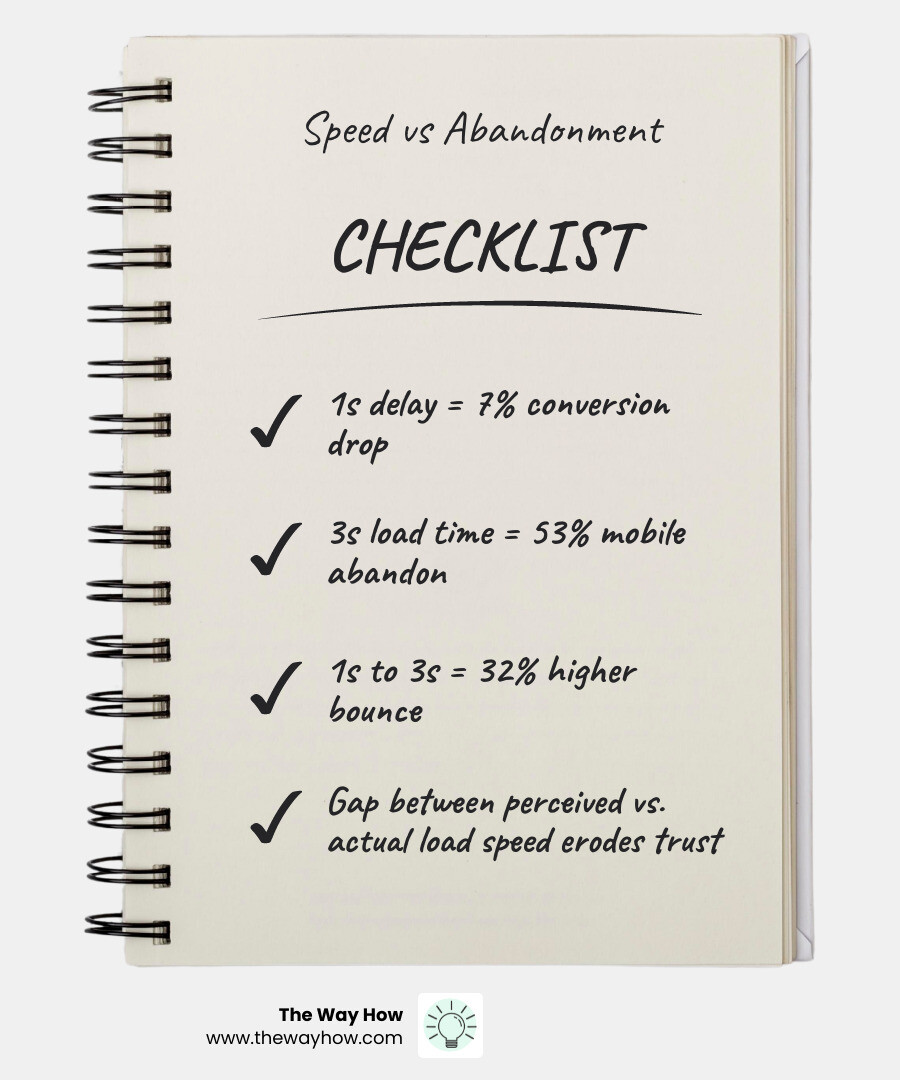
Research is clear on this: a one-second delay in page load time can reduce conversions by up to 7%. And 53% of mobile users abandon sites that take longer than three seconds to load. The bounce probability alone increases 32% as load time goes from one second to three.
Speed isn’t a technical problem. It’s a trust problem. Every extra second your page takes to load is a moment your prospect spends second-guessing whether they’re in the right place.
Most founders and revenue leaders don’t realize their site is slow until they run a test — and even then, the results can feel like a foreign language.
That’s exactly what this guide is for.
I’m Jeremy Wayne Howell, a revenue growth strategist with over 20 years of experience in marketing, sales, and go-to-market strategy — and I’ve seen how a sluggish site silently undermines conversion rates, pipeline quality, and buyer confidence long before a prospect ever fills out a form. Understanding how to use a free website speed checker effectively is one of the fastest diagnostic moves any revenue leader can make. Let’s start by understanding what the data is actually telling you — and why it matters more than most teams realize.
The Psychology of Speed: Why Every Millisecond is a Trust Signal
In our work at The Way How, we often talk about “certainty gaps.” These are moments in the buyer’s journey where a prospect feels a flicker of doubt. When a website takes five seconds to load, you aren’t just losing bandwidth; you are losing cognitive focus. The human brain is wired to seek the path of least resistance. If your digital storefront feels heavy or unresponsive, the prospect subconsciously associates that friction with your service or product.
The data supports this psychological shift. Google has long confirmed that page speed is a ranking factor for both desktop and mobile searches. But the impact goes beyond SEO. As of May 2026, 60% of top-performing sites excel in Core Web Vitals because they understand that speed is a competitive advantage.
When you ignore your site’s performance, you are essentially telling 53% of mobile users that their time isn’t valuable. By the time the page finally renders, the “bounce probability” has already spiked. Understanding How Page Speed Impact SEO Strategies requires looking at speed as a core component of empathy. If you care about the user experience, you prioritize the speed at which that experience begins.
For those focused on organic growth, Page Speed for SEO is no longer optional. Google prioritizes sites that provide a fast, stable, and interactive environment. A slow site doesn’t just annoy users; it signals to search engines that your site is a poor destination for their traffic.
Decoding the Metrics: What Your Free Website Speed Checker is Actually Telling You
When you run a free website speed checker, you’re often met with a wall of acronyms. Understanding these is the difference between blindly chasing a “100” score and actually improving the buyer’s journey.

The most critical metrics today are Google’s Core Web Vitals. These measure three specific pillars of the user experience:
- Largest Contentful Paint (LCP): This measures loading performance. To provide a good user experience, LCP should occur within 2.5 seconds of when the page first starts loading.
- Interaction to Next Paint (INP): This replaced First Input Delay (FID) in March 2024. It measures responsiveness—how quickly the page reacts when a user clicks a button or taps a link. A “good” score is under 200 milliseconds.
- Cumulative Layout Shift (CLS): This measures visual stability. Have you ever been about to click a link, only for the page to jump and cause you to click an ad instead? That’s a high CLS. You want a score under 0.1.
Beyond these, we look at the Time to First Byte (TTFB). This is the foundation of speed. It measures how long it takes for your server to send the very first byte of data back to the browser. If your TTFB is over 600ms, your site is slow before it even starts. You can Check Website Server Response Time to see if your hosting environment is the primary bottleneck.
For a comprehensive breakdown of these thresholds, tools like the Free Website Speed Checker — Check TTFB & Page Load Time | SEO Insights Pro provide instant feedback on whether you meet Google’s “Good” status.
Lab Data vs. Real-User Field Data
There is a major distinction in how performance is measured: Lab data vs. Field data.
Lab Data is collected in a controlled environment. When you use a free website speed checker, it often simulates a specific device and connection. This is great for debugging and seeing if a specific fix worked.
Field Data, specifically from the Chrome User Experience Report (CrUX), is what Google actually uses for rankings. This is data from real people visiting your site on their actual devices in the real world. As noted by the experts at Site Speed Check — Free PageSpeed Test | ModusOp, lab data is for diagnosing problems, while field data tells you the truth about your actual performance in the wild.
Why Your Mobile Free Website Speed Checker Score Lags Behind Desktop
It is common to see a high score on desktop and a failing score on mobile. This happens because most testing tools simulate a mid-range mobile device on a throttled 4G network. Mobile devices have less processing power than desktops, and mobile networks have higher latency.
Since Google uses mobile-first indexing, your mobile score is the one that carries the most weight for your SEO rankings. If your mobile LCP is over 4 seconds, you are likely being penalized in search results, regardless of how fast your office iMac loads the site.
The Best Free Website Speed Checker Tools for 2026
To remove uncertainty, you need reliable tools. We’ve curated the most trusted options that provide actionable insights rather than just arbitrary numbers.
| Feature | GTmetrix | LoadFocus | WebPageTest | PageSpeed Insights |
|---|---|---|---|---|
| Primary Use | Visual Waterfall | Global Multi-Location | Deep Technical Audit | SEO Ranking Check |
| Global Regions | 26 | 26+ | 30+ | Limited |
| Lab vs Field | Both | Lab | Lab | Both |
| Best Asset | Historical tracking | No-signup ease | Video capture | Google’s direct data |
GTmetrix is a powerhouse that has analyzed over 1.39 billion pages. It allows you to see exactly “why” a page is slow by visualizing the loading process. On the other hand, the Free Website Speed Test | LoadFocus is highly regarded, with 85% of users preferring it for its accuracy across 26 global regions. This is particularly useful for 70% of businesses that need to gauge site speeds from multiple worldwide locations to ensure a consistent experience for a global audience.
For those who want to “break” the site to find the bottleneck, Test. Experiment. Improve! remains the gold standard. It allows for advanced scripting and request blocking, helping you see what happens if a specific third-party script fails to load. Finally, the Free Website Speed Test | Core Web Vitals Checker offers a streamlined way to audit performance in seconds with AI-powered recommendations.
Google PageSpeed Insights: The Baseline for SEO
If you only use one tool, make it this one. It provides the most direct look at how Google views your site. By following a guide on How to Check Site Speed on Google PageSpeed, you can uncover specific diagnostic audits that tell you exactly which images are too large or which scripts are blocking the page from rendering.
Advanced Diagnostics with a Free Website Speed Checker
Tools like Free Website Speed Test: Check Page Performance | Calibre go a step further by ranking third-party scripts by their negative impact. In 2026, we also see an increased focus on sustainability; some tools now measure the carbon footprint of your page load, recognizing that bloated code isn’t just slow—it’s inefficient.
From Diagnosis to Momentum: How to Fix a Sluggish Experience
Once you have used a free website speed checker to identify the gaps, the focus shifts to execution. Most speed issues stem from a few common culprits.
- Image Optimization: This is the “low-hanging fruit.” Unoptimized images are the #1 reason for slow LCP. Use modern formats like WebP or AVIF. Follow a Step-by-Step Guide for Better Site Performance to ensure your visuals don’t weigh down your conversion rates.
- Minification and Compression: Your CSS and JavaScript files often contain unnecessary characters (whitespace, comments). Minifying these files reduces their size. Enabling Gzip or Brotli compression on your server further shrinks the data being sent.
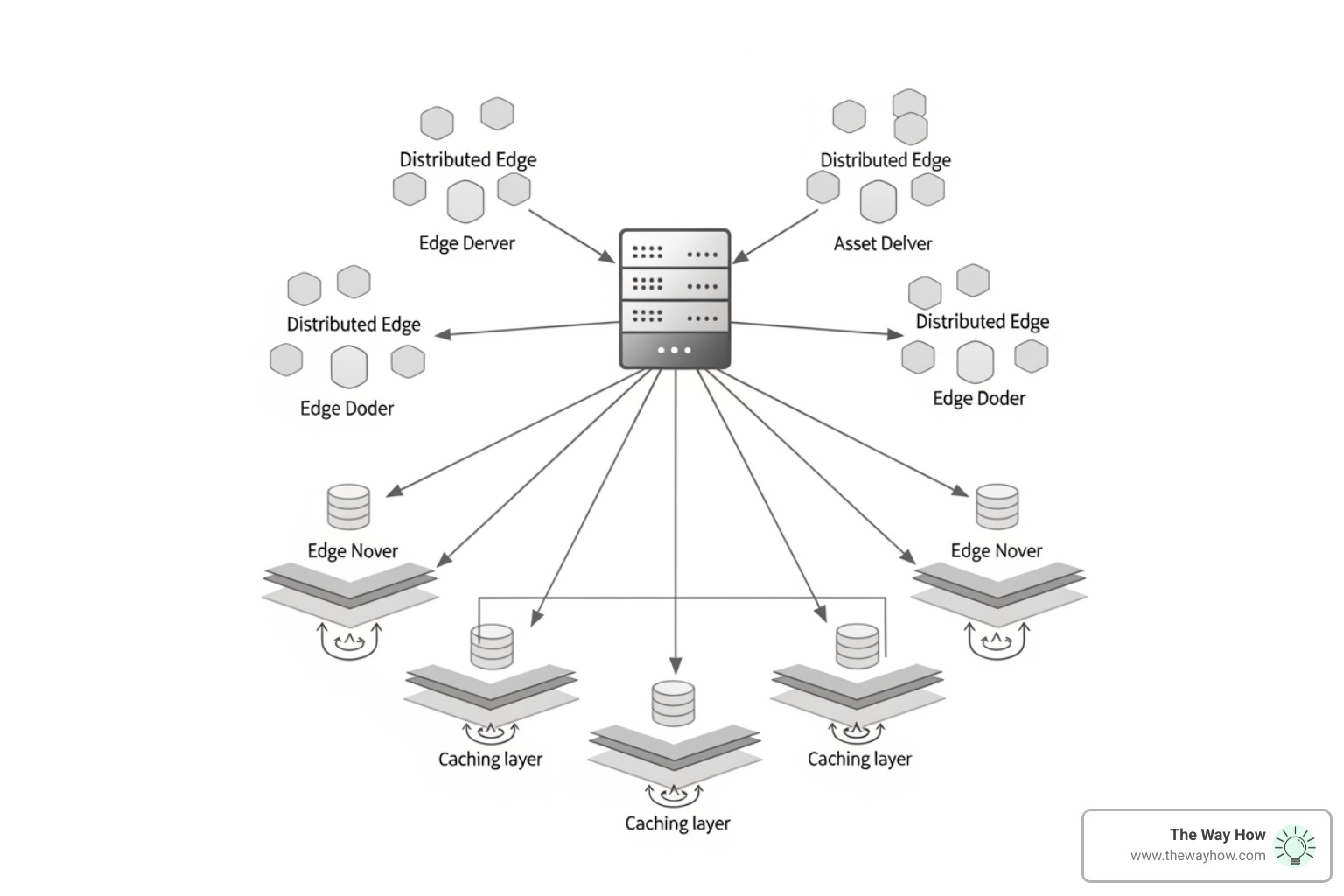
- Content Delivery Networks (CDNs): If your server is in New York and your prospect is in London, physics dictates a delay. A CDN stores copies of your site on servers around the world, delivering the content from the location closest to the user.
- Eliminate Render-Blocking Resources: Some scripts tell the browser to “stop everything” until they finish loading. By deferring non-critical JavaScript, you allow the visible part of the page to load first.
- Platform Specifics: If you are running a CMS, you might need specialized help. Learning How to Optimize WordPress to Speed Up Your Website can involve everything from database cleanup to choosing a faster theme.
Frequently Asked Questions About Site Performance
How often should I test my website speed?
We recommend running a free website speed checker at least once a month for static marketing sites. However, if you are frequently deploying new code or content, you should test on every major update. Seasonal traffic shifts (like Black Friday) also warrant a pre-emptive audit to ensure the site can handle increased load without degrading the user experience.
What is considered a good page speed score in 2026?
A “Good” Lighthouse score is between 90 and 100. However, don’t obsess over the single number. Focus on the Core Web Vitals thresholds: LCP under 2.5s, INP under 200ms, and CLS under 0.1. If you hit these marks, your prospects are getting a high-quality experience, even if your total score is a 92 instead of a 100.
Why does my site load slowly despite a fast server?
A fast server (low TTFB) is only the beginning. If your site is bloated with heavy third-party scripts (like unoptimized tracking pixels or chat widgets), the browser will struggle to process the page. Client-side rendering, redirect chains, and unoptimized assets like large video backgrounds can all make a site feel sluggish even if the server response is nearly instantaneous.
Restoring Certainty in Your Digital Storefront
At The Way How, we believe that marketing is a system, and every system is only as strong as its weakest link. A slow website is a “certainty gap” that tells your prospects you aren’t ready for their business. It creates an invisible friction that stalls growth and muddies your brand’s reputation for excellence.
We help founders and leadership teams move past tactical fixes to design systems rooted in human behavior and strategic clarity. Whether it’s through Fractional CMO leadership or optimizing your HubSpot architecture, our goal is to turn your marketing into a dependable growth engine.
If you’re ready to stop guessing why your growth has stalled and start building a high-performance revenue system, we invite you to learn More info about our services. Let’s remove the uncertainty and get your digital experience moving at the speed of your best ideas.