
The Three-Second Window of Trust

Page speed for SEO is one of the most direct levers you can pull to improve your search rankings, reduce bounce rates, and convert more visitors into buyers.
Here is what you need to know upfront:
| What You Want to Know | The Short Answer |
|---|---|
| What is page speed for SEO? | How fast your webpage loads — and how Google uses that speed as a ranking signal |
| What is a good page speed? | Under 2.5 seconds for Largest Contentful Paint (LCP); aim for sub-3 seconds overall |
| Why does it matter for rankings? | Google made speed an official ranking factor in 2010, and Core Web Vitals became a direct signal in 2021 |
| What happens if my site is slow? | 53% of mobile users abandon a site that takes more than 3 seconds to load |
| Where do I start? | Run your URL through Google PageSpeed Insights and address the highest-impact issues first |
Most business owners think of page speed as a technical problem — something for the developers to sort out. But the data tells a different story.
A one-second delay kills 7% of conversions. A three-second delay increases your bounce rate by 32%. By the time a user hits five seconds, you have already lost the sale — and quite possibly the ranking.
That is not a tech problem. That is a revenue problem.
Speed is also a trust signal. When a page loads slowly, the user’s brain registers friction before they have read a single word. Uncertainty creeps in. Confidence in your brand drops. And in a world where your competitor is one click away, that hesitation is costly.
Google understands this. Its entire business model depends on sending users to pages that deliver a fast, smooth experience. Slow sites signal poor quality — regardless of how good your content actually is.
I’m Jeremy Wayne Howell, founder of The Way How, a psychology-first revenue strategy firm, and over 20 years of working with founders and revenue teams has shown me that page speed for SEO is almost always an underleveraged growth variable — one that quietly suppresses rankings, conversions, and buyer confidence long before anyone thinks to look at it. In this guide, we will break down exactly what is happening, why it matters, and what to do about it.
Defining Page Speed for SEO: More Than Just a Stopwatch
When we talk about speed, we often imagine a simple timer starting when a user clicks a link and ending when the page appears. In reality, page speed for SEO is a collection of milestones. Google doesn’t just look at the final “fully loaded” time; it looks at how the page feels as it comes to life.
To understand how this impacts your rankings, we must look at the specific metrics Google tracks:
- Time to First Byte (TTFB): This measures how long it takes for your server to send the very first byte of data back to the browser. If your TTFB is high, your foundation is weak.
- First Contentful Paint (FCP): This is the moment the user sees the first piece of content (like a logo or a background image). It tells the user, “Something is happening.”
- Largest Contentful Paint (LCP): This is the big one. It measures when the largest element on the screen (usually a hero image or a block of text) has finished rendering. Google recommends keeping this under 2.5 seconds.
Understanding these distinctions is vital for Understanding How Page Speed Impacts SEO Strategies. If your LCP is slow, users feel like they are waiting, even if your TTFB was fast. For a deeper dive into these technical nuances, you can explore this Page Speed and SEO: The Complete Guide.

Why Google Prioritizes Page Speed for SEO
Google’s primary goal is to satisfy the searcher. If Google sends a user to a slow site, the user has a bad experience, which reflects poorly on Google. To prevent this, they have integrated speed into their core ranking systems.
In 2010, speed became a desktop ranking factor. By 2018, the “Speed Update” made it a requirement for mobile rankings too. Today, we live in a world of mobile-first indexing. Because more than 50% of search engine users are on mobile devices, Google crawls and ranks your site based on how it performs on a smartphone, not a desktop.
The introduction of Core Web Vitals in 2021 solidified this. Speed is no longer a “bonus” factor; it is a fundamental requirement. If your site fails these vitals, you are essentially giving your competitors a head start. You can read more about the specific SEO: SEO Impact | Next.js to see how modern frameworks handle these requirements.
The Difference Between Lab Data and Field Data
When you test your site, you will encounter two types of data: Lab and Field.
Lab Data is collected in a controlled environment. Tools like Lighthouse or PageSpeed Insights simulate a user on a specific device and connection. It is great for debugging, but it isn’t the whole story.
Field Data (or Real User Monitoring) is what actually matters for your rankings. This data comes from the Chrome User Experience Report (CrUX), which tracks how actual people experience your site in the real world. A site might score a perfect 100 in the lab but fail in the field because real users have slower phones or spotty 4G connections. Learning How to Check Site Speed on Google PageSpeed properly involves looking at both sets of numbers to get a true diagnostic.
The Psychology of Performance: Why Speed is a Revenue Lever
At The Way How, we look at marketing through a psychological lens. Speed isn’t just about bits and bytes; it’s about cognitive load. When a page is slow, the user has to hold their intent in their working memory while they wait. This creates “friction.”
Every second of delay increases the mental effort required to stay on your site. As cognitive load increases, trust decreases. The human brain is hardwired to seek the path of least resistance. If your site is the path of most resistance, users will subconsciously associate your brand with difficulty and incompetence.
The data supports this: a 1-second delay kills 7% of conversions. If you are doing $100,000 in monthly revenue, that one second is costing you $7,000 every single month. This is why How Website Speed Affects SEO Rankings in 2026 (With Real Data) shows that speed is one of the highest-ROI technical improvements you can make. When you optimize for speed, you Discover How On-Page SEO Can Improve Website Usability, making the decision to buy feel natural and effortless.
Bridging the Certainty Gap with Page Speed for SEO
In the buyer’s journey, there is often a “certainty gap”—the space between a user’s problem and their trust in your solution. Momentum is the antidote to this gap. A fast-loading site creates a sense of momentum. It feels professional, reliable, and “ready to help.”
Conversely, a slow site creates a “certainty leak.” If a company cannot even make their website load, how can they be trusted to deliver a complex service or a high-quality product? By prioritizing page speed for SEO, you are not just checking a box for Google; you are protecting your brand authority and reducing the bounce rates that signal to Google that your page isn’t helpful. For more on this, see What Is Page Speed? (And How to Improve Yours for SEO).
A Strategic Framework for Optimizing Site Performance
Optimization should be diagnostic, not reactive. We don’t just want a “faster” site; we want a site that removes specific barriers to entry.
The most common culprit for slow speeds is unoptimized imagery. Images often account for 50-90% of a page’s total weight. If you are uploading raw JPEGs from a high-res camera, you are effectively asking your users to download a massive file before they can see your content.
We recommend moving to “next-gen” formats like WebP. WebP images are significantly lighter—up to three times smaller than JPEGs—without a noticeable loss in quality. For a full breakdown, follow our How to Optimize Images for Web: A Step-by-Step Guide for Better Site Performance. It is also essential to ensure you are How to Optimizing Images for Mobile specifically, as mobile devices handle large assets differently than desktops.
Technical Fixes to Reduce Code Bloat
Beyond images, “code bloat” is a major performance killer. This is common in WordPress sites where dozens of plugins each add their own scripts to every page.
- Minification: This is the process of stripping out unnecessary characters (like spaces and comments) from your HTML, CSS, and JavaScript. It makes the files smaller and easier for browsers to read.
- Gzip Compression: This compresses your files on the server before sending them to the user, similar to how a .zip file works.
- Browser Caching: This tells the user’s browser to “remember” certain parts of your site (like your logo) so it doesn’t have to download them again on the next visit.
If you are on a popular CMS, you can learn How to Optimize WordPress to Speed Up Your Website using specialized plugins that handle these tasks automatically. These are the Technical SEO Basics: Essential Tips for Beginners that every site owner should master.
Infrastructure and Delivery Optimization
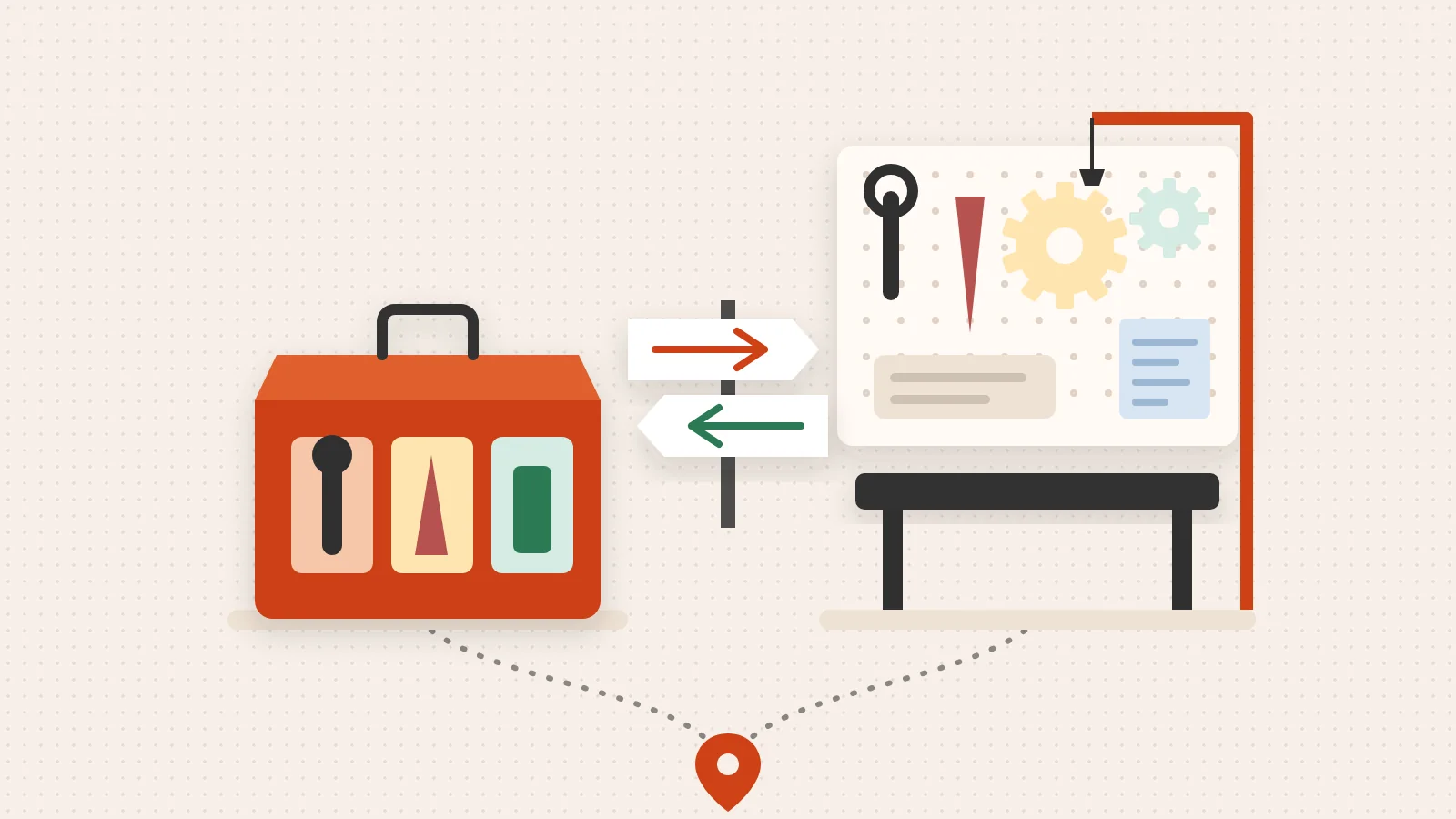
Sometimes the problem isn’t your site; it’s the distance between your server and your user. If your server is in New York and your customer is in London, the data has to travel across an ocean.
A Content Delivery Network (CDN) solves this by storing copies of your site on servers all over the world. When a user visits, the CDN serves the data from the location closest to them. CDNs can reduce TTFB by 60-80%.
Additionally, audit your redirects. Every time a user is redirected from an old URL to a new one, the browser has to make an extra trip to the server. If you have “redirect chains” (Page A to Page B to Page C), you are significantly slowing down the experience. Learn How to Fix Bad Redirects to keep the path to your content as short as possible. For a look at the future of these technologies, check out Site Speed SEO 2026: PageSpeed Impact on Rankings.
Measuring Success Beyond the Scorecard
It is easy to get obsessed with the numbers, but we must remember that the goal is a better user experience, not just a high score. A site can have a 100/100 score on PageSpeed Insights but still feel “janky” to a user if the layout shifts while they are trying to click a button.
This is why we look at Cumulative Layout Shift (CLS). CLS measures how much elements move around during the loading process. If a user goes to click “Buy” and an ad pops in, moving the button so they click the wrong thing, you have failed the experience test, even if the page loaded in one second.
| Tool | Best For | Key Feature |
|---|---|---|
| Google PageSpeed Insights | SEO Benchmarking | Provides both Lab and Field data from Google |
| GTmetrix | Technical Waterfall Analysis | Shows exactly which script is slowing you down |
| Pingdom | Regional Testing | Tests speed from specific global locations |
When you How to Perform an On-Page SEO Audit on a Page, ensure you are looking at “Time to Interactive” (TTI). This tells you when the page is actually usable, not just when it looks finished.
Is a Perfect 100/100 Page Speed for SEO Score Essential?
In a word: No.
While we always strive for excellence, there are diminishing returns to chasing a perfect 100. Some third-party scripts (like Google Analytics or Facebook Pixels) are inherently “heavy” and might prevent you from hitting a 100, but they are necessary for your business.
The focus should be on the Critical Rendering Path. This means ensuring the content “above the fold” (what the user sees first) loads instantly. Everything else—the footer, the tracking scripts, the related posts—can load a second later. If the user can start reading and interacting within 2.5 seconds, you have won the battle.
Frequently Asked Questions about Page Speed
What is considered a good page speed for SEO?
Google’s current gold standard is an LCP of 2.5 seconds or less. For a truly “fast” feeling, aim for a total load time of under 3 seconds. Additionally, your Interaction to Next Paint (INP) should be under 200ms to ensure the site feels responsive to user clicks.
Why is my website slow despite having a fast host?
Hosting is just the engine; your website is the car. Even a Ferrari engine won’t help if the car is towing a five-ton trailer. Common “trailers” include:
- Unoptimized, massive images.
- Too many third-party tracking scripts and widgets.
- Bloated plugins that load unnecessary code.
- Render-blocking CSS that prevents the page from appearing until every style is processed.
If you are seeing errors in your performance, it might be worth checking How to Fix Crawl Errors in Google Search Console to ensure Googlebot isn’t getting stuck on technical hurdles.
How does mobile speed differ from desktop speed?
Mobile devices have slower processors and often rely on 4G or 5G networks, which have higher latency than home fiber. Google tests your mobile speed using “throttling” to simulate these real-world conditions. This is why your mobile score is often lower than your desktop score. Ensuring your How to Layout is Mobile Optimized is the first step in closing that gap.
Restoring Momentum to Your Growth Engine
At The Way How, we understand that a slow website is often a symptom of a larger problem: a lack of strategic clarity. When a site is bloated with unnecessary features and slow-loading scripts, it usually means the business is chasing tactics rather than focusing on the buyer’s needs.
We help founders and leadership teams remove this uncertainty. Through our Fractional CMO leadership and HubSpot architecture, we diagnose where your growth is stalled—whether it’s a technical speed issue or a psychological certainty gap in your customer journey.
We don’t just “fix” websites; we design systems that create trust, momentum, and predictable revenue. If your site’s performance is holding you back, it’s time to stop guessing and start diagnosing.
Discover our strategic marketing services and let’s turn your marketing into a dependable growth engine.