
The Invisible Friction Stalling Your Organic Growth

Why Your HTML Code Needs an SEO Makeover
HTML SEO optimization is the practice of writing and structuring your HTML markup so that search engine crawlers can read, understand, and rank your pages accurately.
Here is what it covers at a glance:
| HTML SEO Element | What It Does |
|---|---|
<title> tag | Tells search engines and users what the page is about |
| Meta description | Controls the snippet shown in search results |
| Canonical tag | Prevents duplicate content from splitting ranking signals |
| Heading tags (H1–H6) | Communicate content hierarchy and topic relevance |
| Alt text on images | Makes images readable to crawlers and screen readers |
| Semantic HTML5 elements | Help crawlers distinguish primary content from navigation |
| Structured data (JSON-LD) | Enables rich results like star ratings and FAQs |
| Viewport meta tag | Ensures mobile responsiveness under Google’s mobile-first index |
Most founders and revenue leaders assume their website is working because it looks right. It loads. The copy is sharp. The brand feels solid.
But search engines don’t see what you see.
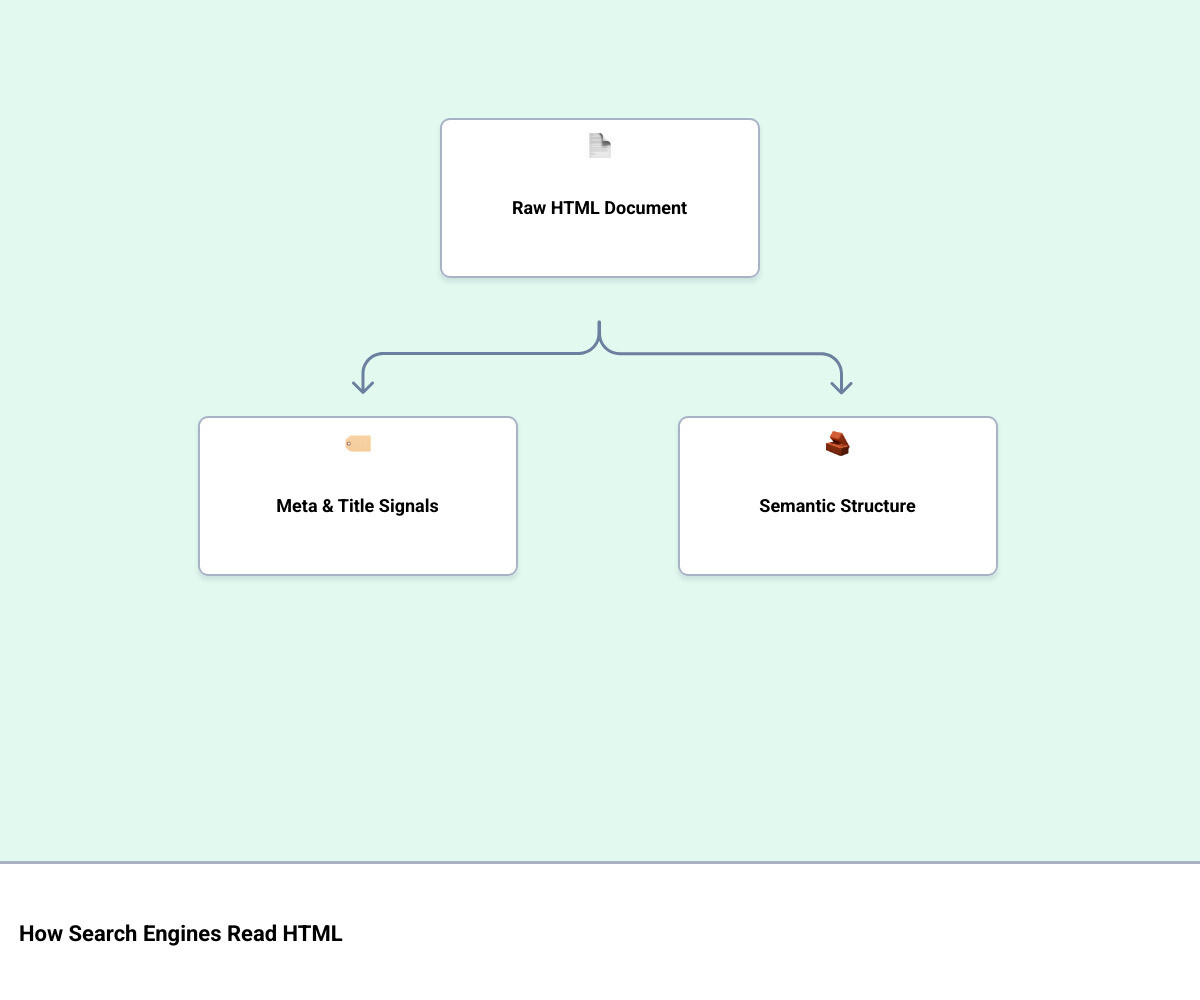
They read raw HTML — before any visual design renders, before JavaScript executes, before a single user ever arrives. If that markup is missing key signals, poorly structured, or semantically ambiguous, your pages are invisible to the systems that decide who ranks and who doesn’t.
And the stakes are real. Google handles roughly 70% of all search traffic. The first organic result captures nearly 40% of all clicks. Everything below that drops off sharply.
Here is the part that gets overlooked: this is not a content problem. You can publish well-researched, genuinely useful articles and still lose ground to competitors whose HTML simply communicates more clearly to crawlers. The quality of your thinking doesn’t matter if the structure burying it sends the wrong signals.
There is also a human cost. Research consistently shows that 55% of visitors spend 15 seconds or less on a page before deciding whether to stay. Poor HTML structure creates friction — for search engines and for real people.
I’m Jeremy Wayne Howell, founder of The Way How, and over 20 years of working with founders and revenue teams on HTML SEO optimization and broader marketing strategy, I’ve seen this same invisible friction stall growth at companies that had everything else right. This guide is built to help you see exactly where the breakdown is happening and how to fix it structurally.
The Anatomy of Clean Code: Foundations of HTML SEO Optimization
To understand why raw HTML matters so much, we have to look at how search engines process your website. Many modern sites rely heavily on complex JavaScript frameworks. While these frameworks can create highly interactive experiences, they also introduce a significant risk: crawlability and indexing delays.
When a search engine crawler like Googlebot arrives at your site, it reads the raw HTML first. If your content is buried inside client-side JavaScript, the crawler has to put your page into a rendering queue. Rendering requires significant computational resources, meaning it can take days or even weeks for Google to fully parse and index your updated content.
Static, clean HTML eliminates this delay entirely. It presents the crawler with immediate, readable structure. This structural clarity is why static HTML remains exceptionally powerful for search visibility.
However, simply writing raw HTML is not a magic shortcut to the top of the search results. Search engines do not award ranking bonuses just because a site is built with static files. Instead, the benefit comes from predictability and the absence of technical barriers.
When your HTML is organized logically, crawlers can index your pages efficiently, map your site architecture, and distribute your authority correctly.
To build a comprehensive approach to your code, you must look at how on-page technical elements align with your broader content strategy. For a deeper look at how these elements fit together, read our guide on What is On-Page SEO Complete Strategies for Success.
For those managing static sites who want to ensure they are not missing critical technical parameters, you can also consult SEO for HTML Website: The No-Nonsense Technical Guide.
Structuring the Head: Meta Tags and HTML SEO Optimization
The head section of your HTML document is the control room of your webpage. It contains the metadata that tells search engines what the page is, who it is for, and how it should be indexed. If this section is neglected, even the most brilliant content will struggle to gain traction.
The title tag is the single most important on-page HTML element. It serves as the primary headline in search engine results pages and appears on browser tabs. To optimize your title tags, keep them between 50 and 60 characters to prevent them from being cut off in search results. Place your primary keyword near the beginning of the title, and ensure every page on your site has a completely unique title tag.
The meta description tag acts as your organic search ad copy. While meta descriptions do not directly influence search rankings, they heavily impact your click-through rate. Write meta descriptions as persuasive summaries between 140 and 160 characters, using active verbs and addressing the searcher’s intent. Avoid duplicate meta descriptions across your site, as this confuses search engines and reduces the distinctiveness of your pages.
To prevent duplicate content issues, you must implement canonical tags. When multiple URLs display identical or highly similar content—such as tracking parameters, sorting filters, or session IDs—the canonical tag tells search engines which version is the master copy. Every page should have a self-referencing canonical tag in its head section to protect your ranking authority from being split across multiple URLs.
The viewport meta tag is non-negotiable for mobile responsiveness. It tells browsers how to render the page on different screen sizes. Without it, mobile browsers may render your desktop layout, creating a frustrating user experience and triggering mobile-usability penalties under Google’s mobile-first indexing.
Finally, the robots meta tag allows you to control how crawlers interact with specific pages. Use it to prevent the indexing of thin or private pages, such as admin dashboards, search result pages, or thank-you pages, using the noindex directive.
For a comprehensive walkthrough on writing search-optimized HTML code within the head section, refer to SEO HTML: A Complete Guide to Writing Search-Optimized HTML….
Semantic Hierarchy: How Heading Tags Drive HTML SEO Optimization
Semantic HTML is about using markup that describes the meaning of the content rather than just its visual appearance. When you use semantic tags, you make it significantly easier for search engine crawlers to understand the relationships and relative importance of the information on your page.
Heading tags (H1 through H6) establish the logical hierarchy of your content. You should use exactly one H1 tag per page, and it should represent the main topic of the document. Think of the H1 as the title of a book chapter.
Subsequent headings should follow a strict nesting order: H2 tags for major sections, H3 tags for subsections within those H2s, and so on. Never skip levels in your heading hierarchy, such as jumping from an H1 directly to an H3, as this disrupts the structural flow for both crawlers and screen readers.
Beyond headings, modern HTML5 introduced semantic landmark elements that define the major regions of a webpage:
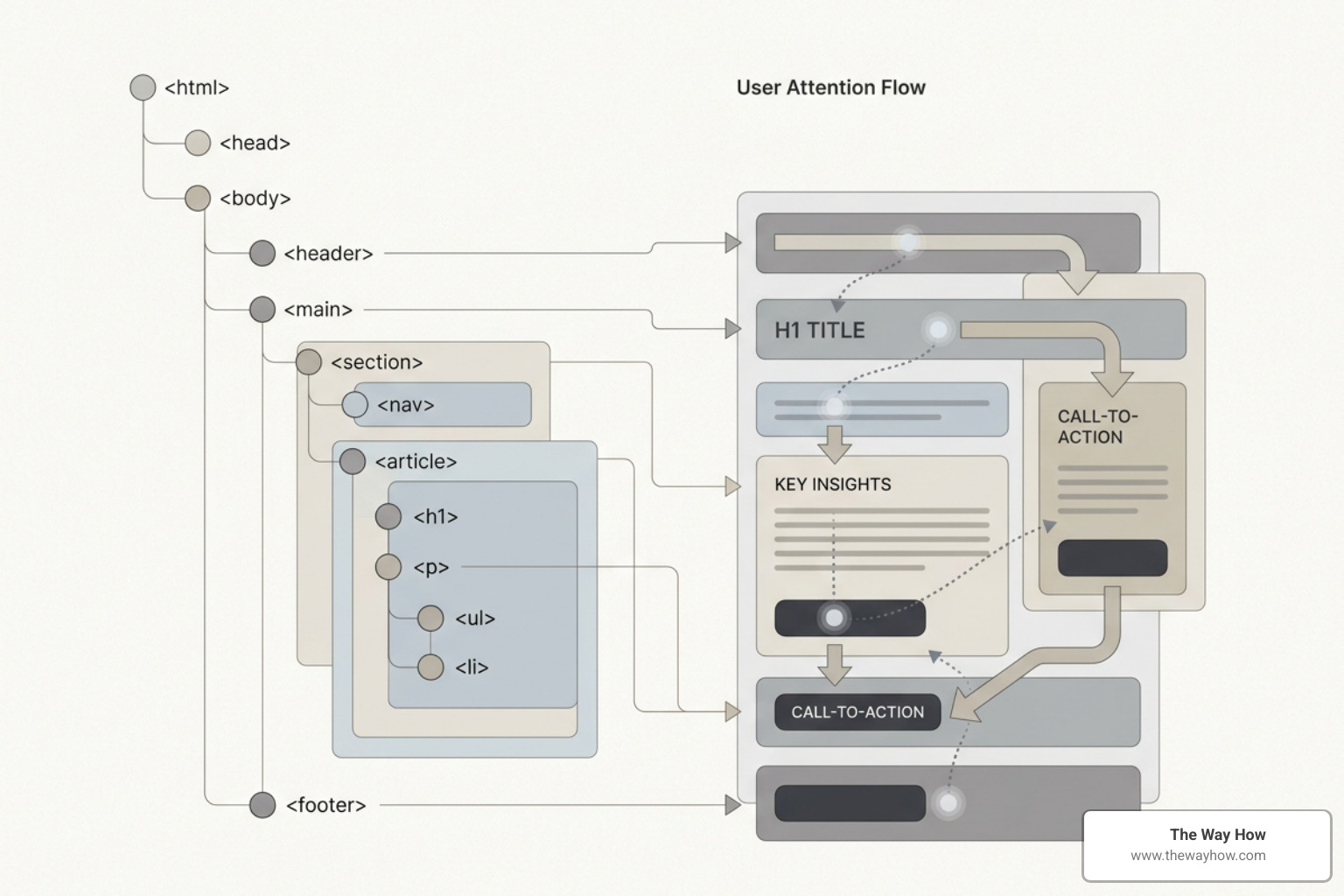
- The main tag designates the primary, unique content of the page. It should exclude content that is repeated across pages, such as headers, footers, and sidebars.
- The article tag wraps self-contained, independent compositions that could be syndicated or redistributed on their own, such as blog posts, news articles, or forum entries.
- The section tag groups topically related content within a document, typically starting with its own heading.
- The aside tag identifies content that is tangentially related to the main content, such as sidebars, callouts, or advertising blocks.
By using these elements instead of generic div tags, you help search engines weigh the value of your content. Crawlers can easily identify and prioritize your main body text while discounting repeating navigation links and sidebar elements. For official foundational guidance on organizing site structure and content hierarchy, see SEO Starter Guide: The Basics | Google Search Central | Documentation | Google for Developers.
Aligning Code with Human Behavior: Keywords, Images, and Links
A technically perfect website is only half of the equation. To build a sustainable organic growth engine, your HTML must align with how human beings actually search, read, and behave online.
If your code is optimized for algorithms but ignores user psychology, visitors will quickly leave, sending negative signals back to search engines.
When selecting and placing keywords within your HTML markup, focus on search intent. Search intent is the underlying motivation behind a user’s query—whether they want to buy something, find a specific website, or learn how to solve a problem.
Your keywords should be integrated naturally into your title tags, H1 headings, first paragraph, and subheadings. Avoid keyword stuffing, which is the practice of unnaturally repeating keywords to manipulate rankings. Search engines easily identify this tactic and penalize sites that prioritize keyword density over readability.
Content length also plays a role in how search engines perceive value. While there is no magical word count requirement, posts that are 1,000 words or longer tend to perform better in search rankings because they offer the depth needed to thoroughly answer complex queries.
Conversely, content that falls under 300 words is often considered thin and ineffective for SEO. Write comprehensively to satisfy the user’s information needs, and use How to Include Latent Semantic Indexing LSI Keywords to naturally expand your topical depth.
Image Optimization and Accessibility
Images make your content engaging and can generate 94% more views when used effectively in articles. However, search engines cannot visually perceive images the way humans do; they rely on your HTML markup to understand what an image represents.
The alt attribute is the most critical element of image SEO. It provides a text description of the image for search engine crawlers and users who rely on screen readers.
Write descriptive, natural alt text that explains the content of the image without starting with phrases like “image of” or “picture of.” Include relevant keywords only when they fit naturally into the description.
In addition to alt text, you must optimize your image files for performance. Large, uncompressed images slow down your page load speed, which harms both user experience and search rankings.
Compress your images and use modern file formats like WebP or AVIF, which offer superior quality at a fraction of the file size of traditional JPEGs or PNGs. Always specify the width and height attributes in your image tags to help browsers allocate the correct space before the image loads, preventing unexpected layout shifts.
To learn more about step-by-step optimization techniques, check out How to Optimize Images for Web A Step by Step Guide for Better Site Performance.
Anchor Text and Link Architecture
Links are the pathways that search engine crawlers use to discover and evaluate your content. Your link architecture determines how authority is distributed throughout your website.
Anchor text is the clickable text in a hyperlink. It should always be descriptive and specific to the target page, rather than generic phrases like “click here” or “read more.” Descriptive anchor text tells both users and crawlers what to expect when they click the link, reinforcing the topical relevance of the destination page.
Internal linking is the practice of linking to other pages on your own website. It helps establish a clear site hierarchy, keeps users engaged longer, and distributes link authority to your most important landing pages.
External linking, or linking to authoritative third-party resources, demonstrates that your content is well-researched and trustworthy.
When linking to external sites that you do not want to endorse or pass authority to—such as user-generated content or paid advertisements—use the rel=“nofollow” or rel=“sponsored” attributes in your anchor tags to protect your site’s integrity. For insights on how your pathing choices influence both crawlers and human navigation, see How Can URL Path Structure Impact SEO and User Experience Learn Here.
Advanced Technical Signals: Schema, Multilingual, and Core Web Vitals
To truly stand out in highly competitive search environments, you must implement advanced HTML signals that help search engines understand the context of your data and deliver a flawless technical experience.
Structured data, typically implemented using JSON-LD schema markup, is a standardized format for providing explicit clues about the meaning of a page. By adding schema markup to your HTML, you enable search engines to display rich results, such as star ratings, review snippets, event details, or interactive FAQs directly in the search results.
| Schema Type | Primary Use Case | Search Appearance Benefit |
|---|---|---|
| Article | Blog posts, news articles, and guides | Enhanced headlines, author details, and publication dates |
| Product | E-commerce product detail pages | Price, availability, and review ratings in search results |
| FAQPage | Frequently asked questions sections | Expandable dropdown questions directly in search results |
| BreadcrumbList | Site navigation pathways | Clear breadcrumb trails in place of raw URLs |
To learn how to implement these schemas, read our comprehensive guide on How Can Schema Markup Enhance On-Page SEO A Guide.
For international websites, managing multilingual SEO is essential. You must declare the correct language attribute on your html tag to help browsers and search engines identify the primary language of the document.
Additionally, use hreflang tags in your HTML head to point search engines to the alternate language versions of your content. Hreflang implementation must be reciprocal; if page A links to page B as its Spanish alternative, page B must link back to page A as its English alternative. If these reciprocal links are missing, search engines will ignore the tags entirely.
Your HTML structure also directly impacts Core Web Vitals, which are Google’s official user experience metrics:
- Largest Contentful Paint (LCP) measures loading performance. Optimize LCP by lazy-loading non-critical images and preloading your primary hero image.
- Cumulative Layout Shift (CLS) measures visual stability. Prevent CLS by reserving space for images, ad blocks, and dynamic content with explicit width and height attributes in your HTML.
- Interaction to Next Paint (INP) measures page responsiveness. Keep your HTML lightweight and minimize render-blocking resources to ensure fast processing of user interactions.
With 48% of people using mobile search to find products or businesses, optimizing these speed and stability metrics is essential for retaining mobile traffic. For practical steps on improving your performance metrics, see Page Speed for SEO.
Preparing for Generative AI and AI Overviews
Search behavior is changing rapidly. Google’s AI Overviews and other generative search engines use retrieval-augmented generation to pull direct answers from high-quality web pages.
To optimize your site for these generative features, focus on creating non-commodity content. Commodity content simply repeats widely known facts and offers little unique value.
Non-commodity content, however, provides deep, expert perspectives, original research, and real-world case studies. Organizing this content with clear semantic HTML elements allows AI systems to easily parse, extract, and cite your insights.
For official guidance on preparing your site for these evolving search environments, refer to Google’s Guide to Optimizing for Generative AI Features on Google Search | Google Search Central | Documentation | Google for Developers.
Diagnosing the Damage: Common HTML SEO Mistakes to Avoid
Even experienced teams can make coding mistakes that quietly undermine their search performance. Auditing your HTML regularly is the only way to ensure these issues do not go unnoticed.

One of the most common mistakes is having multiple canonical tags on a single page. This often happens when a content management system automatically generates a canonical tag, and an SEO plugin adds a second one. When a crawler encounters multiple canonical tags, it ignores all of them, leaving your site vulnerable to duplicate indexing issues.
Another critical error is a broken hreflang setup. If you link to a localized version of a page but fail to include a return link on that localized page, the entire hreflang set is invalidated. This can result in search engines serving the wrong language version to your international users.
Finally, ensure your site is completely free of keyword stuffing in image alt text. Using alt attributes as a place to dump list-style keywords rather than describing the image frustrates screen reader users and triggers quality penalties from search engines.
To systematically identify and resolve these issues, use our structured guide on How to Perform an On-Page SEO Audit on a Page.
Frequently Asked Questions About HTML SEO
Does Google still use the meta keywords tag in 2026?
No. Google has completely ignored the meta keywords tag for well over a decade. It was heavily abused during the early days of search engine optimization, leading search engines to drop it as a ranking factor. Including it today is a waste of effort and can even signal low-quality practices to modern crawlers.
How does semantic HTML affect Core Web Vitals?
Semantic HTML helps browsers parse and render your document structure efficiently. By using lightweight, native HTML elements instead of deeply nested divs and complex JavaScript rendering, you reduce the browser’s workload. This directly improves your Largest Contentful Paint and Interaction to Next Paint scores.
Can I use multiple H1 tags on a single page?
While modern HTML5 specifications technically allow multiple H1 tags when using sectioning elements, we strongly recommend using only one H1 tag per page. Using a single H1 establishes a clear, unambiguous starting point for your content hierarchy, making it easier for both search engine crawlers and assistive technologies to understand the primary topic of the page.
Restoring Momentum Through Structural Clarity
Your website’s code is the foundation upon which all your marketing efforts are built. If that foundation is fractured by poor HTML structure, your brand’s visibility will continue to stall, regardless of how much you invest in content or design.
At The Way How, we believe in removing the uncertainty that holds businesses back. We help leadership teams look past surface-level tactics to diagnose the structural and behavioral gaps that are stalling growth. By aligning your technical systems with human psychology, we help you build predictable momentum and sustainable revenue.
If you are ready to stop guessing and start building a clear, high-performing digital presence, Partner with us to remove uncertainty in your marketing systems.