

Overcoming the Cognitive Friction of NetSuite Integration Shifts

The NetSuite SuiteTalk REST web services guide is the essential reference for any developer or technical leader trying to build reliable, modern integrations with NetSuite — without getting lost in outdated documentation or breaking changes.
Here is what you need to know at a glance:
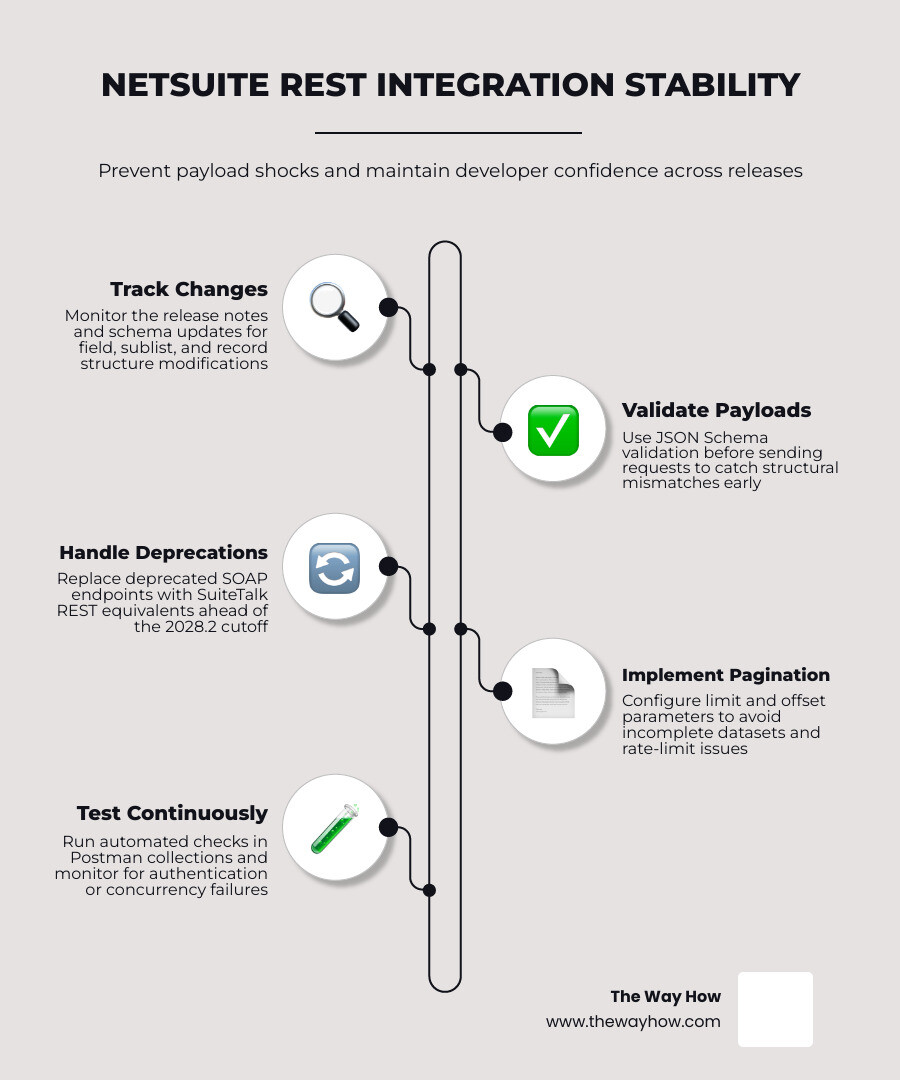
But here is the part that trips most teams up: the API itself is not the hard part.
The hard part is what happens when payload structures shift — when a field reference changes, a sublist schema updates, or a new NetSuite release quietly breaks an integration that was running cleanly for months. That kind of friction does not just slow development. It erodes confidence in the entire integration strategy.
This guide addresses that directly — not just the mechanics of the API, but the mental model you need to stay ahead of structural changes before they become production incidents.
I’m Jeremy Wayne Howell, founder of The Way How, and over the past 20+ years I have worked hands-on with enterprise platforms, CRM systems, and integration architecture — including helping revenue teams untangle the operational breakdowns that surface when systems like the NetSuite SuiteTalk REST web services are implemented without a clear structural framework. In the sections ahead, I will walk you through everything from authentication to payload design to rate limit handling — so you can build integrations that hold up.
The Great Migration: Why SOAP Deprecation Demands a Paradigm Shift
For over a decade, SuiteTalk SOAP-based web services served as the primary bridge for external data exchange in NetSuite. Based on XML messages, complex WSDL schemas, and document-style encoding, SOAP was highly structured but notoriously heavy. It required deep developer expertise, manual proxy generation, and significant computational overhead.
NetSuite has announced a clear timeline for the gradual deprecation and removal of these legacy SOAP services. SOAP web services will be completely removed from the platform by the 2028.2 release. Furthermore, after the 2027.1 release, only the 2025.2 SOAP endpoint will receive support.
This is not merely a minor version update; it is a forced migration that requires teams to re-evaluate how they handle ERP CRM Development Complete Guide.
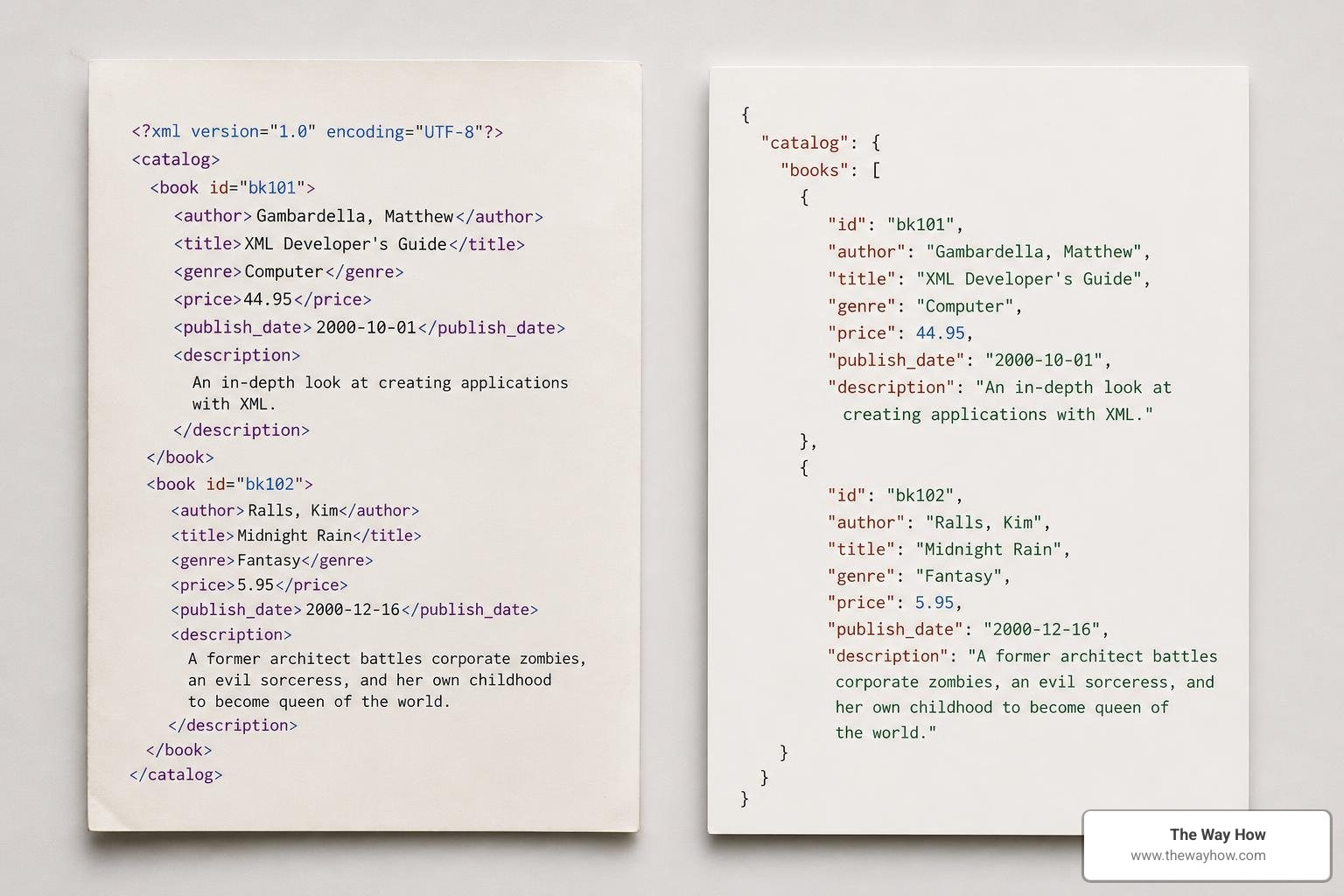
Transitioning to REST web services shifts the integration paradigm. While SOAP relies on rigid XML schemas and custom session management (such as the login/logout operations), REST web services leverage modern, lightweight HTTP and JSON standards.
Understanding this difference is critical when planning your migration. To help map this transition, consult the NetSuite Applications Suite - SOAP Web Services to REST Web Services Upgrade Guide and the broader NetSuite Applications Suite - SuiteTalk SOAP Web Services Platform Overview to identify functional gaps and plan your architecture.
The Definitive NetSuite SuiteTalk REST web services guide
Implementing REST web services eliminates the need to deploy custom server-side scripts or RESTlets for basic data operations. Because standard CRUD capabilities are native to the REST API, you can establish direct, secure connections with external systems, facilitating efficient CRM Data Integration.
To begin using the REST API, you must first enable the necessary features and configure your security settings in NetSuite:
- Enable Features: Navigate to Setup > Company > Enable Features. Under the SuiteCloud tab, locate the SuiteTalk Web Services section. Check the boxes for REST Web Services and Token-Based Authentication.
- Configure Custom Roles: Avoid using administrator credentials for integrations. Create a custom role and check the Web Services Only Role option. Under permissions, grant Full access to REST Web Services, Access Token Management, and any specific standard or custom records the integration needs to access.
- Establish Authentication: While Token-Based Authentication (TBA) remains supported for backward compatibility, OAuth 2.0 is the preferred and recommended authentication protocol for modern NetSuite integrations.
For complete configuration steps, refer to the NetSuite Applications Suite - SuiteTalk REST Web Services API Guide.

Core Architecture in the NetSuite SuiteTalk REST web services guide
The SuiteTalk REST API organizes NetSuite resources as standard RESTful endpoints. It supports clean HTTP methods to execute CRUD operations:
- POST: Creates a new record.
- GET: Retrieves a record or a collection of records.
- PATCH: Updates only the specified fields of a record. This is highly recommended over PUT, as it minimizes payload size and reduces the risk of overwriting concurrent changes.
- DELETE: Removes a record.
When interacting with complex records, you will frequently work with sublists (such as line items on a sales order) and subrecords (such as addresses). By default, the REST API returns subresources as reference links to prevent bloated payloads. To retrieve a record along with its nested subrecords in a single call, append the query parameter expandSubResources=true to your GET request.
Custom fields are fully supported and seamlessly integrated into the metadata. They appear in the JSON payload alongside standard fields, prefixed according to their NetSuite script ID (e.g., custbody_custom_field or custcol_item_specification).
Advanced Querying and SuiteQL in the NetSuite SuiteTalk REST web services guide
For complex data extraction, standard CRUD endpoints can be limiting. This is where SuiteQL becomes invaluable. SuiteQL is NetSuite’s SQL-like query language, accessible directly via the REST API query endpoint.
Unlike legacy saved searches, which have restricted join paths, SuiteQL supports multi-level JOINs, aggregate functions, filtering, sorting, and aliasing. This makes it highly efficient for bulk data retrieval, similar to the flexible query interfaces discussed in our HubSpot API Complete Guide.
To execute a SuiteQL query, send a POST request to the _query endpoint with your SQL statement defined in the payload:
The API supports precise record filtering and pagination using standard query parameters like limit (defaulting to 1000 records for bulk queries) and offset.
When deciding between the REST API and custom RESTlets, consider this rule of thumb: use the native REST API for standard CRUD operations and SQL querying. Use RESTlets only when you must execute complex, custom SuiteScript logic on the server side that goes beyond standard database actions.
Managing Rate Limits, Concurrency, and Payload Failures
To protect system stability, NetSuite enforces strict governance rules on its web services. By default, the REST API limits accounts to 10 concurrent requests. Exceeding this threshold results in an HTTP 429 (Too Many Requests) error.
To build resilient integrations, implement these traffic management strategies:
Handle Throttling: Design your integration client to parse HTTP 429 responses, inspect the
Retry-Afterheader, and execute an exponential backoff routine before retrying.Use Prefer Headers:
- Set
Prefer: transientin your SuiteQL and REST headers to bypass the cache and guarantee that you retrieve fresh, non-cached data. - Use
Prefer: respond-asyncfor heavy, long-running requests to process them asynchronously, allowing you to poll for results without blocking your concurrency pool.
- Set
Optimize Payloads: Avoid bulky GET requests by querying only the exact fields you need, and use PATCH instead of PUT to send minimal update payloads.
For a deeper dive into legacy limits and the architectural evolution of NetSuite’s web services governance, you can refer to the Web Services Platform Guide - PDF Free Download.
Practical Testing: Postman Collections and Schema Discovery
Before writing integration code, developers should use interactive testing tools to discover schemas and validate payloads. NetSuite provides a pre-packaged zip file containing sample requests (NetSuiteRestApiSampleRequests.zip) that can be imported directly into Postman.
To configure your testing environment:
- Download the sample collection and import the environment template into Postman.
- Configure your environment variables, ensuring that your Realm header for Token-Based Authentication is formatted correctly. The Realm must use uppercase letters and replace hyphens with underscores (for example,
1234567_SB1for a sandbox account). - Set your
User-Agentheader to a browser-like string (e.g.,Mozilla/5.0) to avoid execution blocks that sometimes target default Postman headers.
To explore schemas dynamically, leverage the REST API Browser. This tool surfaces the live configuration of your NetSuite instance, including all custom fields and custom records, using OpenAPI 3.0 (Swagger) and JSON Schema formats. Additionally, you can utilize the DataCenterUrls REST service to dynamically discover your account-specific domains, eliminating the need to hardcode API endpoints.
Frequently Asked Questions about NetSuite REST Integrations
Managing structural changes in NetSuite requires an understanding of how authentication and record types behave under the hood.
| Feature / Behavior | OAuth 2.0 (Preferred) | Token-Based Authentication (TBA) |
|---|---|---|
| Protocol Basis | OAuth 2.0 framework | OAuth 1.0 custom implementation |
| Security Lifecycle | Uses short-lived access tokens and refresh tokens | Uses long-term token secrets stored on client |
| Realm Header Required | No | Yes (must be uppercase with underscores) |
| Inactive User Impact | Access tokens instantly expire if user is deactivated | Access tokens instantly expire if user is deactivated |
| Payload Structure | Strict JSON matching OpenAPI 3.0 schema | Strict JSON matching OpenAPI 3.0 schema |
What is the recommended authentication method for NetSuite REST web services?
The recommended authentication method is OAuth 2.0, specifically utilizing the Client Credentials Flow for secure, server-to-server integrations. This approach eliminates the maintenance overhead of managing long-lived token secrets associated with legacy Token-Based Authentication (TBA). It also ensures that credentials are secure and programmatically rotated.
How do I handle lot-numbered and serialized items in REST payloads?
Unlike legacy systems that split these into distinct record types, NetSuite handles lot-numbered and serialized behaviors on unified endpoints: inventoryitem and assemblyitem.
The behavior of the record is controlled by boolean flags: islotitem and isserialitem. When constructing your JSON payload, you do not need to target a unique endpoint; instead, structure your payload to set these flags and supply the corresponding serial or lot detail arrays within the standard item schema.
Why does the default Postman User-Agent cause errors with NetSuite endpoints?
NetSuite’s web application firewall and security policies frequently block or throttle requests carrying the default PostmanRuntime/x.y.z User-Agent header to prevent automated scraping and denial-of-service attacks.
This block is especially common when routing requests through RESTlets or Suitelets. To resolve this error, manually override the User-Agent header in your request settings to mimic a standard web browser, such as:
Mozilla/5.0 (Windows NT 10.0; Win64; x64) AppleWebKit/537.36 (KHTML, like Gecko) Chrome/120.0.0.0 Safari/537.36
Restoring Certainty to Your Enterprise Integration Strategy
When integrations fail due to structural changes, the issue is rarely just technical. It is an operational breakdown that introduces uncertainty into your sales, marketing, and financial systems. If your ERP cannot communicate reliably with your CRM, your data pipeline stalls, and decision-making grinds to a halt.
At The Way How, we help leadership teams remove this uncertainty. We look at integrations through a strategic, behavior-first lens, diagnosing the operational gaps that stall growth. Whether you are aligning your HubSpot architecture with NetSuite or seeking a trusted ERP CRM Development Company to build resilient systems, we help you design predictable, high-performing revenue engines.
Ready to build integrations that support your growth instead of interrupting it? Explore The Way How Services to see how we can bring clarity and momentum back to your business systems.