
Where Most Integrations Go Sideways Before the First API Call

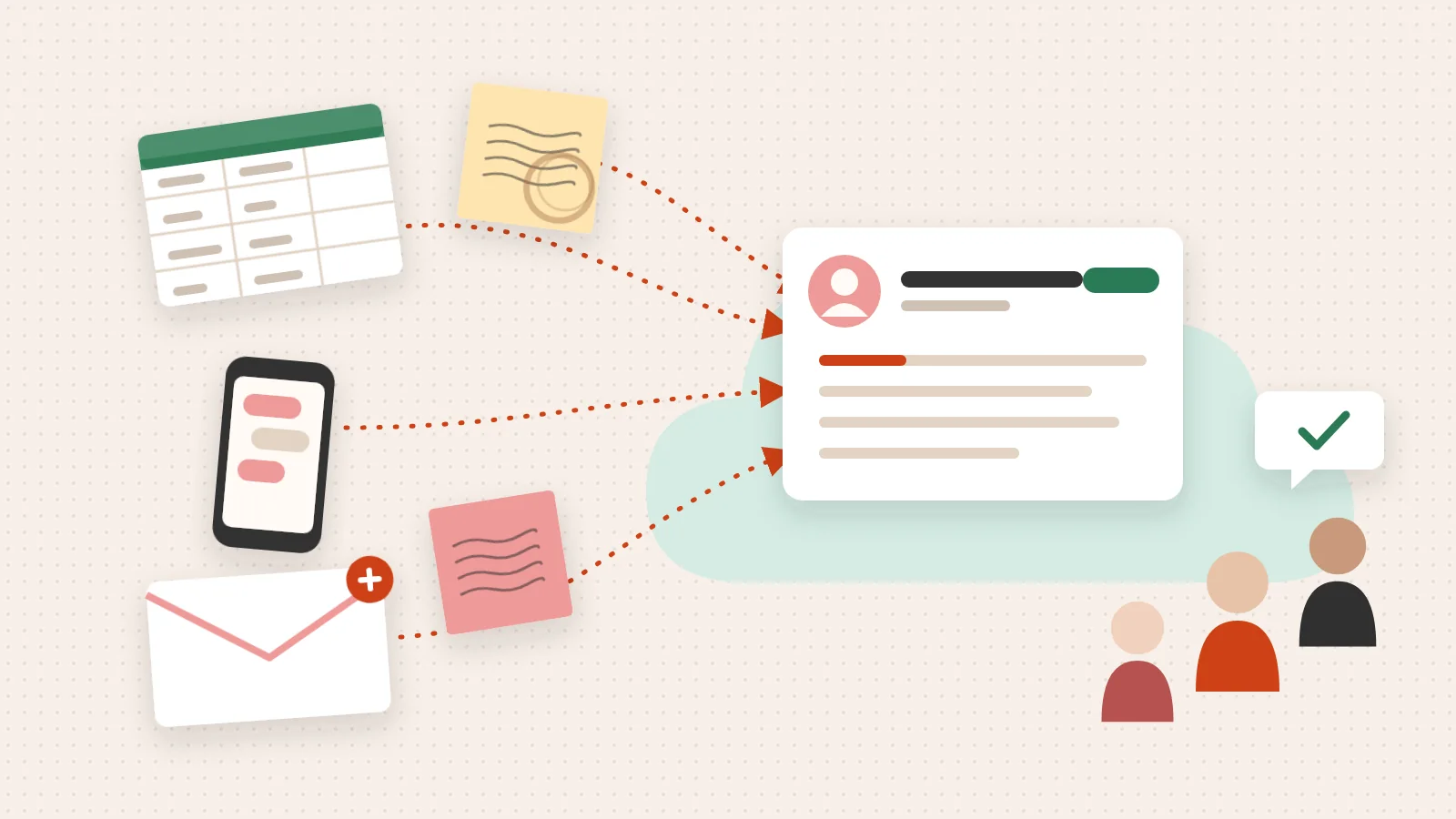
The HubSpot API is a set of web-based interfaces that lets developers read, write, and automate data inside HubSpot’s Smart CRM — connecting contacts, deals, companies, workflows, and more to virtually any external system.
If you’re here for a quick answer, here’s what the HubSpot API gives you:
Most teams don’t stall on technical complexity. They stall because no one agreed on what the integration needs to do before writing the first line of code.
A developer waits on a scope decision. A marketing lead assumes the CRM sync is “automatic.” An executive wants a dashboard that requires three objects no one mapped. The API works fine. The clarity around the integration doesn’t.
That’s the gap this guide closes.
I’m Jeremy Wayne Howell, founder of The Way How, and I’ve spent over 20 years implementing and aligning CRM systems — including building HubSpot API integrations that reflect how buyers actually behave, not just how data flows between tools. In this guide, I’ll walk you through a clear, step-by-step process for integrating with the HubSpot API without the costly false starts most teams experience.
Step 1: Understand What the HubSpot API Actually Does
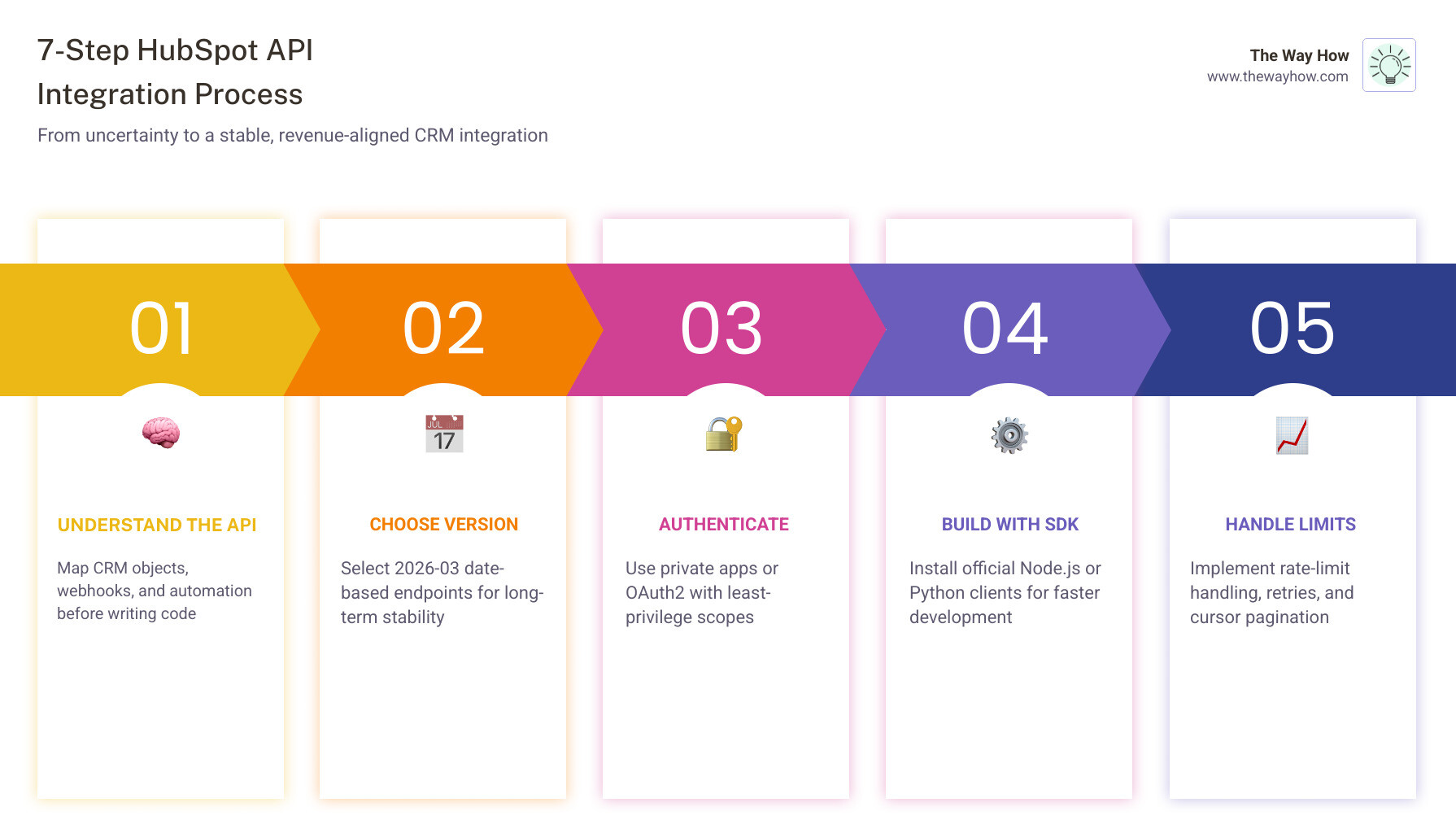
At its heart, the hubspot api is the gateway to the Smart CRM. It isn’t just a way to move names and emails; it is the infrastructure that allows us to extend hubspot features into every corner of a business. When we use the hubspot developer api, we are interacting with a structured ecosystem designed to maintain a “single source of truth” for customer data.
Core capabilities developers can access with the hubspot api
The API provides deep access to the standard CRM objects—contacts, companies, deals, and tickets—but it goes much further. Developers can:
- Manage Custom Objects: Define and manipulate data structures unique to your specific business model.
- Utilize Lists and Imports: Programmatically segment users or batch-upload large datasets.
- Search with Precision: Use the search API to filter records by specific properties or timestamps.
- Trigger Automation: Use webhooks to alert external systems when something happens in HubSpot, or use custom code actions within workflows.
- Access Account Metadata: Programmatically check portal IDs, time zones, and data hosting locations.
Common business use cases for the hubspot api
We often see integrations fail not because the code is bad, but because the strategy behind the data flow is disconnected from the human experience. Common successful use cases include:
- Lead Routing: Automatically assigning leads to the right sales rep based on complex behavioral data.
- Ecommerce Sync: Connecting storefront data to HubSpot to trigger abandoned cart workflows or post-purchase follow-ups.
- Support Workflows: Syncing third-party helpdesk tickets into HubSpot to give sales teams a full view of customer health.
- Unified Reporting: Pulling CRM data into a centralized data warehouse for cross-functional analysis.
For a deeper look at how these pieces fit together, check out our hubspot integration complete guide or explore how to leverage hubspot operations hub for advanced data cleaning.

Step 2: Choose the Right API Version and Endpoint Pattern
In May 2026, the way we talk about HubSpot versions changed significantly. HubSpot has moved toward a more predictable, stable system that helps us avoid the “breaking change” anxiety that often plagues long-term projects.
How HubSpot’s 2026-03 date-based versioning changes integration planning
As of March 2026, HubSpot introduced date-based versioning. This replaces the old numeric versioning (like /crm/v3/) with a pattern that looks like /api-name/2026-03/resource. For example, to fetch contacts, you now use GET /crm/objects/2026-03/contacts.
This change is a massive win for hubspot system design complete guide practitioners. It means that when a new version is released, your existing integration doesn’t just stop working. It continues to function until that specific date-version reaches its end-of-life, giving your team a clear migration window.
| Feature | Numeric Versioning (Legacy) | Date-Based Versioning (2026-03+) |
|---|---|---|
| Endpoint Path | /crm/v3/contacts | /crm/objects/2026-03/contacts |
| Stability | Less predictable updates | Fixed versions with clear EOL dates |
| Migration | Often urgent when v4 drops | Planned migration based on dates |
| Root Path | https://api.hubapi.com/ | https://api.hubapi.com/ |
How to find the right endpoint without guessing
Finding the right endpoint is about knowing where to look. The 2026-03 API reference is the primary source of truth.
For those managing older portals, you might need to Translate Legacy List Id to Modern List Id in Batch to ensure your segmentation logic holds up in the new architecture. You can also Retrieve account details to verify your portal’s data hosting location—a critical step for GDPR compliance.
Step 3: Authenticate Securely and Set Up Your First Request
Security is where we remove uncertainty for the IT and compliance teams. HubSpot offers two primary ways to talk to the hubspot api, and choosing the right one depends on who is using the integration.
When to use private apps vs OAuth2
We generally recommend Private Apps for internal, single-portal integrations. They are easier to set up and use a simple Access Token (Bearer Token).
OAuth2 is the standard for hubspot custom development where you are building a tool for multiple different HubSpot customers (like an app in the Marketplace). It involves a consent screen and refresh tokens to maintain long-term access without storing permanent credentials.
Understanding your hubspot crm architecture is vital here. Always follow the principle of “least privilege”—only grant the specific scopes (like contacts-read) that your integration actually needs to function.
How to make your first authenticated HubSpot API request
Once you have your access token from a private app, your first request should usually be a simple “check” to see if you’re connected.
- Set your
Authorizationheader toBearer [YOUR_ACCESS_TOKEN]. - Send a GET request to
https://api.hubapi.com/account-info/2026-03/details. - If successful, you’ll receive a JSON response with your
portalIdandaccountType.
If it fails, HubSpot provides a standardized error schema. Look for the correlationId in the response; this is a unique string you can give to HubSpot support to help them diagnose exactly what went wrong on their end.
Step 4: Pick an SDK and Build Fast in Node.js or Python
While you can write raw HTTP requests, we find that using official SDKs reduces the “cognitive load” on your developers. It allows them to focus on the logic of the business system rather than the mechanics of the API.
Get started with the hubspot api in Node.js
The @hubspot/api-client for Node.js is highly mature, with over 73 releases as of March 2026.
- Install:
npm install @hubspot/api-client - Key Feature: The
getAllmethod is a lifesaver. It automatically handles pagination, so you don’t have to write loops to fetch more than 100 contacts. - Resilience: You can set
numberOfApiCallRetries(up to 6) to automatically handle those annoying blips in connectivity or temporary rate limits.
Get started with the hubspot api in Python
For data scientists and backend engineers, the HubSpot Python client is the gold standard.
- Install:
pip install hubspot-api-client - Key Feature: It includes built-in retry middleware and a
to_dict()method that makes it incredibly easy to convert API responses into Python dictionaries for data processing. - Popularity: With over 415 stars on GitHub, it’s a well-supported community favorite.
Step 5: Handle Rate Limits, Pagination, Retries, and Errors Before They Hurt You
An integration that works with 10 records but crashes with 10,000 isn’t an integration—it’s a liability. To build a stable system, we have to account for the physical limits of the platform. This is a core part of any hubspot crm implementation.
What HubSpot rate limiting means in practice
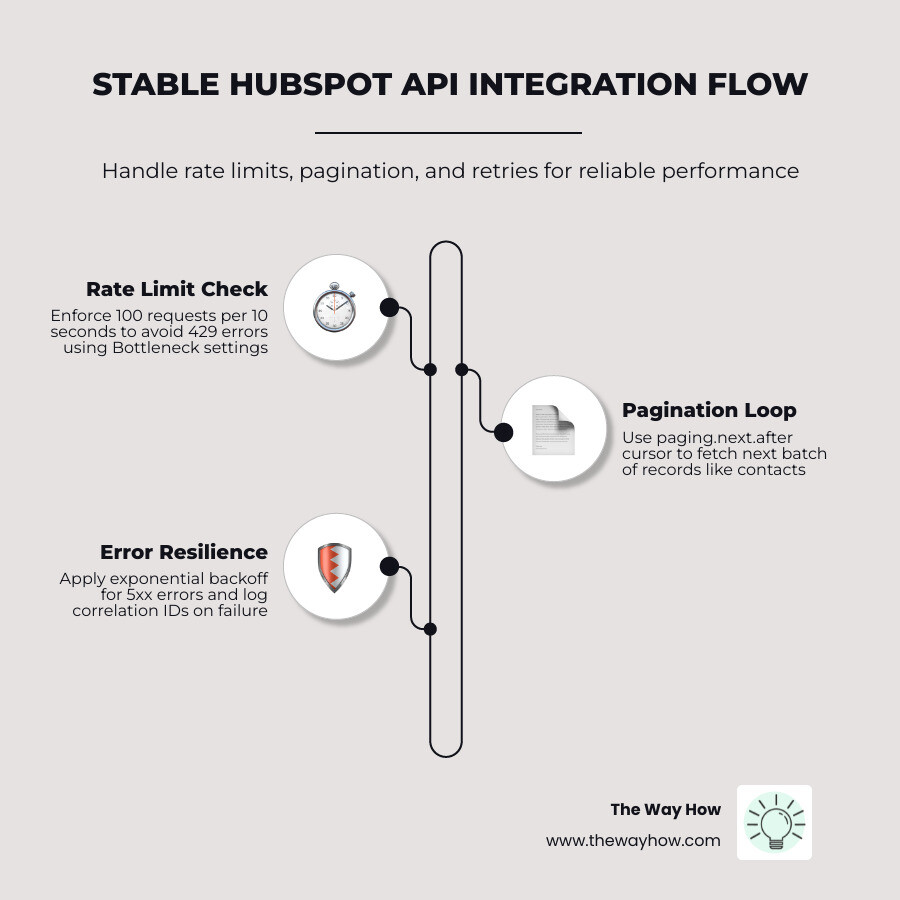
HubSpot enforces rate limits to ensure platform stability. For apps using OAuth, the standard limit is 100 requests every 10 seconds.
If you’re using the Node.js SDK, it uses a library called Bottleneck to manage this. You can configure minTime and maxConcurrent settings to ensure your code never tries to “shout” louder than HubSpot can listen. If you hit a limit, you’ll receive a 429 Too Many Requests error.
Pagination, retries, and error handling patterns that keep integrations stable
When you ask for a list of contacts, HubSpot won’t give you 50,000 at once. It gives you a “page” and a paging.next.after cursor. You must use this cursor in your next request to get the next batch.
For hubspot implementation complete guide success, follow these three rules:
- Exponential Backoff: If you get a 5xx server error, wait a few milliseconds, then try again. Increase the wait time with each failure.
- Handle 429s Gracefully: If you see a
TEN_SECONDLY_ROLLINGerror, pause your execution for 10 seconds. - Log Everything: Always log the
correlationIdand anyvalidationResultsso you aren’t guessing why a record failed to sync.
Step 6: Test, Troubleshoot, and Scale Real HubSpot API Use Cases
Before you flip the switch on a production integration, you need to test it in a safe environment. We recommend using HubSpot Sandbox portals to prevent accidental data deletion or “email blasts” to real customers during development.
How to explore and test endpoints with confidence
HubSpot maintains a public Postman collection that is synchronized with their OpenAPI 3.0 schema. This is the best way to “poke” the API and see what the data looks like without writing a single line of code.
- Postman Workspace: Use it to test your authentication and see real JSON responses.
- Developer Changelog: Subscribe to this. It’s the only way to know when a feature moves from “Beta” to “General Availability.”
- Community Forums: If you’re stuck, chances are someone else was stuck there three months ago.
Examples of integrations worth building first
If you’re looking for where to start, these use cases offer the highest “certainty” for business growth:
- Contact Sync: Ensuring your external database matches HubSpot. (See: hubspot marketing hub implementation)
- Deal Updates: Automatically moving a deal stage when a contract is signed in an external tool. (See: hubspot sales hub implementation)
- Survey Results: Pulling feedback into contact records to trigger service tickets. (See: hubspot service hub implementation)
For a full list of what’s possible, our complete hubspot integrations list guide and hubspot integration strategy guide are excellent resources.
Frequently Asked Questions About HubSpot API
Do old HubSpot API versions stop working when a new date version is released?
No. When a new date-based version (like 2026-06) is released, the 2026-03 version remains functional. HubSpot provides a significant migration window before a version reaches its end-of-life (EOL), ensuring you have time to update your code without service interruptions.
Can I use the HubSpot API without an official SDK?
Absolutely. The hubspot api is a standard RESTful API. You can use any HTTP client (like axios in JS, requests in Python, or even curl) as long as you include the proper Authorization: Bearer [token] header.
Where should I look for the most up-to-date HubSpot API changes?
The HubSpot Developer Changelog is the primary source for updates. Additionally, checking the “Releases” tab on the official GitHub repositories for the Node and Python clients will show you the latest library improvements.
From Working Integration to Revenue System Clarity
An integration is just a bridge. If the bridge leads to a disorganized city, the bridge isn’t the problem—the city is.
At The Way How, we believe that technical success with the hubspot api is only half the battle. The other half is ensuring that your HubSpot architecture reflects the psychological journey of your buyers. When data flows clearly, uncertainty vanishes. When uncertainty vanishes, momentum returns.
If your growth is stalled and you suspect your systems are the culprit, we can help you diagnose the “certainty gaps” in your customer journey and design a HubSpot architecture that actually drives predictable revenue.
Explore how we can help you build a more certain future at The Way How Services or dive deeper into our hubspot api resources to keep building.