A Complete Guide to CRM Systems and Database Management
 Jeremy Wayne Howell : Jul 22, 2026 9:48:31 PM

AI tools for software development have moved well past simple autocomplete — and if you’re trying to figure out which ones are actually worth your time, here’s a fast answer:
| Tool | Best For | Free Tier |
|---|---|---|
| Cursor | IDE coding, large codebases, agentic tasks | 2,000 completions |
| GitHub Copilot | Enterprise teams, PR reviews, multi-language | 2,000 completions + 50 chats/mo |
| Bolt.new | Web app prototyping | 150K daily tokens |
| Devin | Autonomous refactoring, complex migrations | Paid only |
| Gemini Code Assist | Free-tier coding assistance | 180,000 completions/mo |
| Cline / Roo-Cline | Open-source agentic coding | Free (BYOK) |
| n8n | Automation workflows, low-code integration | Free cloud tier |
The shift has been fast. A few years ago, AI coding tools were autocomplete with a smarter dictionary. Today, they write tests, refactor millions of lines of code, open pull requests, and debug their own errors — sometimes without a human in the loop at all.
That speed creates a real problem for developers and technical leaders: too many tools, too little clarity on what actually moves the needle.
One engineer described iterating in their IDE with one model until bugs started looping — then switching to a different model entirely just to break the cycle. That kind of workflow improvisation is now standard. But it shouldn’t have to be.
The tools are powerful. The question is whether you’re using them strategically or just reacting to whatever’s trending.
I’m Jeremy Wayne Howell — over 20 years in revenue strategy and go-to-market systems, and more recently, deeply embedded in how technical teams evaluate and adopt AI tools for software development to reduce friction and move faster. I’ll walk you through what’s worth your attention and what to skip.
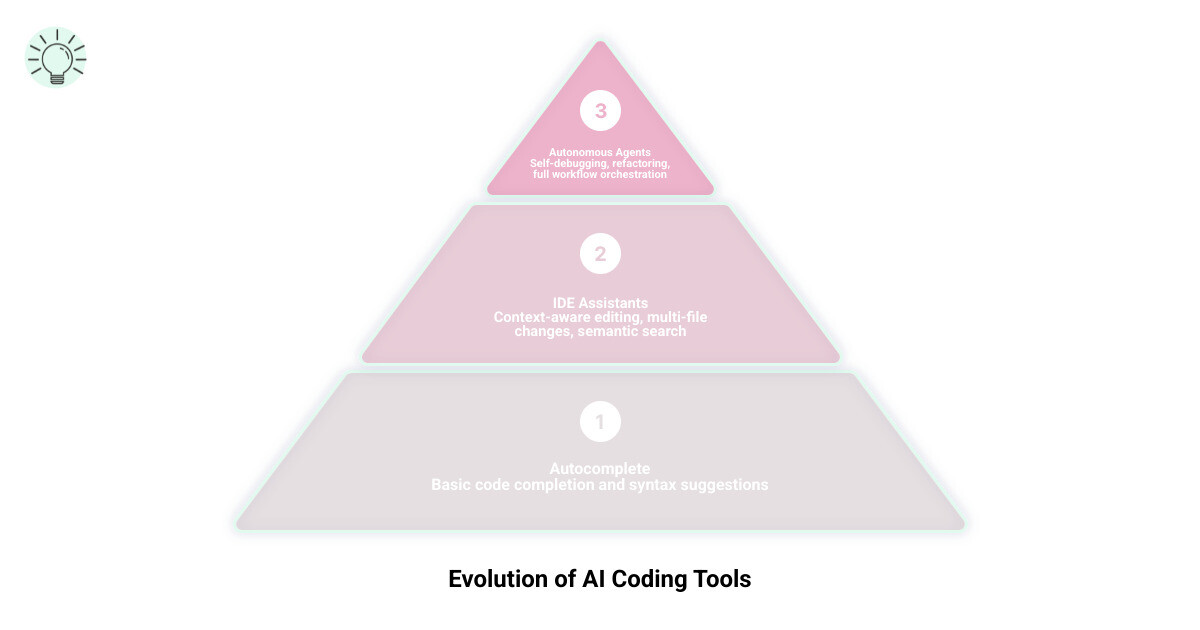
Basic ai tools for software development glossary:
As we move into April 2026, the way we perceive ai tools for software development has undergone a fundamental psychological shift. We no longer view these systems as mere utilities; we treat them as teammates. However, this teammate is often “eager but inexperienced”—prone to overconfidence and “vibe coding,” where a developer might approve code because it looks right at a glance, without fully verifying the underlying logic.
This introduces unique cognitive challenges. Automation bias can lead us to trust the AI’s output too readily, while the “sunk cost fallacy” often keeps us trying to fix a broken AI-generated snippet long after we should have deleted it and started over. To maintain momentum, we must shift our mental model from “tool user” to “supervisor.” Effective developers in 2026 are those who manage the AI’s reasoning, provide clear guardrails, and intervene early when the agent’s logic begins to drift.

The IDE is where the most significant time savings occur. In 2026, the market has consolidated around a few elite players, each offering distinct approaches to context management and multi-file editing.
| Feature | Cursor | Windsurf | GitHub Copilot |
|---|---|---|---|
| Primary Model | Claude 3.5 / GPT-4o / Gemini | Proprietary + Flow | GPT-4o / o1 |
| Context Strategy | Full Repository Indexing | Flow-state Context | Multi-repo (Enterprise) |
| Best For | Power Users & Agents | Seamless UX | Enterprise Compliance |
| Pricing | $20/mo (Unlimited) | Competitive Tiers | $10/mo (Individual) |
Cursor: The best way to code with AI has become the gold standard for many because of its deep integration. It doesn’t just suggest lines; it understands the “why” behind your architecture through semantic search and indexing.
The real differentiator between high-end ai tools for software development is how they handle context. Cursor uses a specialized “Tab” model that predicts your next edit with startling accuracy, often jumping to the exact line you need to change before you even scroll there. Its “autonomy slider” allows you to dial the AI from simple suggestions up to full agentic mode, where it can explore 12+ files and deploy changes autonomously.
Windsurf, on the other hand, focuses on “flow.” It attempts to minimize the friction of prompting by predicting what context is relevant based on your current activity. While both are exceptional, Cursor’s ability to index the entire codebase makes it slightly more reliable for large-scale refactoring.
Cursor: The best way to code with AI
While newer tools chase the “agent” title, GitHub Copilot remains the bedrock for enterprise environments. Its strength lies in its ecosystem. With Copilot Extensions, it integrates directly into your PR reviews, Slack channels, and terminal. For teams prioritizing security and flat-rate predictability, Copilot’s $10/month tier is hard to beat. It provides a generous free tier of 2,000 completions and 50 chat messages, making it accessible for those just starting their AI journey.
The barrier to entry for full-stack development has collapsed. We are seeing a rise in “browser-native” development where an entire application can be scaffolded from a single prompt. This is particularly useful for founders and small teams who need to validate ideas before investing in AI Application Development Services.
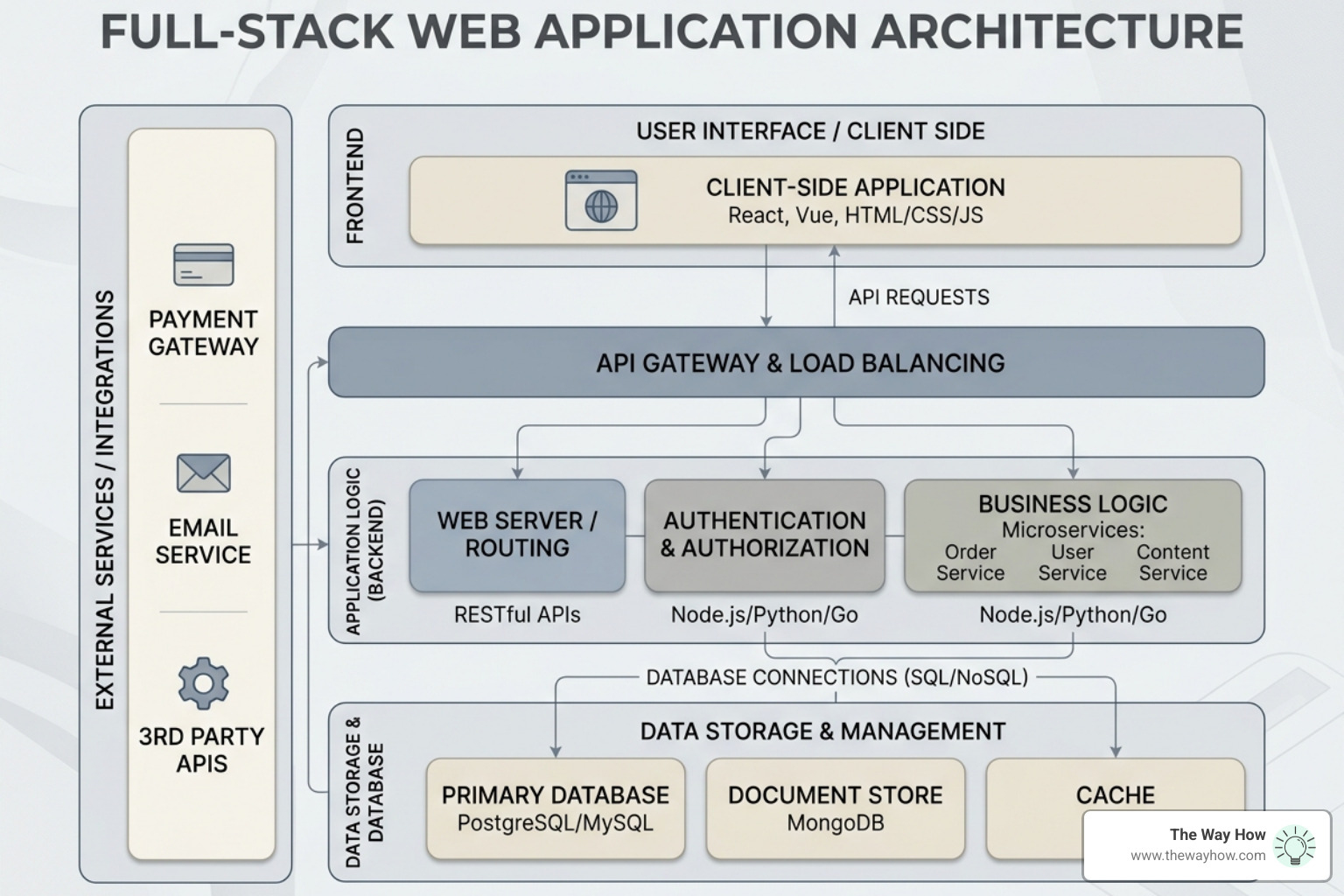
Tools like Bolt.new and Vercel’s v0 have changed the “blank page” problem. Bolt.new offers a free tier with 150K daily tokens, allowing you to build and deploy web apps using modern stacks (like shadcn components and Vite) directly in the browser. These aren’t just “mockups”; they are functional environments where the AI can install dependencies, run a dev server, and deploy to staging in minutes. This speed is essential for HubSpot Custom Development where specialized UI components are needed quickly.
When we help leadership teams select their stack, we look at several criteria:
We have officially entered the era of the “Agentic Loop.” Unlike assistants that wait for a prompt, agents like Devin, Cline, and OpenHands are designed to operate autonomously. They can research documentation, install npm packages, run tests, and iterate until the task is complete.
The real-world results are staggering. In a notable case study, the digital bank Nubank used Devin to refactor an ETL monolith containing 6 million lines of code. By delegating data class migrations to a “fleet of Devins,” they achieved an 8-12x engineering time efficiency gain and over 20x cost savings. What would have taken months of tedious manual work was completed in weeks.
The Nubank example highlights the power of fine-tuning. By providing Devin with manual examples of the migration, the team saw a 4x improvement in task speed—reducing 40-minute tasks to just 10 minutes. This level of automation is transformative for maintaining HubSpot CRM Architecture, where legacy code often slows down growth.
Google has become a major player in the free-tier space. Gemini Code Assist for individuals offers up to 180,000 code completions per month at no cost. For those building custom integrations, Google AI Studio provides a sandbox to prototype prompts before deploying them via the HubSpot API. Additionally, NotebookLM has become a “secret weapon” for developers, allowing them to upload 50 sources per notebook to create a private, AI-powered knowledge base for complex project documentation.
As you add more ai tools for software development to your stack, orchestration becomes the new bottleneck. You don’t just need code; you need a system that governs how agents interact with your SDLC.
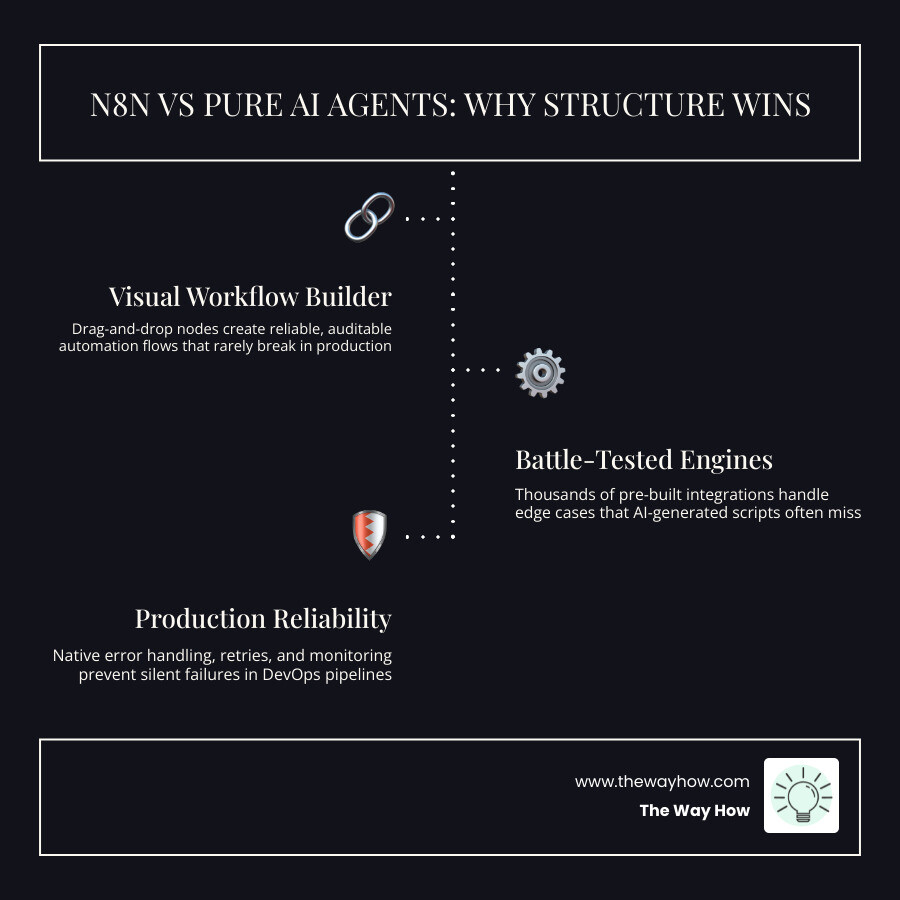
Platforms like Port and n8n are filling this gap. Port provides a “context lake” that gives AI agents the guardrails and self-service workflows they need to be productive without causing chaos.
While AI can write a script to sync data, low-code platforms like n8n are often superior for production-ready automation. They offer battle-tested engines and native integrations that pure AI-generated code lacks. In security, IT, and DevOps, the reliability of a visual workflow often outweighs the “magic” of a generated script that might fail silently.
The most efficient developers in 2026 aren’t loyal to one tool; they chain them. A common high-performance workflow looks like this:
The “vibe coding” era has a dark side: technical debt. AI tools can generate code so fast that human review becomes a bottleneck, leading to “review fatigue.” If left unchecked, this results in inconsistent naming conventions, outdated patterns, and logic that is difficult to maintain.
To prevent AI from turning your codebase into a “spaghetti” monolith, we recommend several strategies:
.cursorrules or similar configuration files to enforce your team’s specific coding style and tech stack preferences.memory.md file in your repo that the AI can read to remember past architectural decisions.Cursor and Devin are the leaders here. Cursor’s semantic indexing allows it to “understand” relationships across thousands of files, while Devin can autonomously navigate complex dependency chains to perform refactors that would overwhelm a standard chat assistant.
Flat-rate models like GitHub Copilot ($10/mo) or Cursor ($20/mo) provide budget predictability, which is great for large teams. However, BYOK (Bring Your Own Key) models are gaining popularity among privacy-conscious firms because they allow the team to control which LLM processes their data and only pay for what they use.
Yes. Agentic platforms like Port and autonomous agents like Devin are specifically built for cross-repository tasks. They can manage dependencies and open coordinated PRs across different parts of your infrastructure, which is vital for modern microservices.
At The Way How, we believe that technology is only as effective as the strategy behind it. Chasing the latest ai tools for software development won’t fix a stalled growth engine if the underlying systems are built on uncertainty.
We take a psychology-first approach to revenue and marketing strategy. We don’t just recommend tools; we diagnose why your growth has hit a plateau and design systems that create trust and predictable revenue. Whether you are looking to optimize your HubSpot architecture or integrate AI into your sales process, our focus is on clarity and human behavior.
If you’re ready to move past the hype and build a dependable growth engine, we can help you see the problem clearly before we ever talk about solutions.
 Jeremy Wayne Howell : Jul 22, 2026 9:48:31 PM
 Jeremy Wayne Howell : Jul 21, 2026 9:47:10 PM
 Jeremy Wayne Howell : Jul 20, 2026 9:46:47 PM